Cómo colocar el sistema el inventario en las 2 computadoras

-

Hi Deisy,
You can use Aronium Pro to connect multiple computers to the same database.
Please keep in mind that Pro version is not free, and price for it is $10 USD / month for a single store (or $100 USD if paid annually).
If you would like to try it, you can download it at https://www.aronium.com/en/download anytime. You can find setup instructions there, too, if you decide to try this out, please read them carefully before setting it up.
Best regards, Aronium team.
-
Hi einer ibarra,
The most likely reason for this to happen is if you are using one Cash register on multiple computers. You need to have a separate Cash register assigned to each POS, as printers are associated with a Cash register in the database. This way, when you configure printers and save settings, it will stay the same and won't mess around with a different PC.
Please do the following:- Go to Management > Cash registers
- If you have only one Cash register, create a new one, you can call it "POS 2" (or whatever you like)
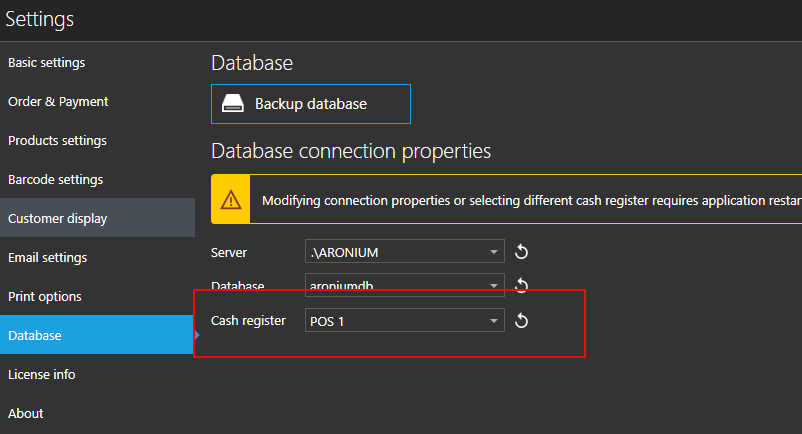
- On the second PC, go to Settings > Database
- Change the Cash register to that second Cash register from step No.2
- Save settings (you may need to restart the application) and try configuring printers after that
Hope this helps.
Thanks, Aronium team.

Please sign in to leave a comment.
Comments
3 comments