Print does not fit in receipt
Answered
Recently set up my POS. Whenever I print the receipt, the text is cut at the right side. I cannot see the total amount in the receipt. I already checked and selected the correct paper size (58mm).
Printer is Rongta RP58E Thermal Printer
Device is Windows 11 Laptop
Here are some photos of my setup and the actual receipt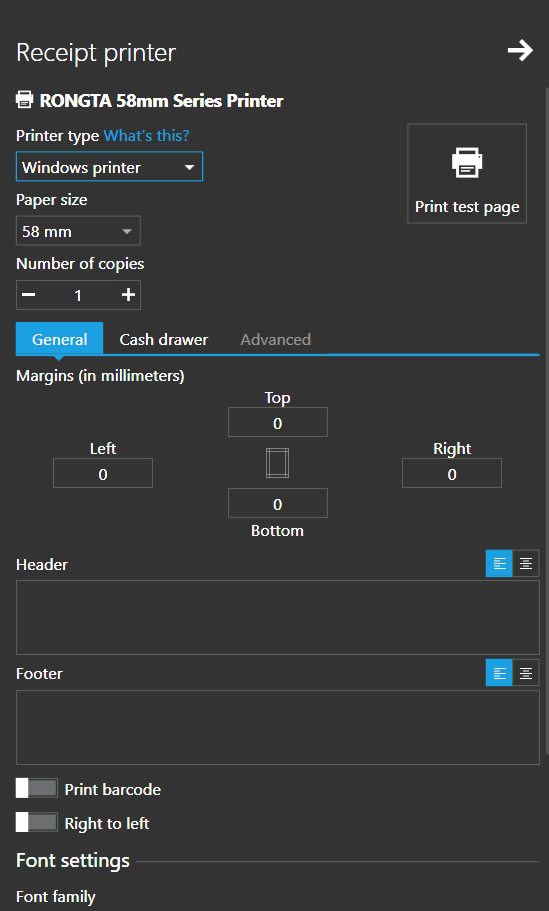
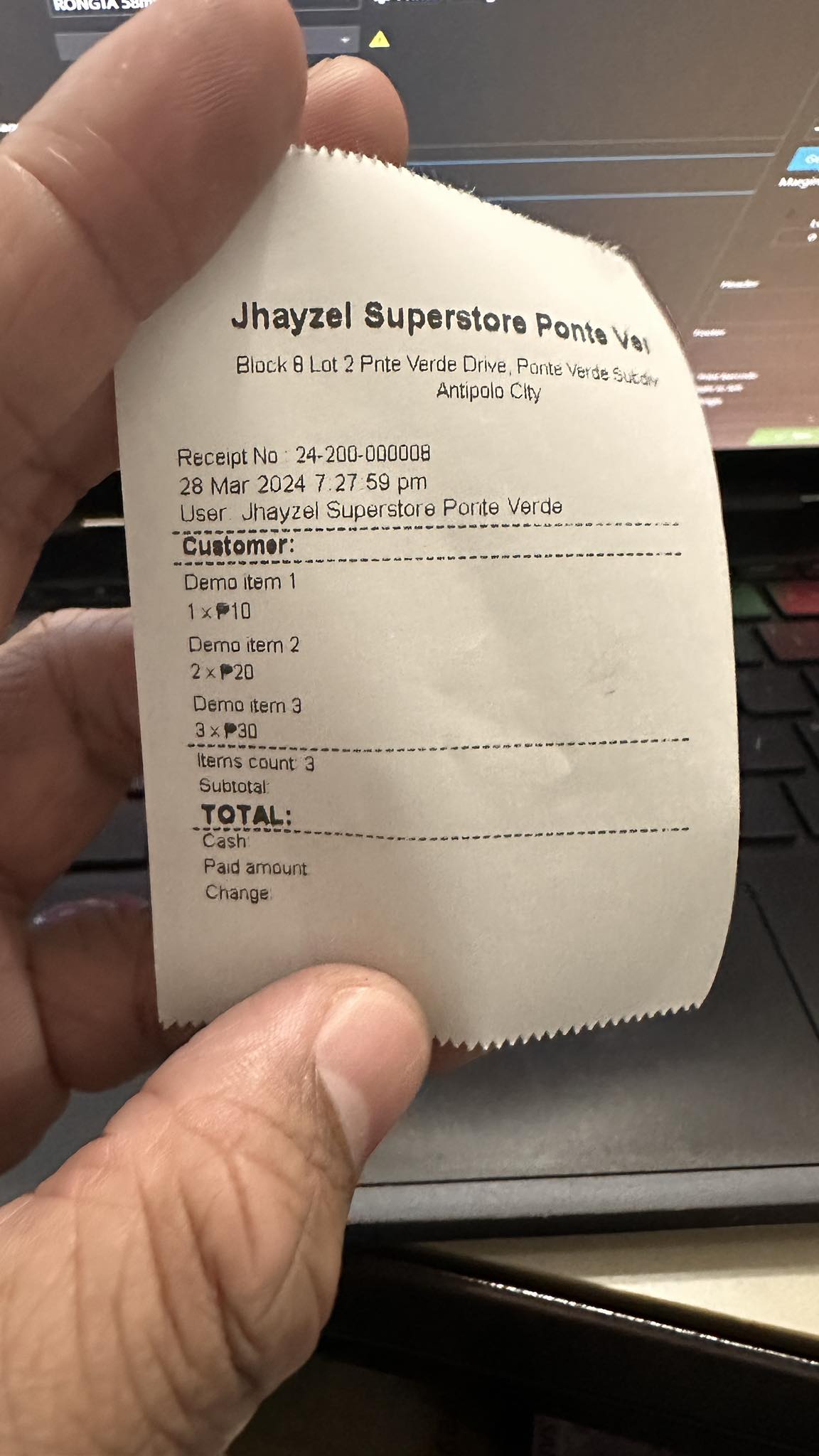
-

Hi Jesus,
Many printers have some hard margins and you can simply solve it by adding a value to the "Right margin" field.
To fix this, try to adjust the margins in settings, as described here. Set or change a value for right margin until you are satisfied with the results, as in the screenshot below.
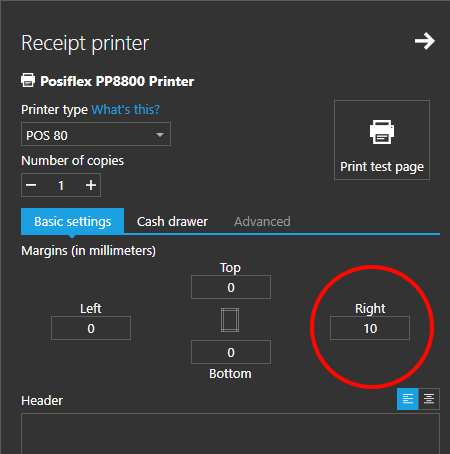
Thanks, Aronium team.
Please sign in to leave a comment.
Comments
1 comment