Delete a Customer

Hello Everyone
Is their a was to delete a customer from the customers list??
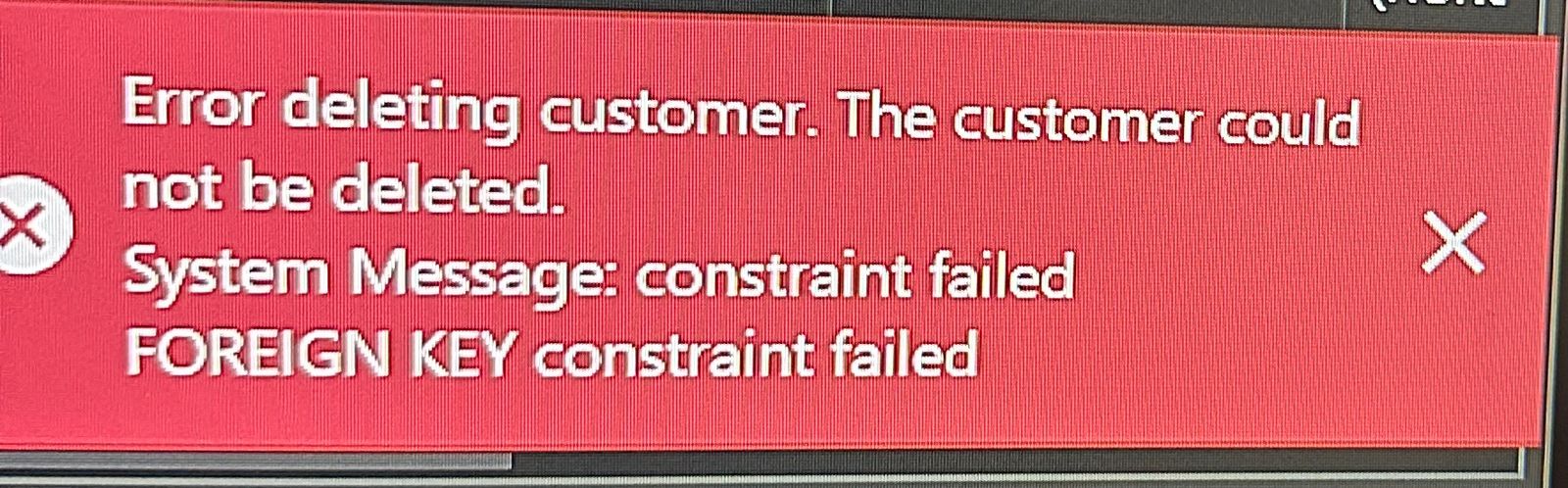
Every time I try doing it I get a red error on the screen
Thank you all in advance
-

Hi Gus,
It would be helpful if you can share the error you are seeing so we can understand where the problem may be.
One thing you may need to remember is that you won't be able to delete a customer / supplier if you have any documents assigned to them, so please double check if this may be the error you are seeing.
Thanks, Aronium team.
-
As mentioned before, this message appears if you have sales or any other document associated with the customer you are trying to delete, and for that reason, you are not allowed to delete that customers.
To delete a customer, please make sure you don't have any documents associated with them. You can check this if you go to Management > Documents and filter documents for this customer and include time period from the moment you start using Aronium so you can make sure no documents are filtered out. When you find the documents associated with this customer, you can 1) delete the documents or 2) edit documents and change the customers. Once you removed the customer from all documents, you will be able to delete it.
Thanks, Aronium team.
Please sign in to leave a comment.
Comments
3 comments