Loyalty Points Manager

Hey everyone! I'm excited to introduce my brand new loyalty points manager app! It's designed to make keeping track of your loyalty points simple. And to make it even better, it comes with a built-in WhatsApp notification feature so you never miss an update on your points.
Let's jump right in and see how to use it. The app has two tabs: 'All Customers' and 'Settings'.
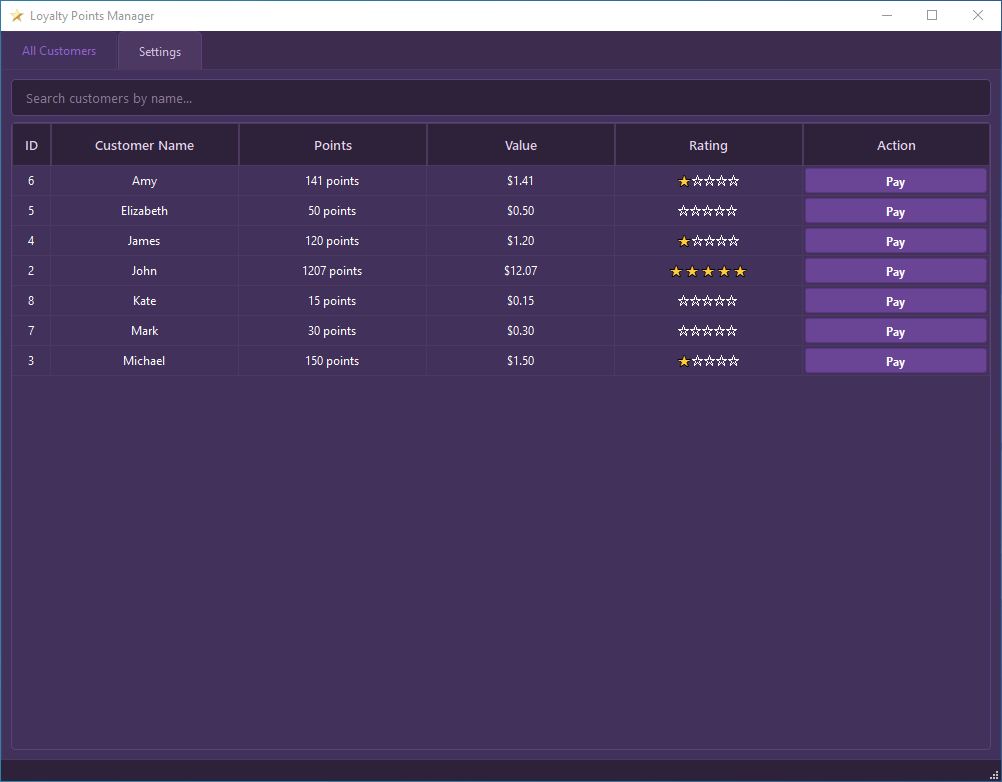
The "All Customers" Tab:

This tab is your primary interface for viewing customer loyalty data and processing point redemptions, and it has two main widgets:
1. Search Customers by Name:
-
Located at the top of this tab, you'll find a search bar (text input field).
-
Type a customer's name (or part of it) here, and the table below will instantly filter to show only matching customers, making it easy to find someone quickly.
-
Clearing the text in this field will display all customers again.
2. Customer Information Table:
This is the main part of the tab, listing your loyalty program members. Each row represents a single customer, and the columns display specific details:
-
ID: Shows a unique identification number assigned to each customer in the system.
-
Customer Name: Displays the full name of the customer.
-
Points: Shows the customer's current loyalty point balance (e.g., "1250 points"). This value updates automatically as customers earn or spend points.
-
Value: Displays the monetary equivalent of the customer's current points (e.g., "$12.50"), calculated based on the "Points per 1 [Currency Symbol]" setting you configured in the "Settings" tab.
-
Rating: Shows a visual star rating (e.g., ⭐⭐⭐☆☆) representing the customer's current loyalty tier, determined by their total points and the "Customer Rating Settings."
-
Action ("Pay" Button): Each customer row features a "Pay" button. Clicking this button for a specific customer opens a new dialog window, allowing you to process a payment using that customer's accumulated loyalty points.
The "Settings" Tab:
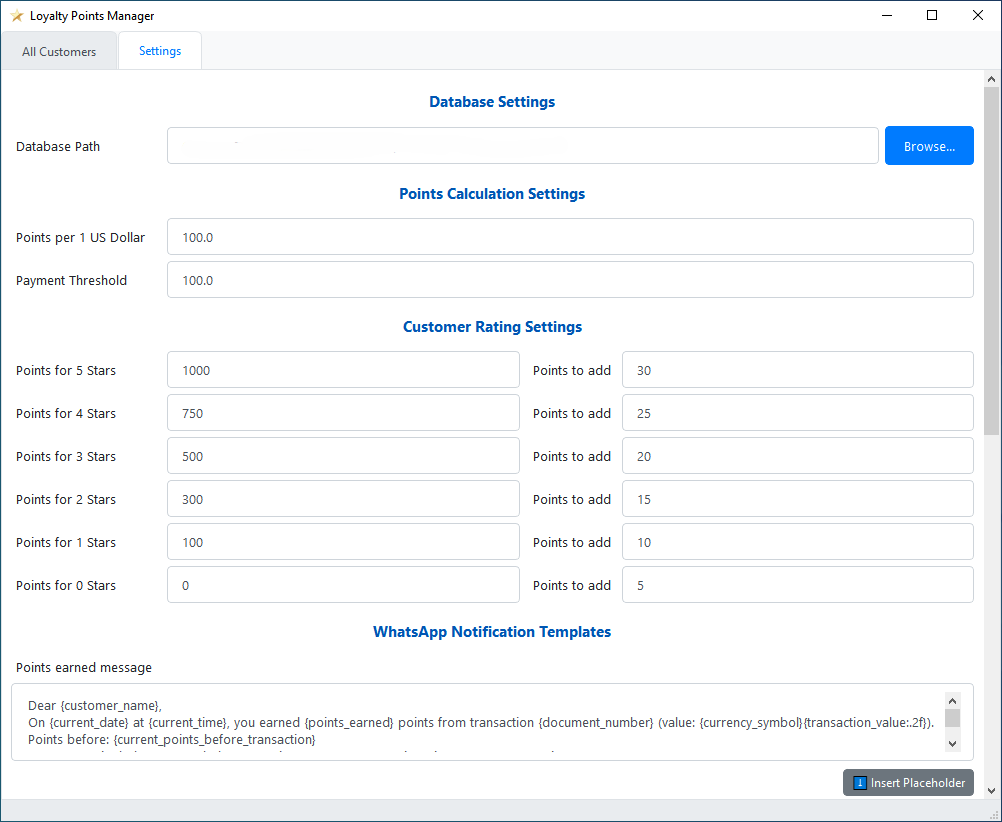
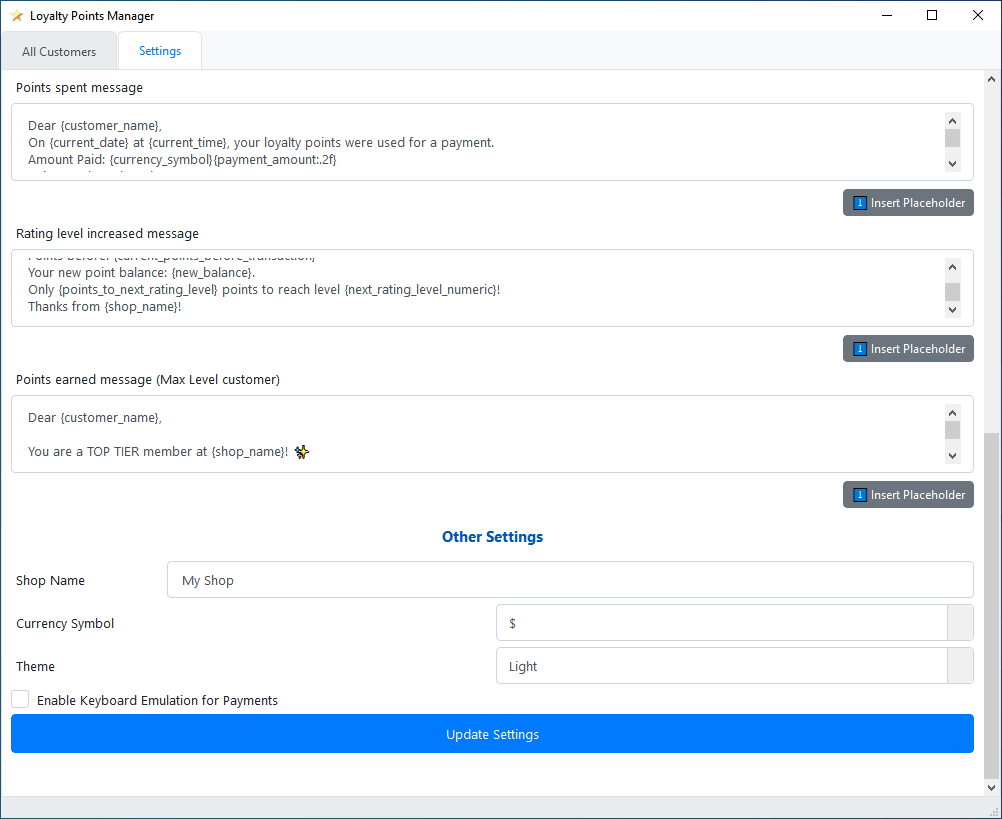
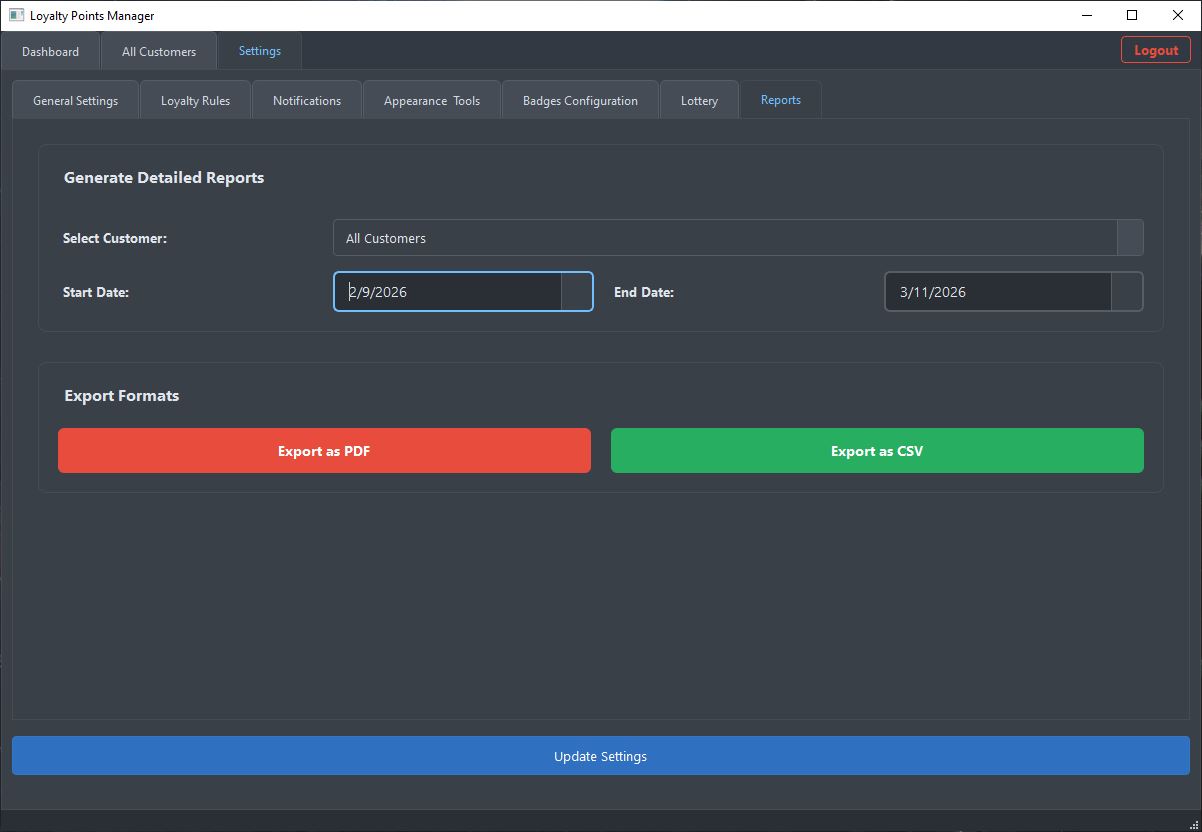
This tab allows you to customize how the Loyalty Points Manager operates. Here, you can configure database connections, points calculation rules, customer ratings, notification messages, and application appearance. Settings are grouped into expandable sections for clarity.
Database Settings
Configure how the application connects to your customer and transaction data. This section includes:
-
Database Path: Enter the full file path to your SQLite database file. Alternatively, click "Browse..." to open a file dialog and select your database file. The application will attempt to connect to this database when the path is set or changed.
Points Calculation Settings
Define how loyalty points are calculated and can be used. This section includes:
-
Points per 1 [Currency Name] (Input Field): Enter the number of loyalty points a customer earns for each unit of your selected currency spent (e.g., if set to 100, and currency is "$", then $1.00 spent earns 100 points). The label "[Currency Name]" updates based on your "Currency Symbol" choice.
-
Payment Threshold (Input Field): Enter the minimum transaction value (in your currency) required for a customer to automatically earn points for that sale (e.g., if set to 10.00, sales below this amount won't earn points automatically).
Customer Rating Settings
Define point thresholds for different customer rating (star) levels and the points awarded per transaction for customers at each level. This section includes:
-
Points for X Stars (Input Field): Enter the total loyalty points a customer must accumulate to achieve a specific star rating (e.g., "Points for 5 Stars": 1000).
-
Points to Add (Input Field): Enter the number of additional points a customer at this X-star level will earn per qualifying transaction (e.g., for a 5-star customer: 30 points).
WhatsApp Notification Templates
Customize the automated WhatsApp messages sent to customers. Default templates are provided, which you can edit:
-
Points earned message (Text Area): Edit the template for messages sent when a customer earns points.
-
Points spent message (Text Area): Edit the template for messages sent when a customer redeems points.
-
Rating level increased message (Text Area): Edit the template for messages sent when a customer's rating level increases.
-
Points earned message (Max Level customer) (Text Area): Edit the template for messages sent when a top-tier (max rating) customer earns points.
"⬇️ Insert Placeholder" Button (per template):
Below each template editor, click this button to see a menu of available placeholders (e.g., {customer_name}, {points_earned}). Selecting a placeholder inserts it into the template at your cursor's position, allowing for dynamic message content.
Other Settings
Configure general application behavior and appearance. This section includes:
-
Shop Name (Input Field): Enter your shop or loyalty program name. This name can be used in WhatsApp notification templates (via the {shop_name} placeholder).
-
Currency Symbol (Dropdown Menu): Select the currency symbol (e.g., $, €, £) used throughout the application and in calculations. This also updates the label for "Points per 1 [Currency Name]".
-
Theme (Dropdown Menu): Choose the visual theme for the application. The application's appearance will change immediately. The available themes include:
Light
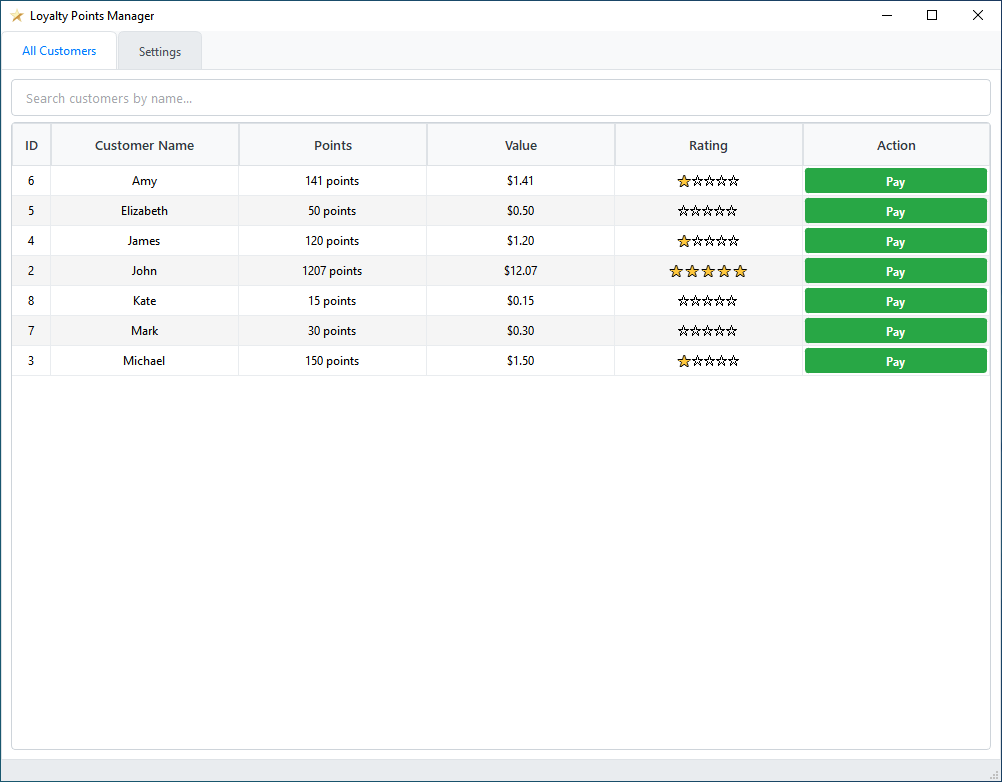
Dark

Green
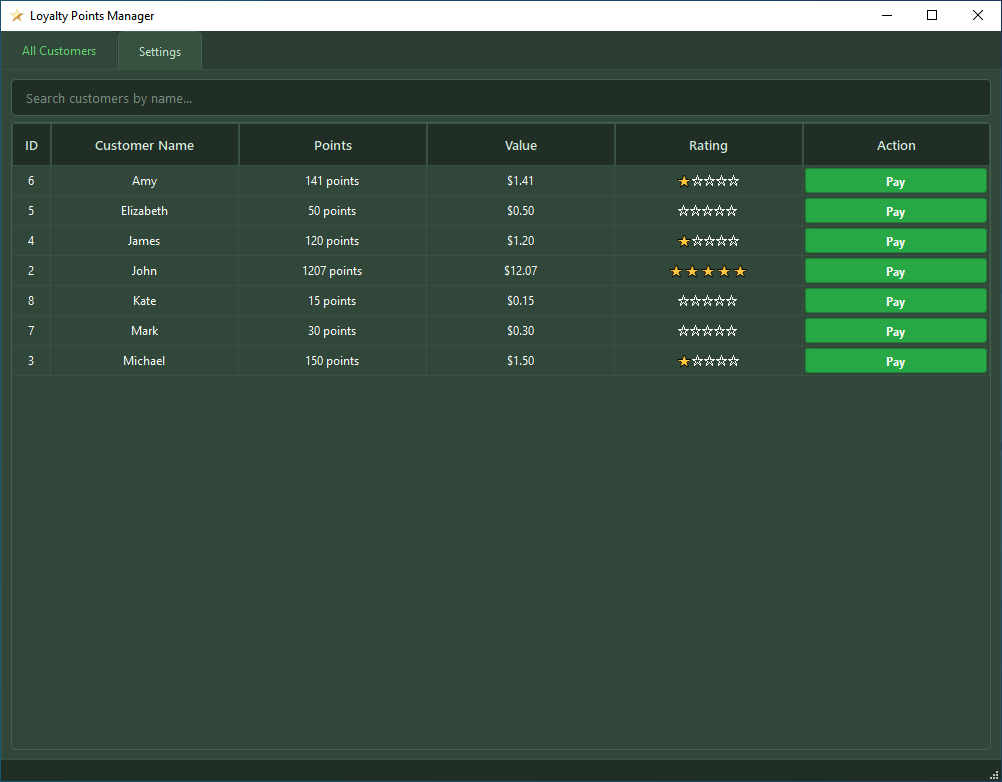
Blue

Red

Purple
-
Enable Keyboard Emulation for Payments (Checkbox): If checked, the application will attempt to type the payment amount into your POS system automatically when processing a points payment. Important: Ensure your POS payment field is active before confirming payment.
Update Settings (Button)
Click this button to save all changes made in the "Settings" tab. Some changes (like the Database Path) may trigger a data reload. A confirmation message will appear briefly after saving.
Note: This app is not yet complete, but I wanted to give you a preview. Stay tuned for more details.
-
Hey Saint John Pulta,
Sorry for the delay! I’ve been extremely busy lately.
A new feature was added:
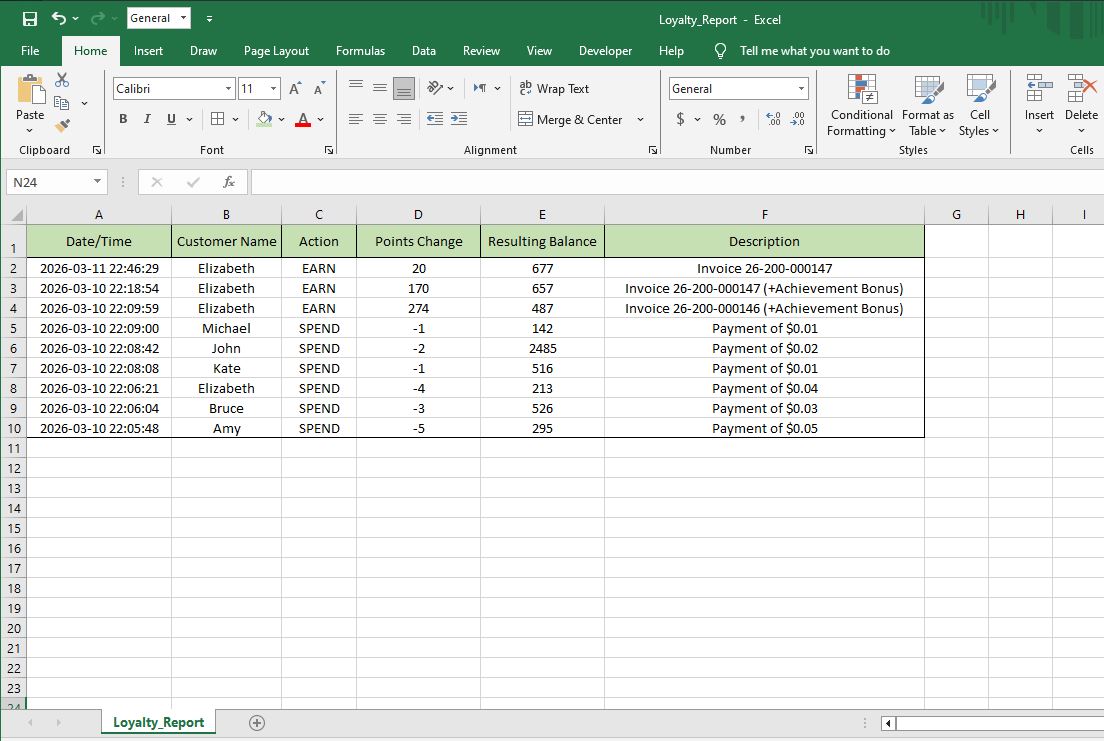
Always-On Loyalty Tracking: You no longer need to worry about accidentally closing the application! With this latest version, the app now stays active in your system tray even after you close the main window. This guarantees that your customer rewards, point logs, and automated lottery draws will keep working 100% of the time, so you never miss a transaction update.
Here's the download link:
https://mega.nz/file/MdsSBDIJ#KQAiOcu4LdM4XQCd-MWN3GAPc_0IMumknr0CkwtSb9I
-
🚀 A Major Upgrade is Coming!
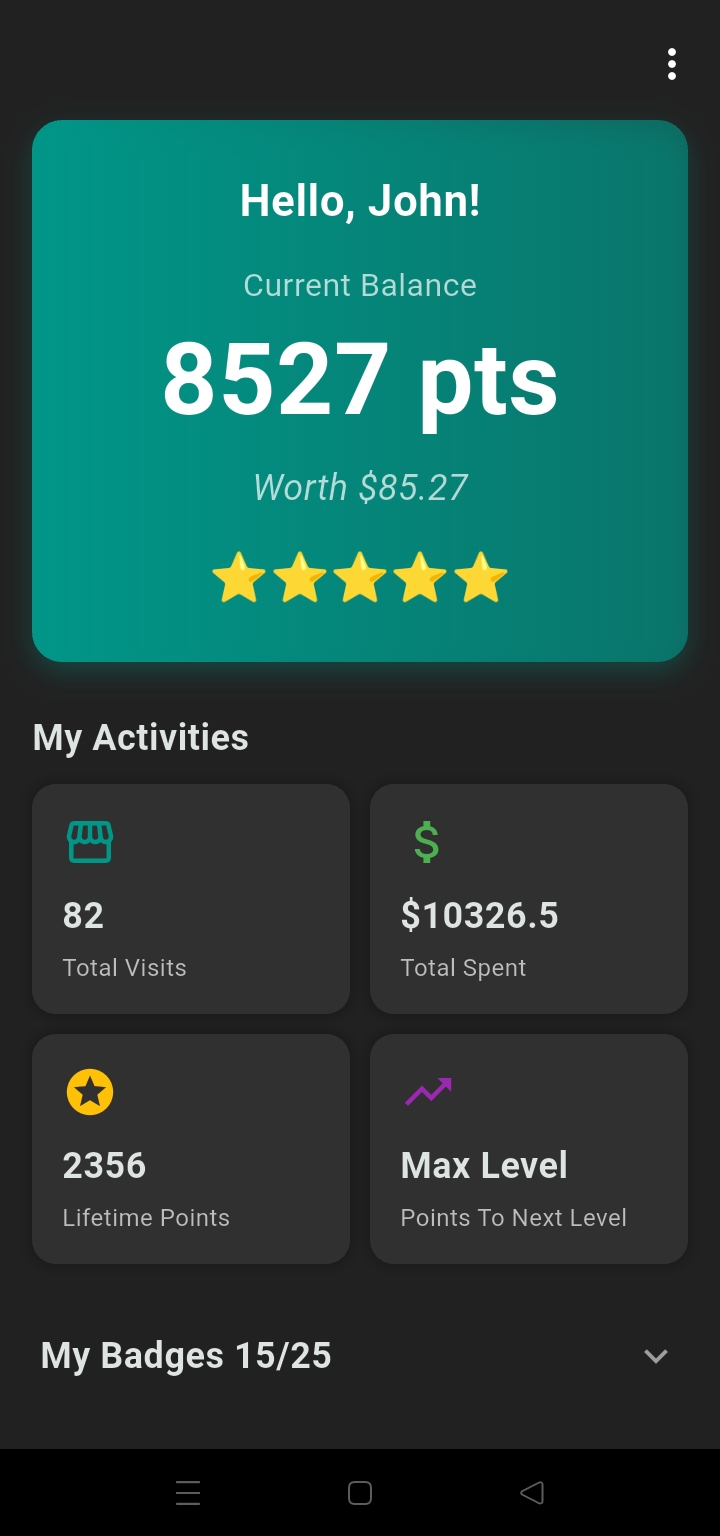
I have exciting news! I have been building a dedicated app to manage your loyalty rewards, and it is almost ready for you to use.
It’s time to say goodbye to the old methods. I am phasing out WhatsApp and Messenger notifications to give you a much more professional and private experience. Instead of scrolling through old chat history just to find your balance, you will soon have your own private dashboard where everything is organized and updates in real-time.
I’ll be sharing more details very soon on how to link your account. Get ready for a faster, better way to track your rewards! 🏆
-
Hey Mohamed,
Could you please contact me by email?
j93609566@gmail.com -
Hey Bunty,
Could you please contact me by email?
j93609566@gmail.com -
Hey Josué,
I don't currently have the Pro version installed, so I won't be able to test it on my side. Please contact me by email, and once I've finished modifying the app, I'll send it to you so you can try it and let me know if it works properly.
-
Hey Roel,
I’ve successfully developed a version that works with Aronium Pro. However, I don’t currently have Aronium Pro installed on my end, so I haven’t been able to test it. Please reach out to me via email so we can discuss it further.
j93609566@gmail.com


Please sign in to leave a comment.
Comments
75 comments