Digital Restaurant Manager

Digital Restaurant Manager (DRM) is a comprehensive software ecosystem designed to streamline restaurant operations by connecting front-of-house staff, kitchen operations, and management into a single synchronized workflow.
🚨 Project Disclaimer
DRM is a personal independent project developed over an extended period of time.
It is a fully custom-built solution and has no affiliation, partnership, or endorsement with Aronium or any other POS provider.
🏢 DRM System Architecture
The DRM ecosystem consists of three integrated applications that synchronize in real time through a cloud-connected infrastructure.
Each application serves a specific operational role while remaining fully connected with the others.
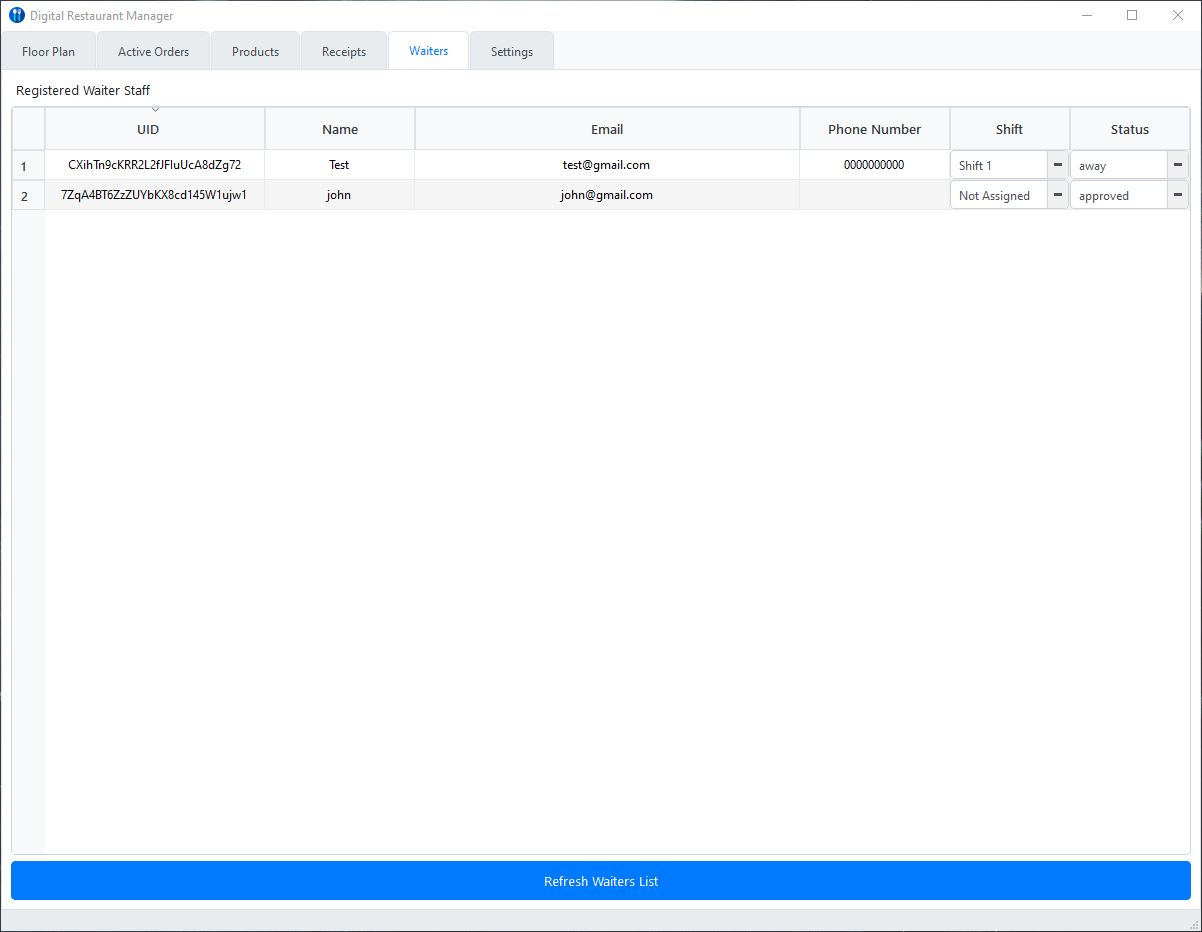
🖥️ 1. DRM Management Console
Central Administration Platform (Desktop Application)
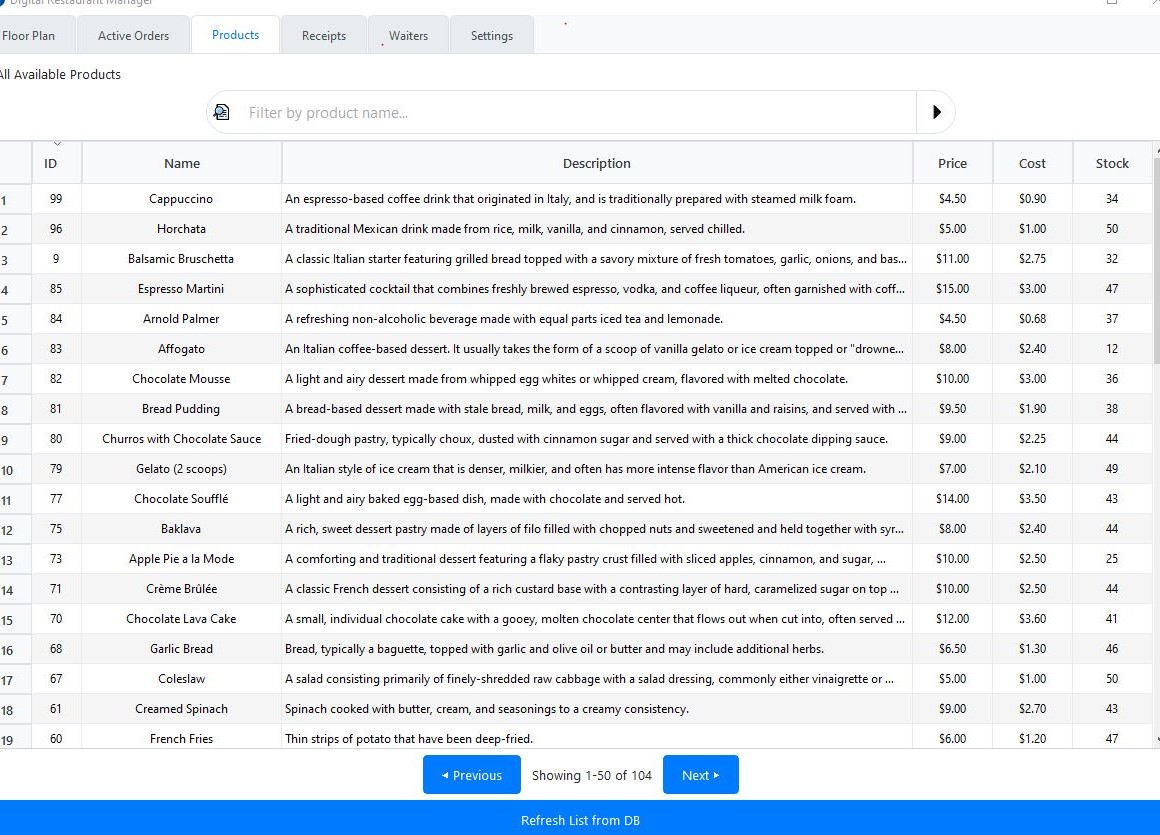
The Management Console serves as the central control system for the entire restaurant environment, providing tools for monitoring operations and managing floor activity.
Key Features
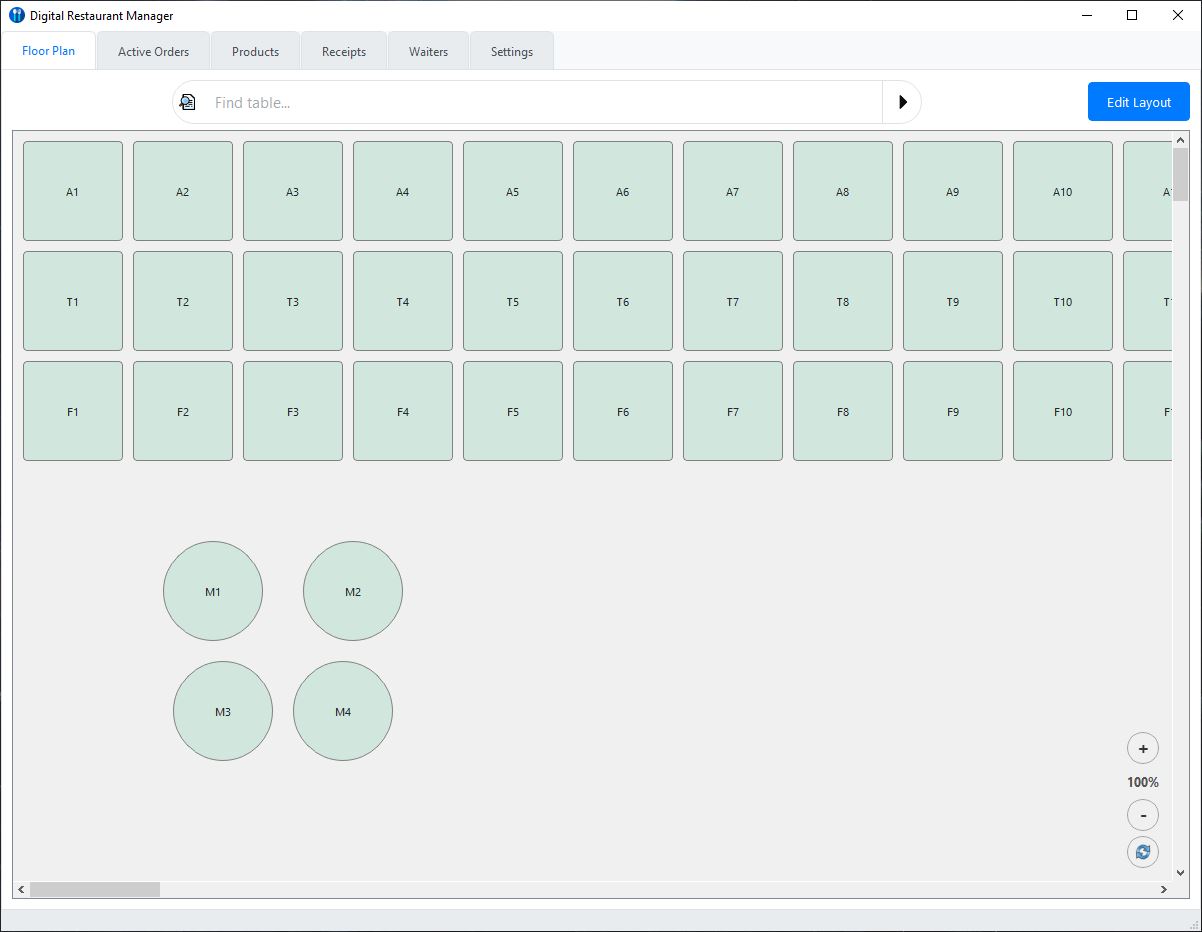
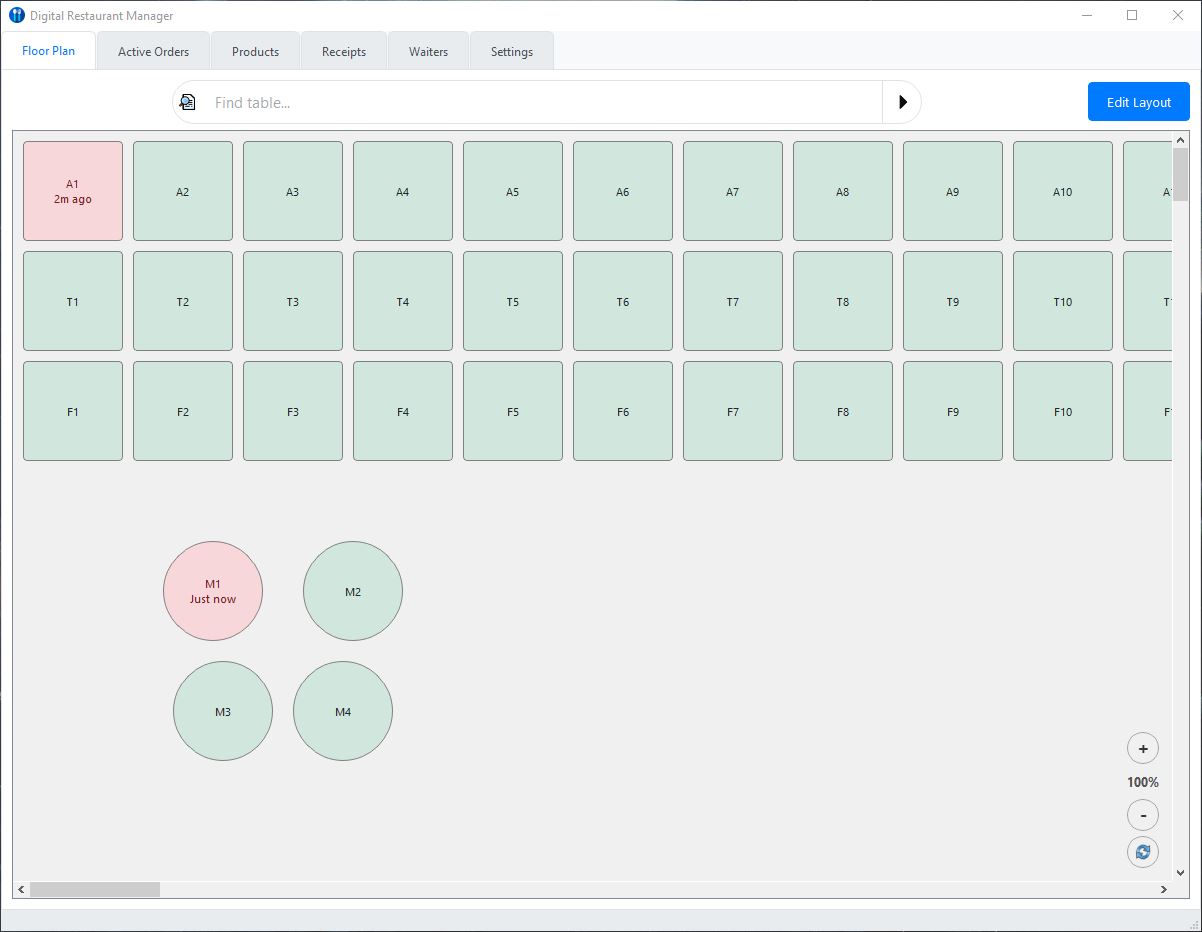
Live Floor Plan Monitoring
A real-time visual representation of the dining area where tables display their current status:
-
🟢 Available
-
🔴 Occupied
Service timers allow managers to monitor table duration and improve service efficiency.
Interactive Floor Plan Editor
Managers can design or modify the restaurant layout using a drag-and-drop interface.
Tables can be repositioned and resized with support for multiple shapes including:
-
Square tables
-
Circular tables
This allows the digital layout to accurately reflect the real dining area.
Shift-Based Access Control
System access can be restricted to specific operating hours.
Example:
Dinner Service:
17:00 – 22:00
Outside these defined shifts, the system automatically limits access, helping enforce operational discipline.
QR-Based Device Pairing
To simplify device setup, the console generates a secure QR code.
Scanning the code with a mobile device instantly connects it to the restaurant system without manual configuration.
📱 2. DRM Waiter Terminal
Mobile Order Management (Android Application)
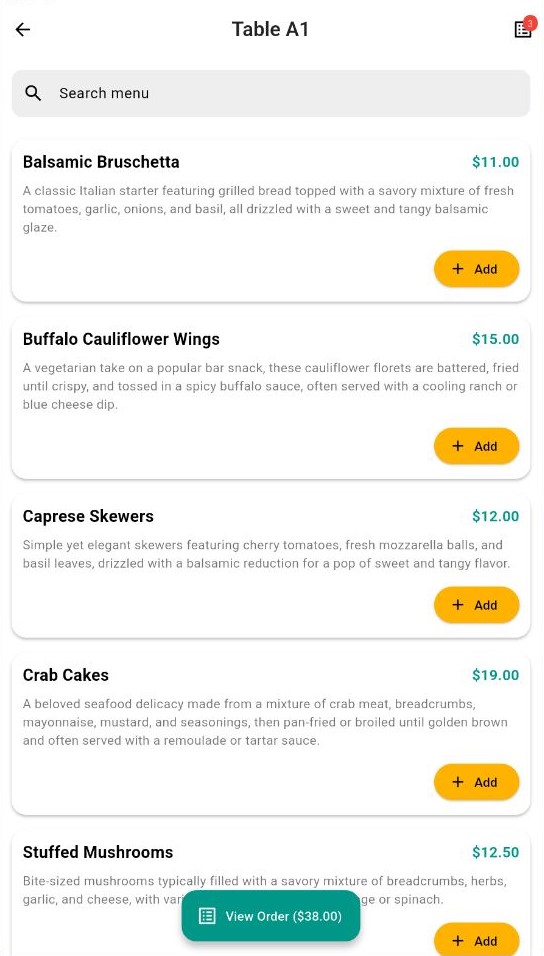
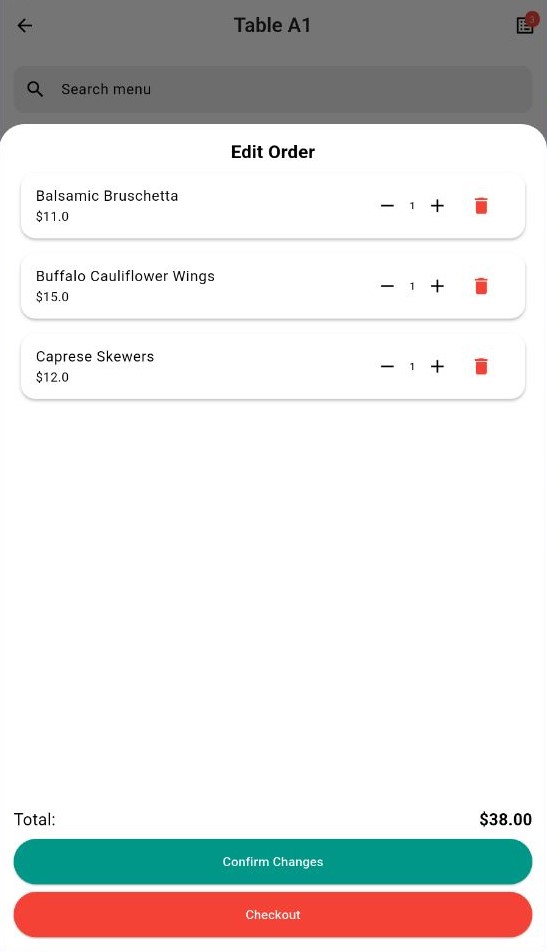
The Waiter Terminal allows staff to manage tables and send orders directly from a smartphone or handheld device.
Key Features
Tableside Order Entry
Orders are created and sent directly from the table, eliminating the need to return to a fixed POS terminal.
Orders appear in the kitchen system instantly.
Real-Time Order Notifications
When the kitchen marks an order as ready, the assigned waiter receives an immediate notification on their device.
This reduces waiting time and improves service flow.
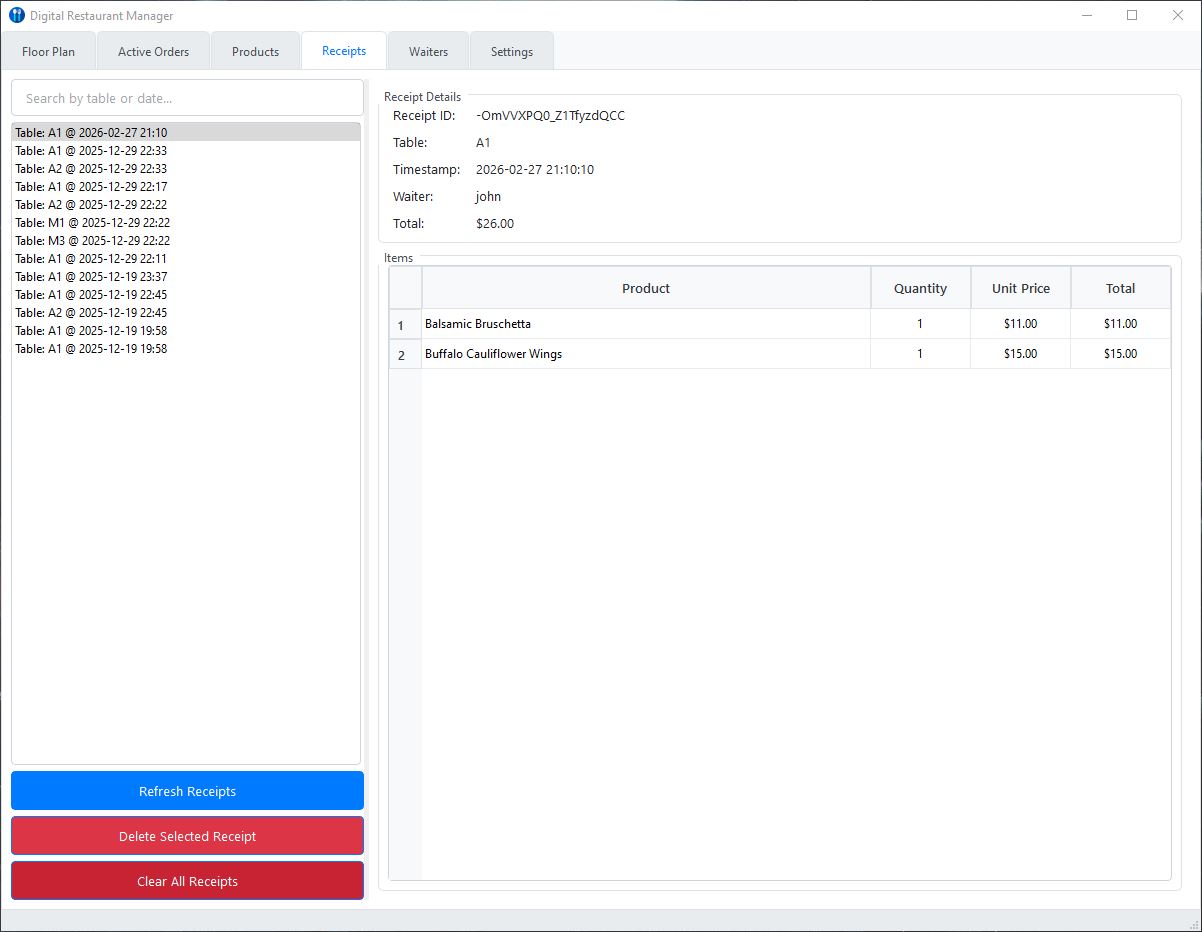
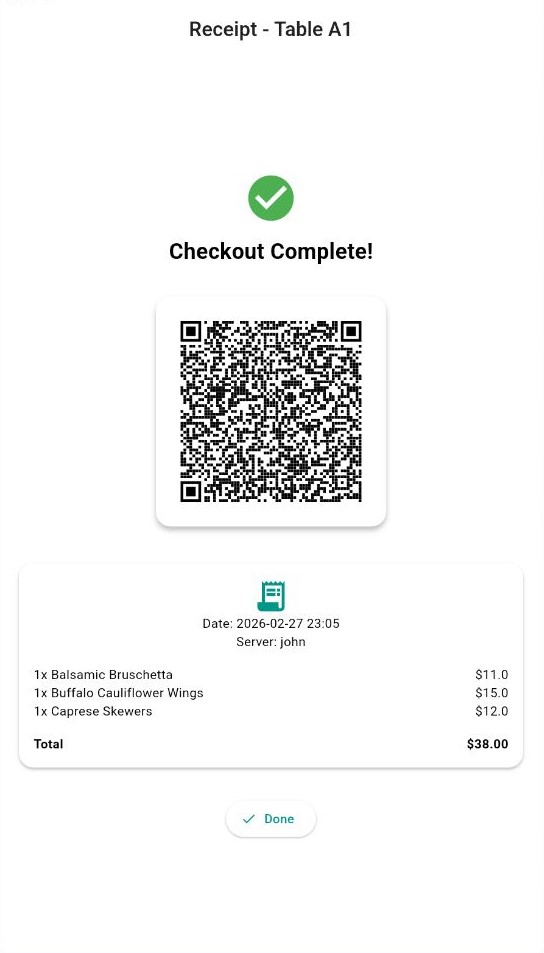
Digital Receipts
After payment, the system generates a digital receipt.
Guests can scan a QR code on the waiter’s device to instantly download their receipt to their phone, reducing paper usage.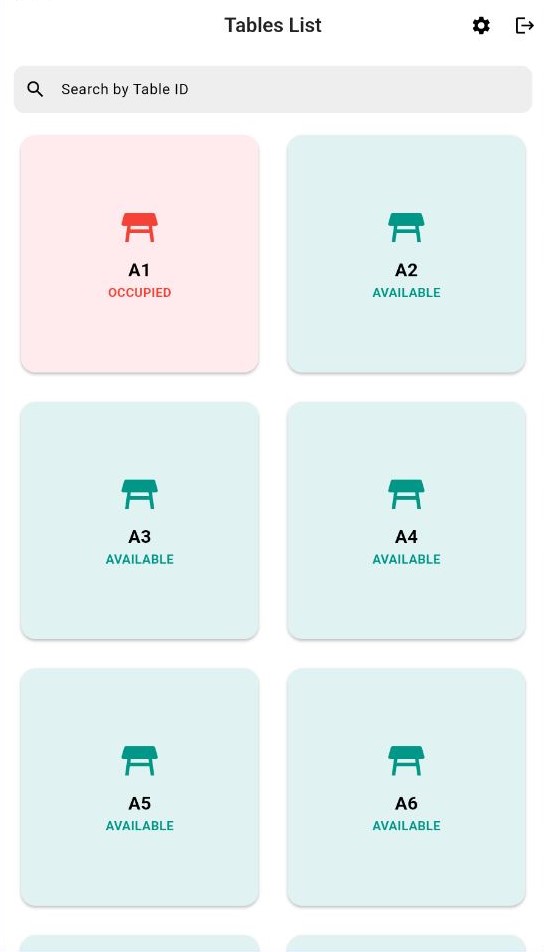
🍳 3. DRM Kitchen Display System (KDS)
Digital Kitchen Order Management (Android Application)
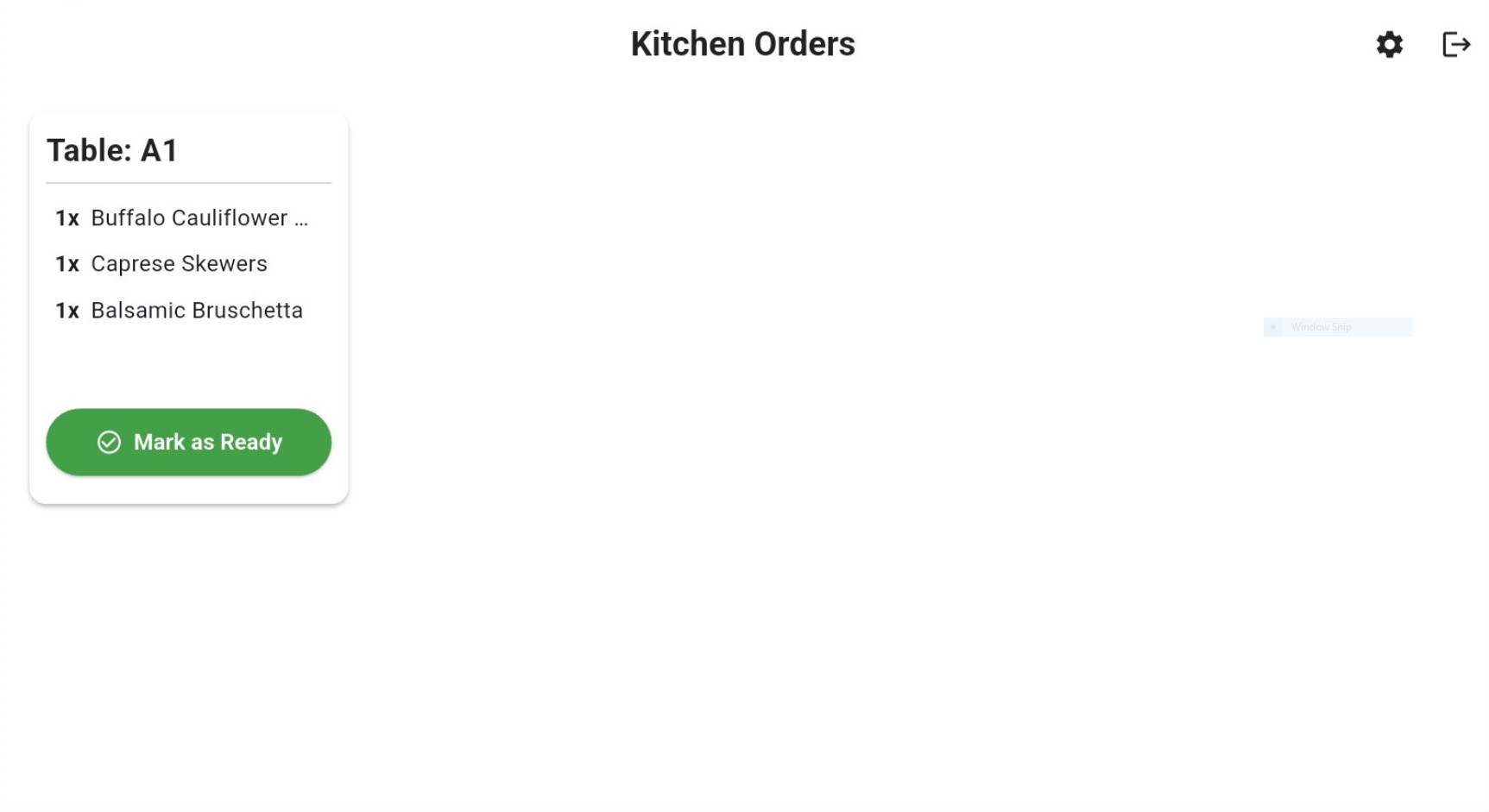
The Kitchen Display System replaces traditional printed tickets with a digital order queue optimized for high-volume kitchens.
Key Features
Clear Item Quantities
Each order item displays its quantity clearly:
-
x2 Classic Burger
-
x1 Garden Salad
This ensures kitchen staff can immediately understand order volume.
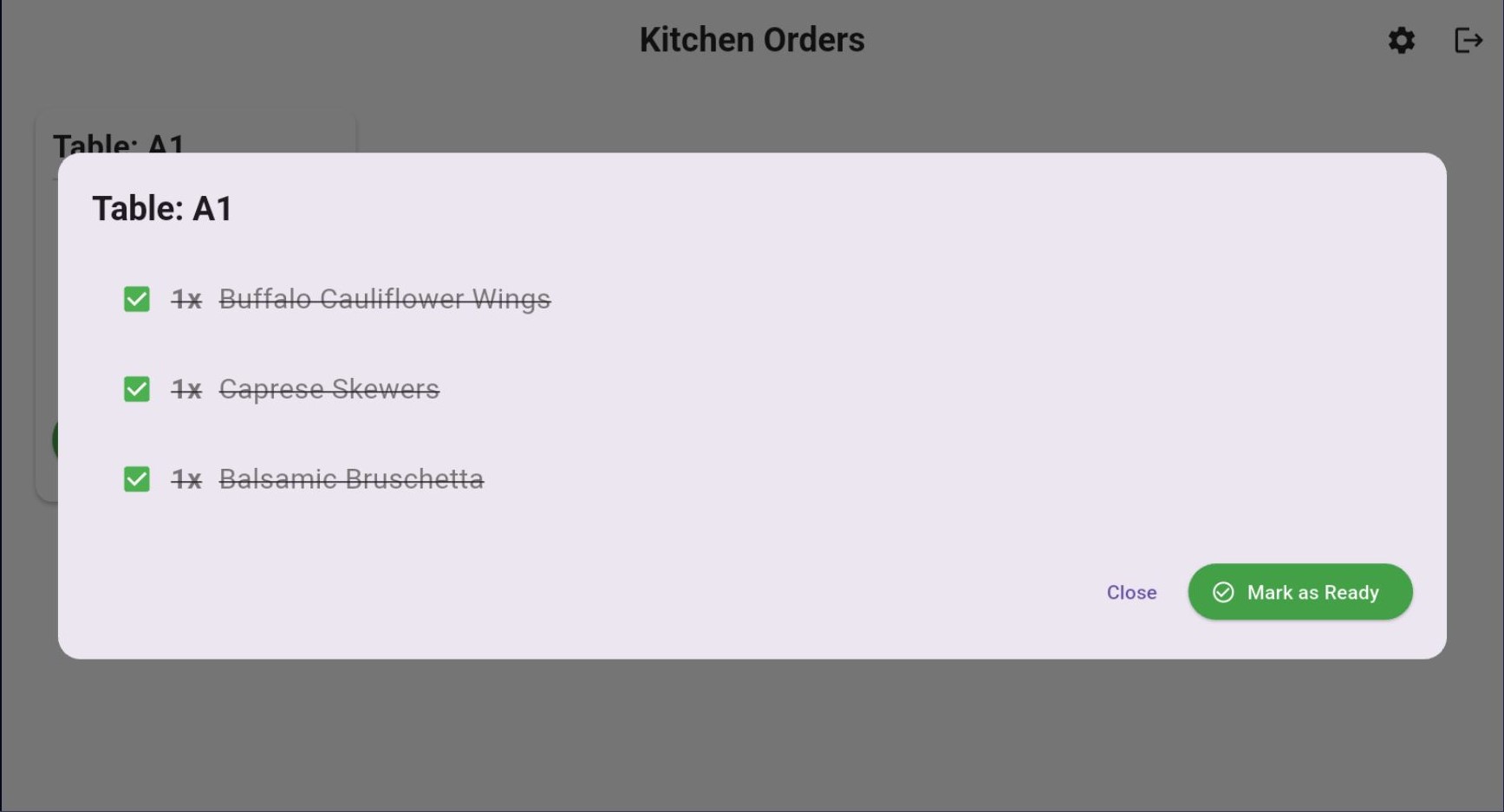
Preparation Checklist
Kitchen staff can track preparation progress using a checklist format.
Completed items display a dynamic strikethrough on the item text while keeping the checkbox visible for clear status indication.
Example:
☑️ x2 Wagyu Burger
☑️ x1 Hand-Cut Fries
⬜ x1 Garden Salad (In Progress)
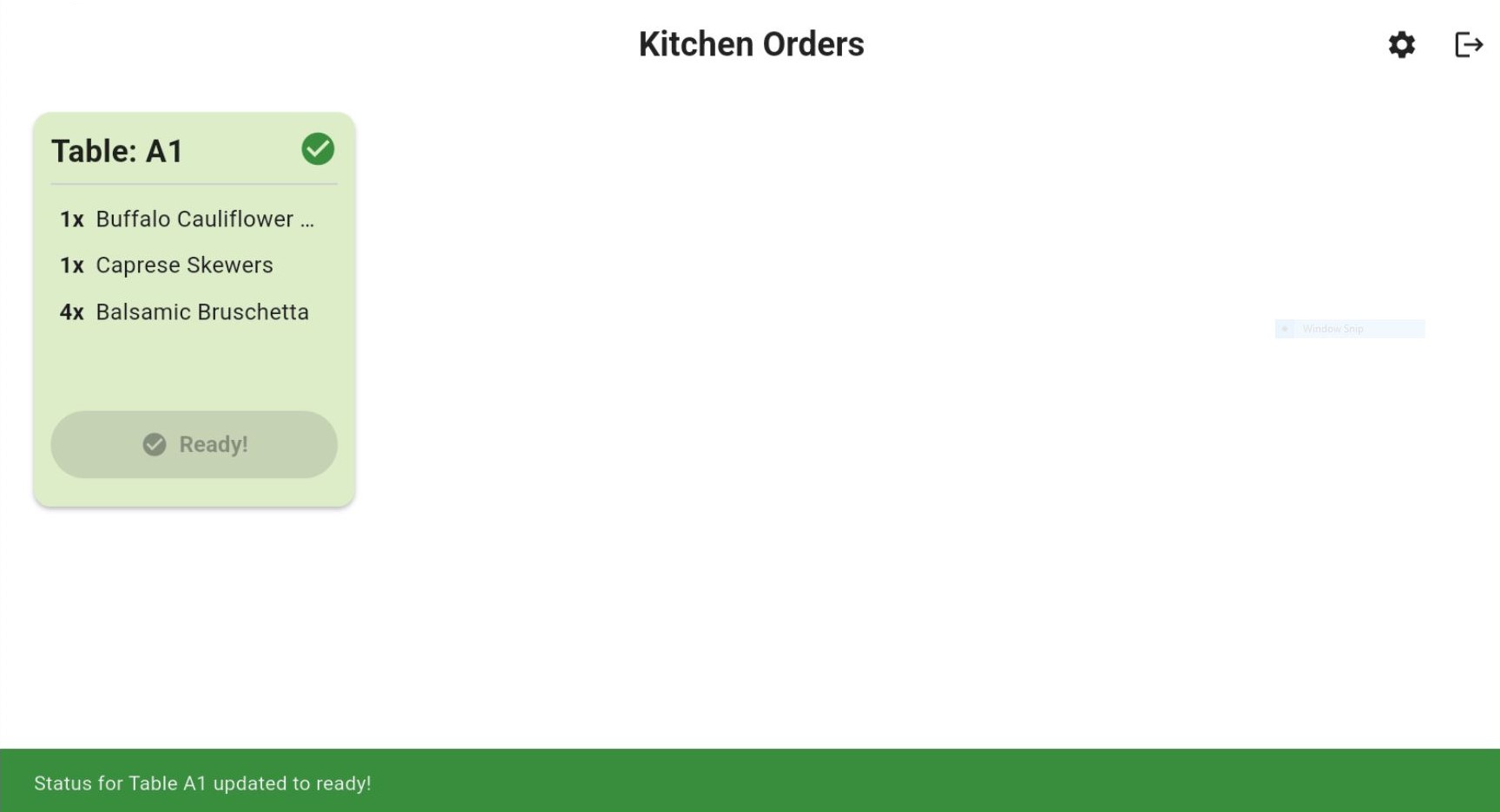
Real-Time Order Updates
If an order is modified after being sent to the kitchen, the ticket updates instantly and highlights the change with a visual alert.
This allows kitchen staff to immediately identify additions or cancellations without verbal communication.
Audible Order Notifications
To improve responsiveness in busy kitchen environments, the KDS includes distinct sound alerts:
-
🔔 New Order Sound – played immediately when a new order is received.
-
🔄 Order Update Sound – played when an existing order is modified.
Using separate audio cues allows kitchen staff to instantly differentiate between new incoming orders and modifications to active tickets without needing to look at the screen.
Please sign in to leave a comment.
Comments
0 comments