Expiration date product
Completed
This is a very important function for those who sell products which have an expiration date, like some foodstuffs, and very important if the user of the system is a pharmacy, since here is not only the problem of expiration, but also the possibility of sale of some medically expired and that this affects the health of the buyer.
It would be very good to have an attribute in the product, it can be established whether or not it has expiration, and if it is affirmative to be able to indicate its expiration date
Also in the reports have a specific where you can see what are the products to beat.
-

Hey everyone,
I’ve modified the app to work with SQL Server instead of SQLite. All the core functionalities are still the same. I’ve added two fields to the settings to input the server name and database name. All you have to do is input the server and database details and click Open Database.
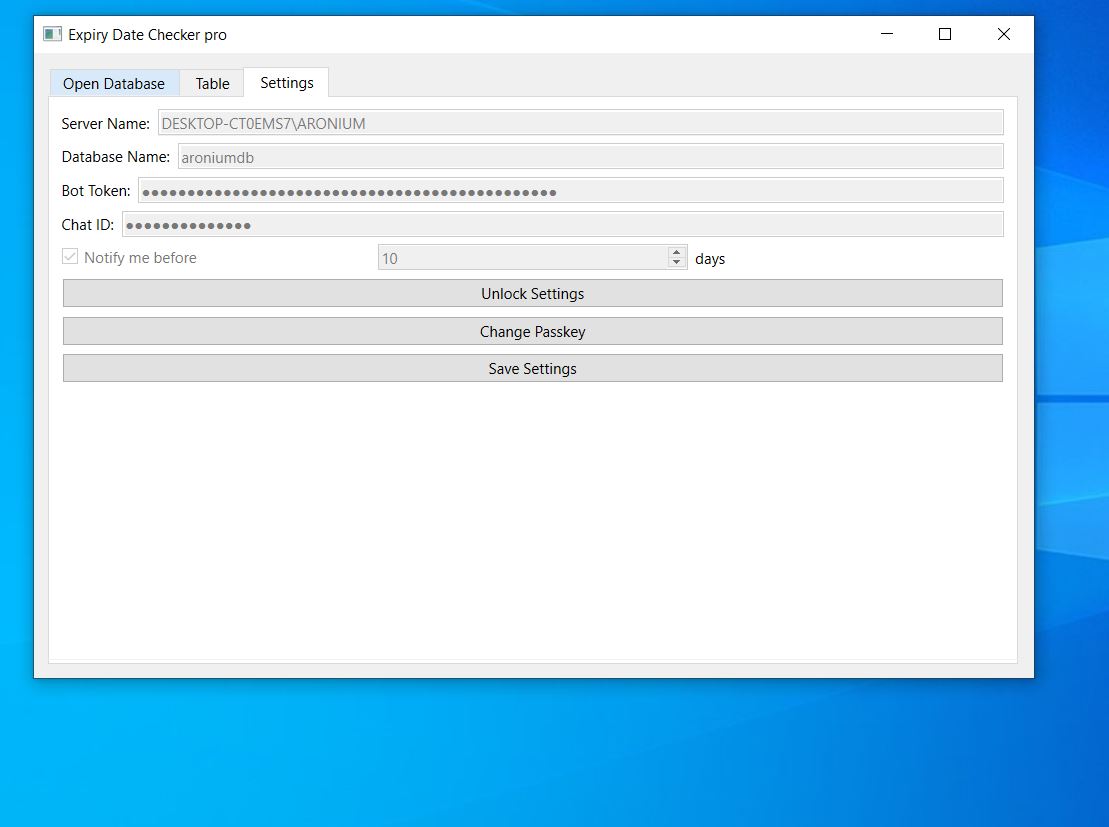
you can download it from the following like:
https://mega.nz/file/4MV0TAwb#rET6Ky148gMT_CHI_q0c5AhAWk5D6kx7SB_JBah1jQg
-

Dear @John
I wanted to take a moment to sincerely thank you for your invaluable help in developing the solution we needed. Your willingness to step up, even when the main company who developed the program hasn't yet provided this functionality, is truly remarkable.
Thank you once again
-

Dear @John
I tried to install the pro version and open it on my main device which has the server. When I try to open the program it says that python39.dll is missing from a temp folder. But in that folder python39.dll already exists. So, anyway I tried to download python39.dll and put it in the temp folder but the second I close the error note the temp folder disappears and nothing changed. I tried to put python39.dll in system32 folder and restart the computer but didn't help also.
Kindly if you have a solution please tell.
Thanks a lot.


Please sign in to leave a comment.
Comments
102 comments