Can't do End of Day due to open sale

Hi
We have a problem. When we try to close the sytem at the end of day it tells us that there is an open sale that still needs to be cleared. I looked everywhere and cannot find the sale. Is there any way to find this and delete it. It is now not even allowing to print a Z report.
I suspect that one staff member deleted a floor plan where the open sale was located.
Any help will be appreciated.
-

Hi Gerrit,
If you are using floor plans, you can see open sales for currently logged in user if you click on "Menu" button in floor plans screen (top right), and select "Show orders" option.
It will list all open orders for currently logged in user regardless of floor plans.
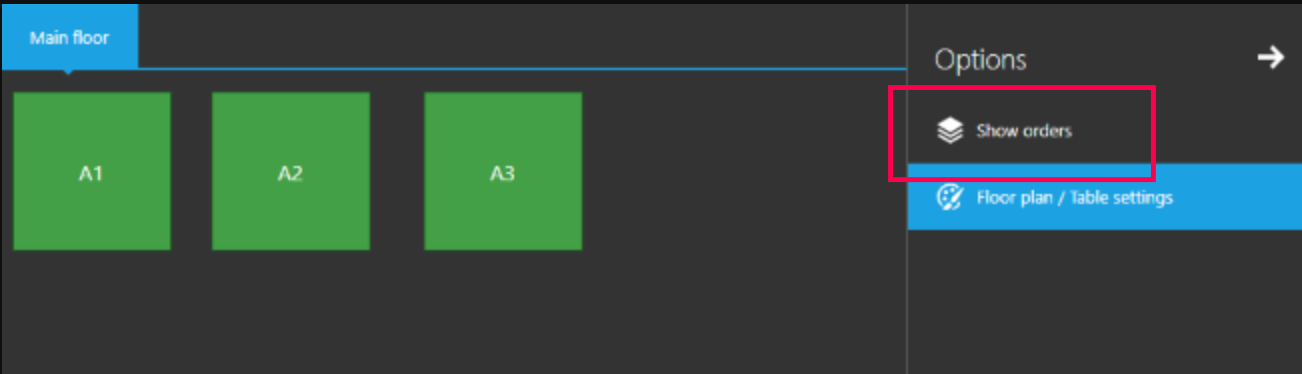
Hope this helps.
Thanks, Aronium team.
-

Okay. I enabled floor plans and now I can see the order. But I cannot select it or delete it. I'm logged in with the correct user. This is very frustrating.
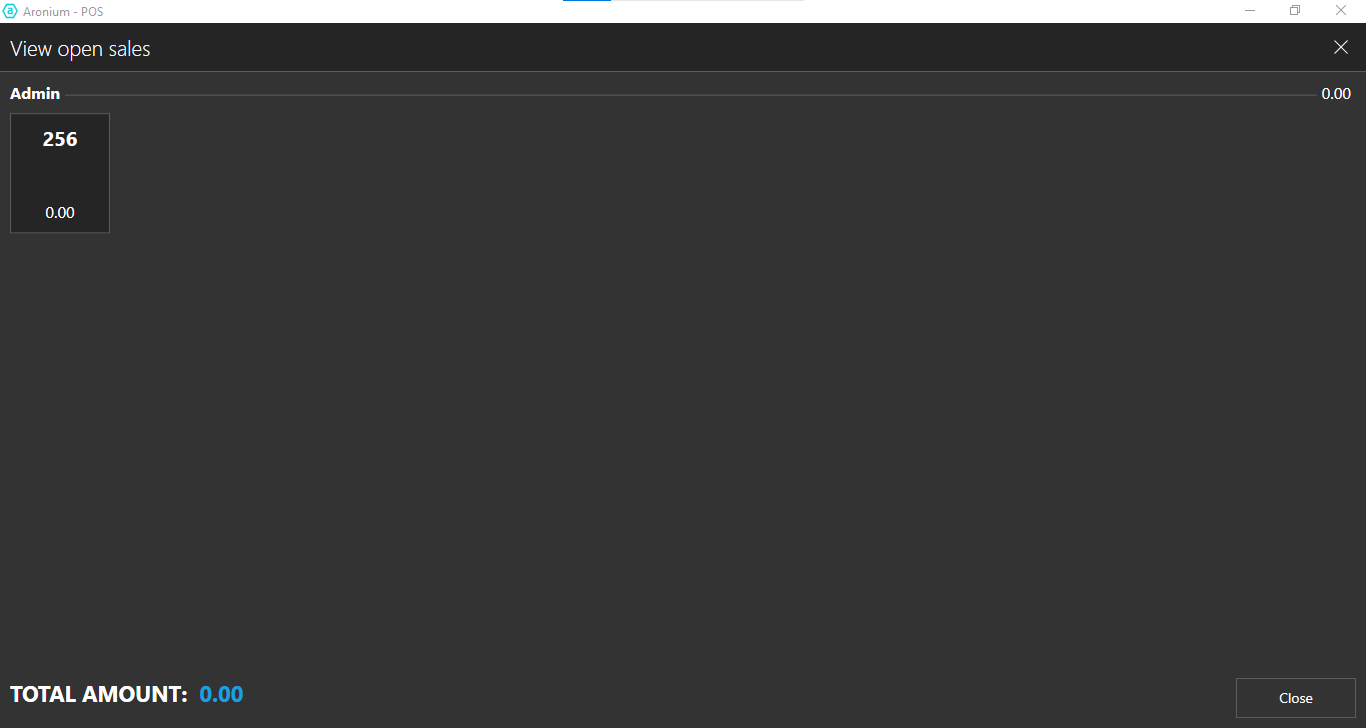
EDIT:: nvm managed to do it. you have to select the order, and an item and then save the sale. This will create a new order with the same number. Then delete that new order which will delete both the new order and the previous order with 0.00.
It seems like a bug that we cannot delete empty orders.


Please sign in to leave a comment.
Comments
5 comments