SQL SERVER DATABASE CREATION ERROR

Attention Admin, I have been having this error since February 12,2020 and have followed similar cases reported as far back as 2017. What is the permanent solution to this problem?
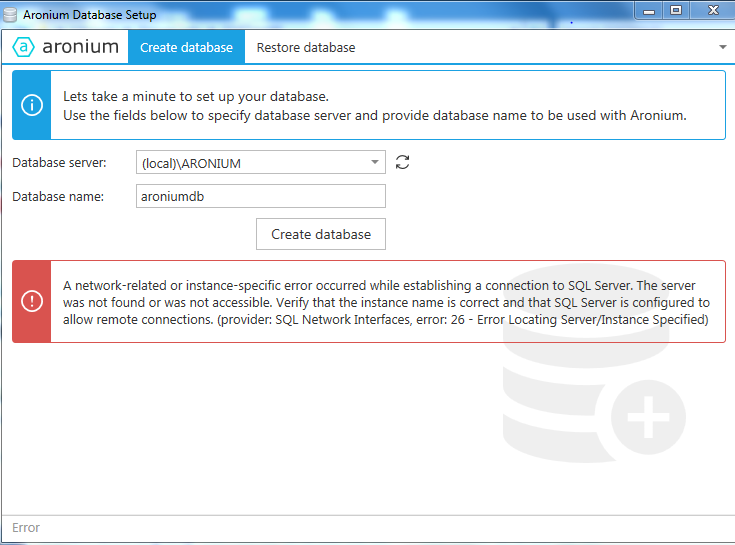
-

Hi Henry,
This error means that SQL Server is not installed correctly during setup. There may be a variety of reasons why is this happening, but in most cases, it is due some missing Windows component(s) or .NET Framework.
As you can see from above, unfortunately, there is no permanent solution to this problem, because it is mostly caused by different issues on client PCs where database is installed, and there is not much we can do.
The solution to this problem is finding the reason why SQL Server cannot be installed (looking at the logs), or looking at SQL Server prerequisites on Microsoft website at https://docs.microsoft.com/en-US/sql/sql-server/install/hardware-and-software-requirements-for-installing-sql-server?view=sql-server-2014
What we suggest is checking if you have at least .NET Framework 4 (or above) and latest windows updates installed on your PC.
Hope this helps.
Best regards, Aronium team.

Please sign in to leave a comment.
Comments
2 comments