Comment on Sales screen

Hi,
How do i key in the comment for each sales transaction. Where will this comment be displayed?
Thank you
-

Hi Yogi,
There is a separate plugin for notes that allows you to enter note on a sales document. When installed, additional option appears in print receipt dialog where you can enter your notes. Please, keep in mind that these notes / comments are stored for a sales document, not on specific products in a sale.
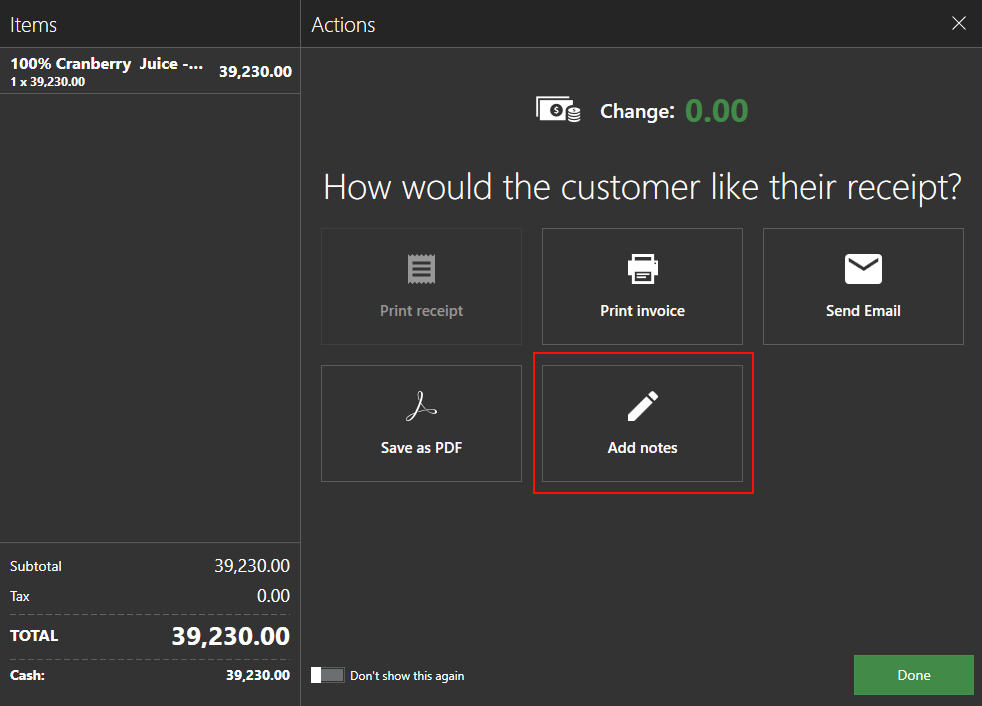
By default, notes are not printed in receipt, but on invoice (A4) only. We have already made some receipt template customizations for some users to allow then to print public notes on receipt slip.
If this works for you, please submit new request for our support team, and we'll be happy to send you notes plugin.
Thanks, Aronium team.
-
Hi MHD,
Do you have notes plugin installed already? If not, we can send you the plugin and instructions how to use it.
Also, if you wish to print that comment on receipt (roll paper / 52mm) we can send you customized template that prints the note at the bottom of the receipt.
If this works for you, please let us know, we'll be glad to help.
-
Hi Dellmont,
We have sent you notes plugin with instructions, as well as custom receipt template that will print notes, if they are set. Please keep in mind that this plugin and template works for standalone version only, not for networking one.
If you have any questions or any troubles setting up any of these, please let us know.
Thanks, Aronium team.
-
Hi Yogi,
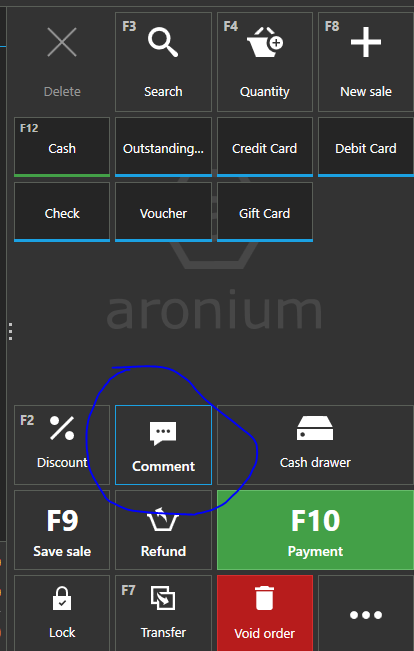
These comments are used for kitchen ticket only and are not available once sale is closed. You can set predefined comments on items so you can put some additional info in kitchen ticket.
You can find some more info about kitchen notes at https://help.aronium.com/hc/en-us/articles/209345969-Manage-products#comments
Regards, Aronium team.

Please sign in to leave a comment.
Comments
8 comments