Incomplete Receipt

Hello,
Please see attached photo.
When I print the receipt to a Star TSP100 thermal printer the print is incomplete and the cutter does not execute, it does in demo mode.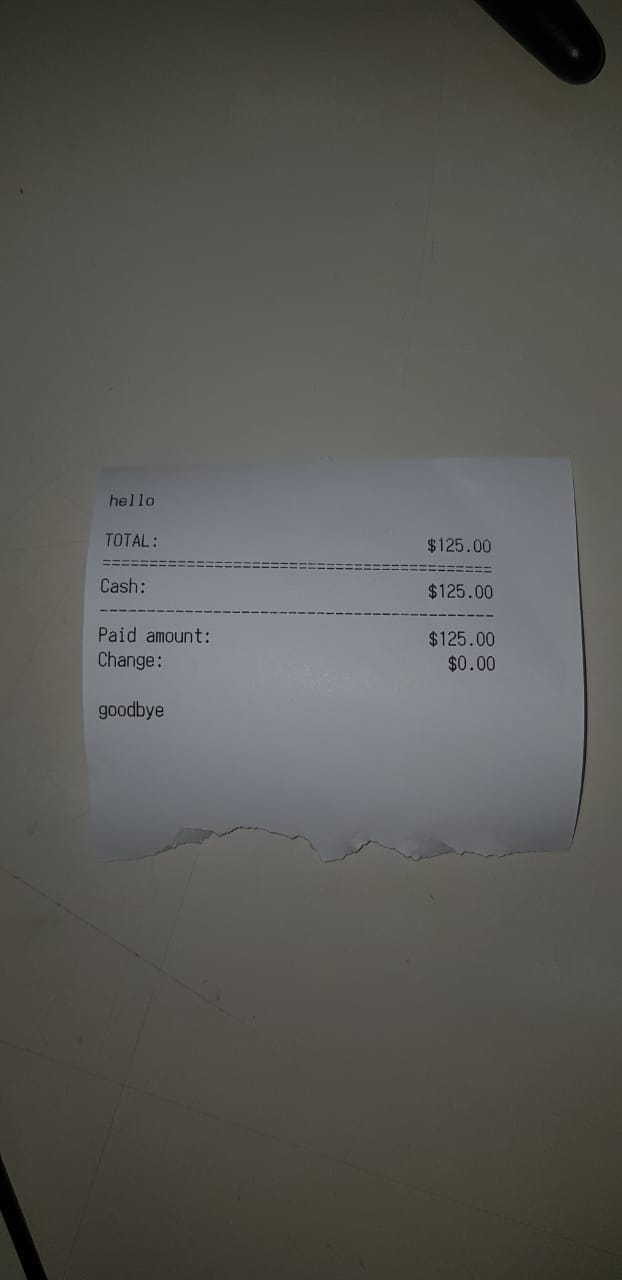
If I save as PDF all the information is there.
Please advise.
Thanks Allan
-

Hi Allan,
We're glad that it worked with "POS 80" printer type.
Many STAR printers does not fully support ESC/POS commands, especially formatting commands (large text, bold, ...). For most STAR printers, turning off "Rich formatting" option helps, and receipts are printed as expected, as formatting commands are not sent to printer at all (also, final print is a bit faster).
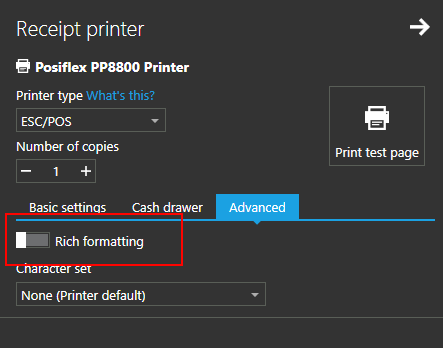
POS 58/80 printer type
Unlike ESC/POS, "POS 58/80" is using print templates, printing standard Windows print job via installed driver, and that works in most cases as it does not relies on different protocol implementations.
Best regards, Aronium team.

Please sign in to leave a comment.
Comments
3 comments