Bug with change when you use wrong payment

Hi there.
Today I found some interesting bug which can waste your time while you use Aronium.
There I wrote all steps how to demonstrate this bug:
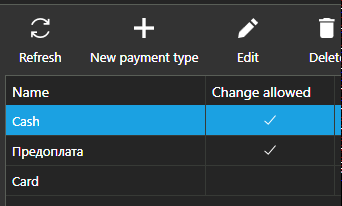
1. Create 2 different payment methods. In my example it is cash and bank card. For card we set up "Change allowed" = false and for cash true (It is logical).
2. We create order and press "Payment". In "Paid" box we write more then we have in "Total".
In my example order cost 45 Rub and I wrote 50 because if it would be cash i would have 5 Rub of change. Make situation when your cashier mistakes and press "Card", not "Cash".

3. In this situation we will get error

But if we will press "OK" we will get another window where we can choose payment method.
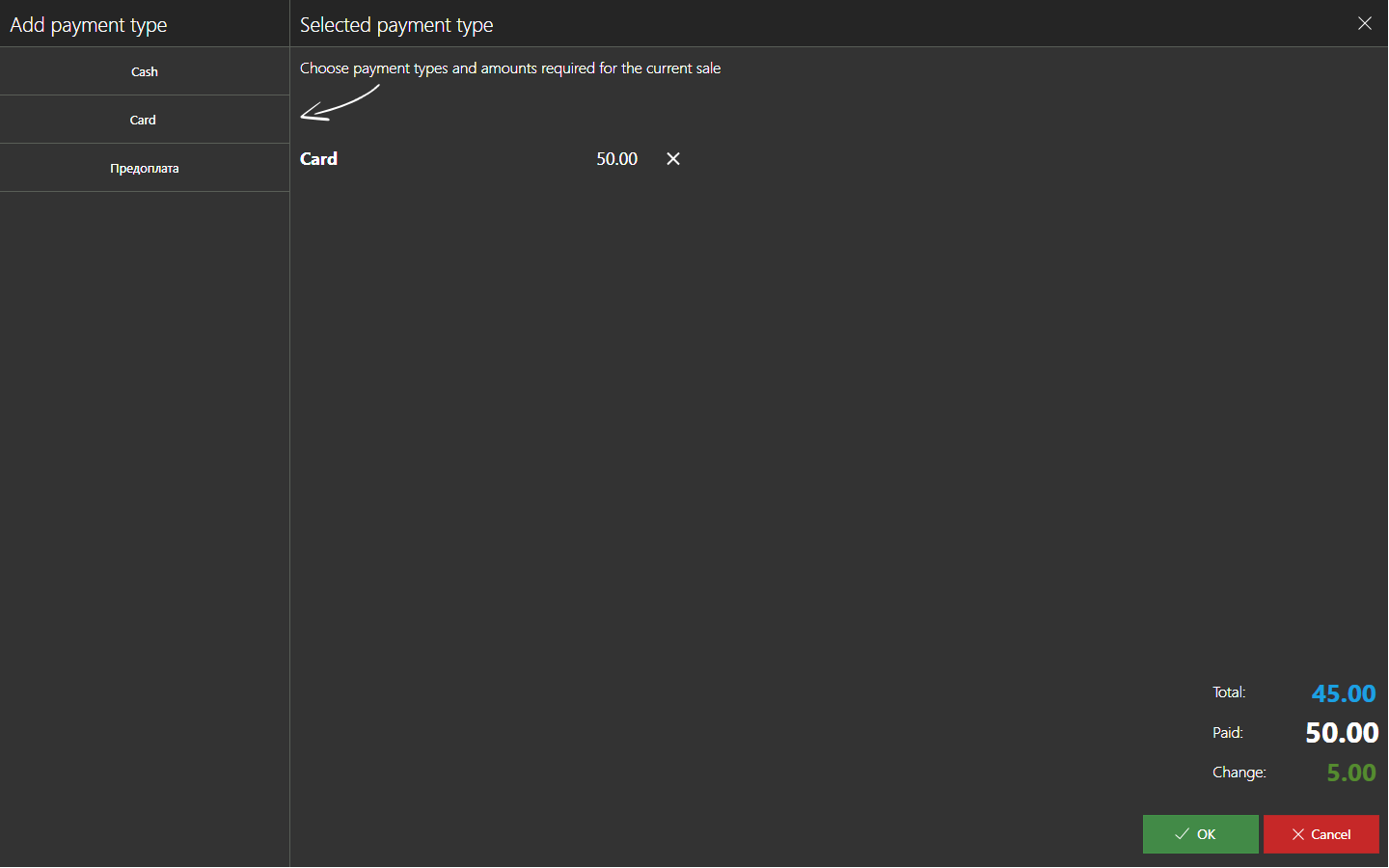
OK. Let's change our payment from Card to Cash. Add "Cash" with amount 50 and delete "Card". Press "OK".
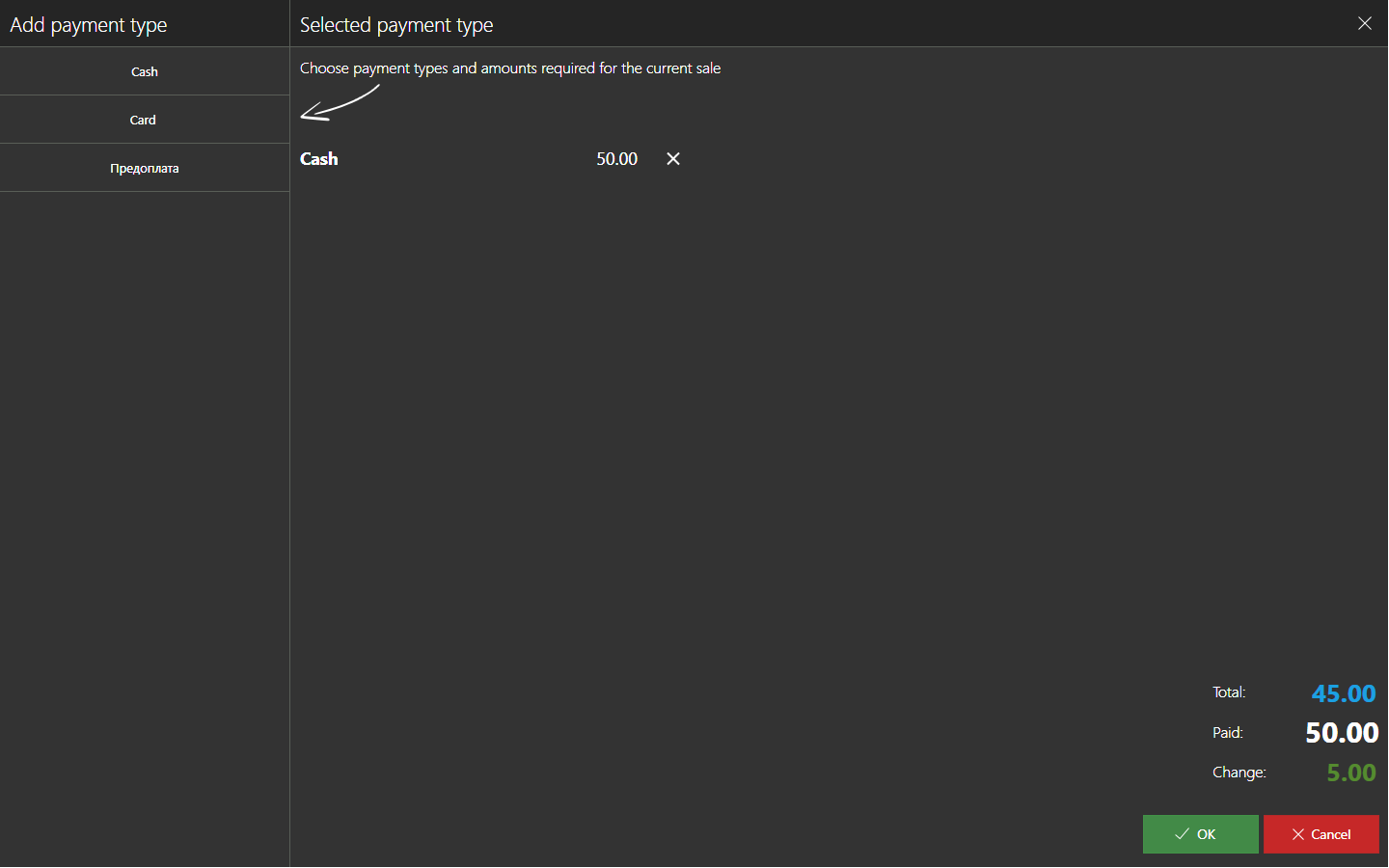
4. And wow! We have the payment error. In message we see that in our payment method odd money is not available, but on the first scrennshot you see, that "Cash" has mark under "Change allowed".

-
Official comment

Hi everyone,
Fix for this issue is available with version 1.25.
Thanks, Aronium team.
Comment actions -

I can confirm the issue, however it only presents itself if you don't clear the previously selected payment type (CARD) before selecting the new one (CASH).
Also, on the same screen, you can select a payment type for multiple times with different amounts which also shouldn't happen.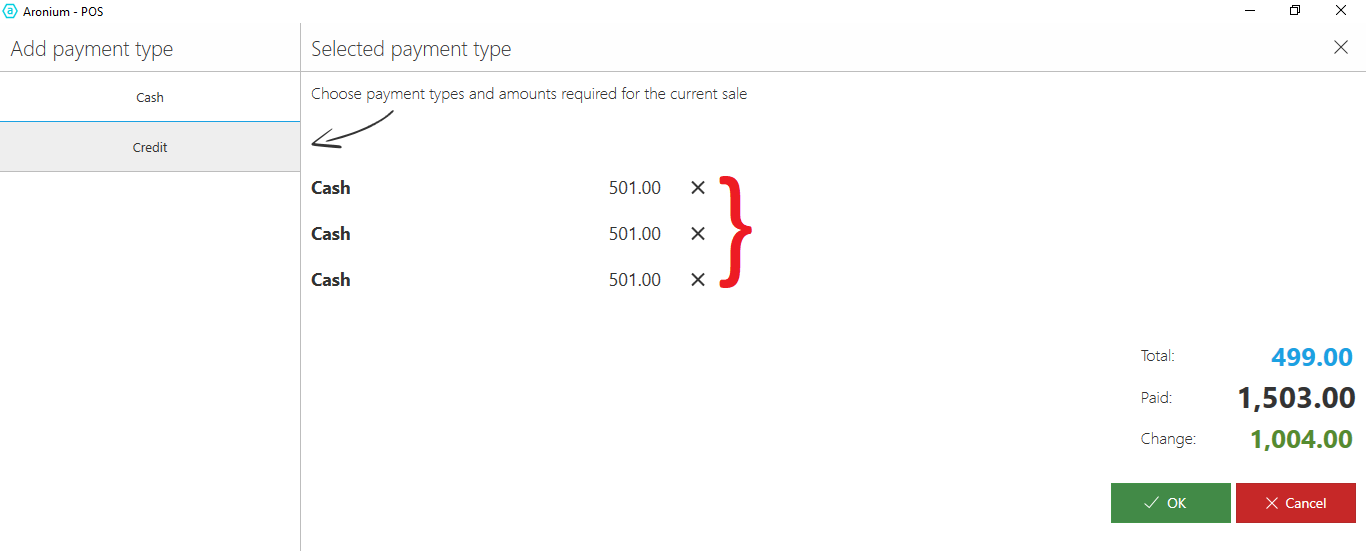
-
Hi Roma,
Thank you for reporting this, we have tested this and we were able to reproduce it. This will be fixed in next update.
Here is a workaround that can save some time until we fix this. On select payment type screen, if you delete "Card" before you add "Cash" payment type, this message will not appear, and you will be able to proceed with fixed payment type, as expected.
Thanks, Aronium team.
Please sign in to leave a comment.
Comments
6 comments