One Receipt Printer Not Printing On Networking

-

Hi Alan,
All printers are configured per cash register. In order to have different printers configured for different cash registers, you need to assign correct cash register to each PC.
Separating cash registers
Go to "Management > Cash registers" and create as many cash registers as you have PCs in your store. For example, if you have 2 PCs in your store, you will need 2 cash registers in the system.
Next, on your PCs, assign different cash register to each PC by visiting "Settings > Database" and selecting correct (different) cash register for each PC. If you do not see all cash registers in the list, click "Refresh" button on the right side.
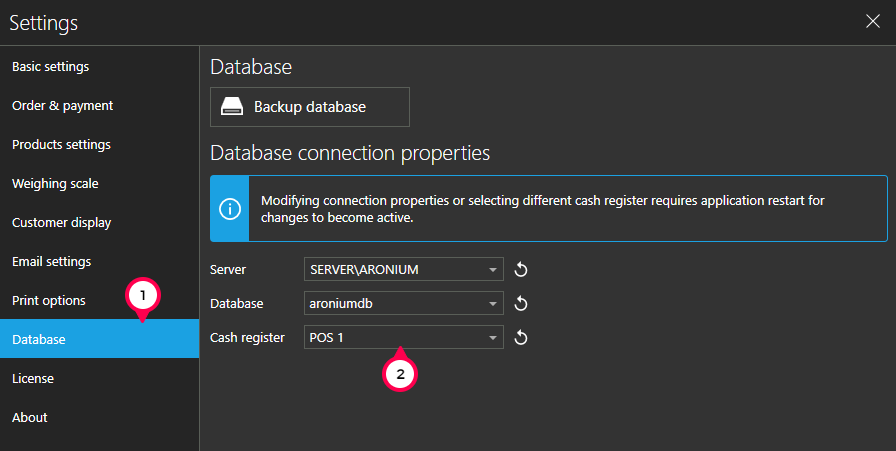
Once you have this set up this way, your printers will not be missing and will be saved for each cash register respectively.
Multiple kitchen printers
As Ng Kean Lee mentioned above, if you need more then one kitchen printer, you can use "Print stations" plugin from https://www.aronium.com/en/features/print-stations.
Hope this helps.
Thanks, Aronium team.

Please sign in to leave a comment.
Comments
2 comments