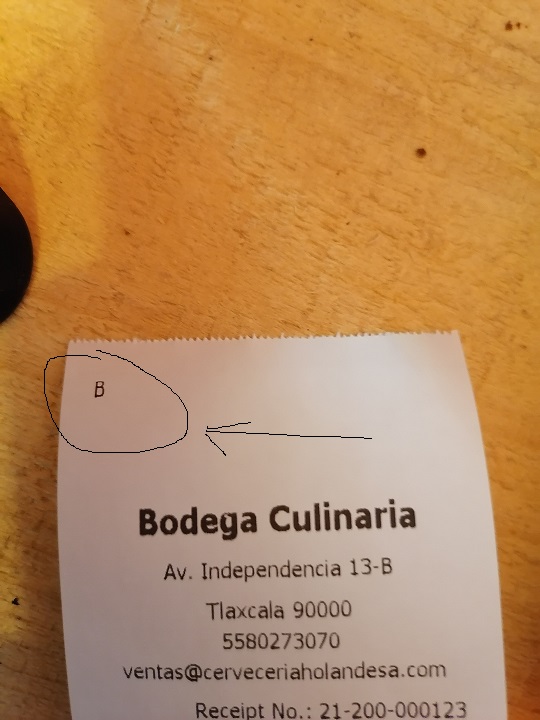
Small B on the receipt

Every time i print a receipt, it prints a small B on top of the ticket. It is even worse when i put my logo on the receipt than i have a lot of letters and symbols.
How can i fix this??
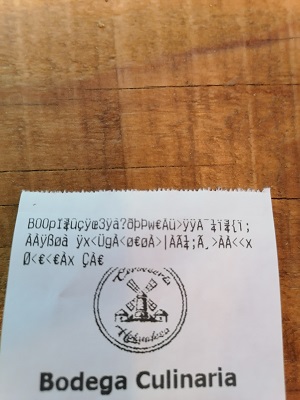
-

Hi Sjon,
Can you please tell us are you using "POS 58/80" or "ESC/POS" printer type? Also, for the start, can you do the following and try printing receipt again:
- Double check if you have anything entered in a header in receipt settings, as described here
- Remove any cash drawer command or turn cash drawer off in the same receipt printer settings
Thanks, Aronium team.
-
Hi Sjon,
Printing logo on ESC/POS is a bit different then when using "POS 58/80", as it doesn't automatically use your company logo. In order to print logo in receipt, you need to upload it to your printer by using your printer printer utilities. It is often called "NV Bitmap utility".
For example, the one we use looks like the following:
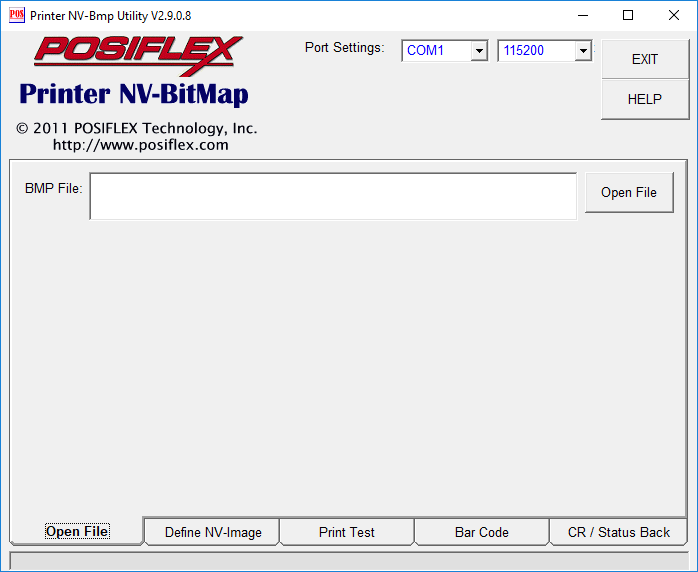
If you can find this in your printer driver, please consult your manufacturer documentation and/or a retailer, as, in most cases, there must be a way to upload a bitmap to the printer.
Once you have it uploaded, all you have to do is make sure that "Print bitmap" option is turned on, as described at https://help.aronium.com/hc/en-us/articles/115003405831.
Hope this helps.
Thanks, Aronium team.
Please sign in to leave a comment.
Comments
4 comments