Rogers email reciepts

I cant seem to make my rogers email setting working in the application i confirmed with rogers i had the right port and smtp and ssl enabled any info you can provide would be great. Below is info they provided for me
| Outgoing Server | smtp.broadband.rogers.com |
| Outgoing Port | 465 |
| SSL | Yes |
| SMTP Authentication |
Email address: Enter your full Rogers Yahoo! email address Username: Enter your full Rogers Yahoo! email address Password: |
-

Hi Ian,
From what we can see on rogers support page, something like this should work:
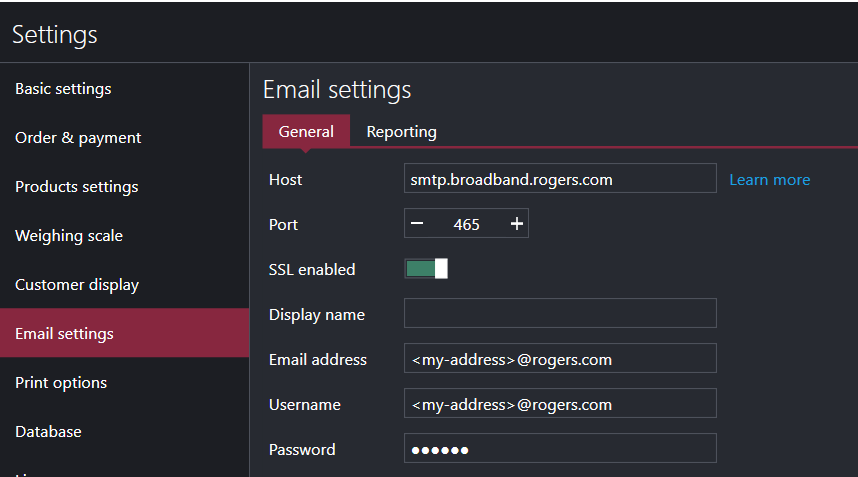
However, it seems they require application specific passwords you need to set up and use with a 3rd party apps, if you haven't already. You can find instructions at https://www.rogers.com/customer/support/article/email-setup by looking under Create an App Password in the Rogers Member Centre section.
Hope this helps.
Thanks, Aronium team.
Please sign in to leave a comment.
Comments
1 comment