SQL Server Agent Stopped

Hi Aronium Team,
I set up one main cashier with the server and administration modules and two customer cashiers.
After a couple of days I wasn't able to connect to database from the secondaries computers. After checking the sql manager i can see SQL server agent stopped and I can't start it.
I've tried to solve this issue by myself searching around but I can't find the answer. Maybe you can help me and point me in the right direction. It would be really appreciated.
Thanks in advance,

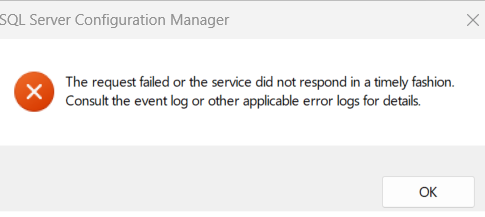
-

The SQL Server Agent is not necessary for Aronium Pro to function. Please check the following:
- Can you run Aronium on the computer where the server is installed?
- Testing connectivity using Ping command
All computers must be connected to the same local area network so they are "visible" to each other (client computer can "talk" to the server). Can you please confirm your are able to "ping" server from cash register? "Ping" command is used to check if one PC can connect to another, this is a prerequisite and may give us some idea where the problem is and will confirm number 3 from the above list. If you are not familiar with "ping" command, you can read more about it at https://www.pagerduty.com/resources/learn/ping-network-testing-connectivity/. Also, you can find instructions about getting the IP address at https://www.youtube.com/watch?v=o1nj4XosAzo.
Thanks, Alex
Please sign in to leave a comment.
Comments
2 comments