error migrate aronium lite to premium
Answered
hi guys, i have the next problema and i cant find a solution.
i have the next error trying migrate database from aronium lite to pro. Message says SQL logix error; no such column: P.Markup
Please, can you help me?
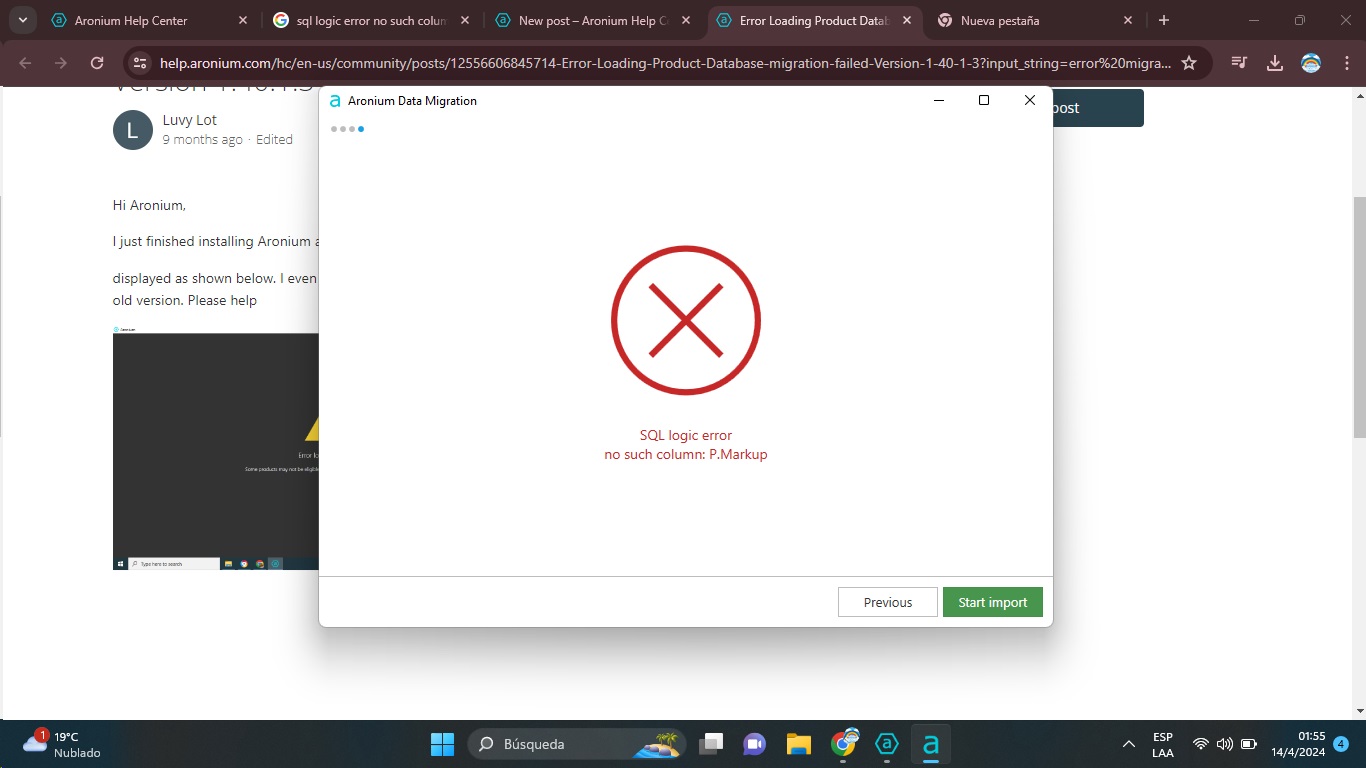
-

Hello,
We have replied to the support ticket you created, please check your inbox. Just in case you've missed it or someone else has the similar issue, all you have to do is to make sure Aronium Lite and Aronium Pro are running the latest version and that you have run Aronium Pro at least once.
Database will be upgraded to the latest version and this is happening on the application startup. Once the database is upgraded to the latest version, you should be able to run Data Migration as expected.
Thanks, Aronium team.
-
Hi Nicolás,
Please see our previous reply, this error occurs when any database is out of date. Database is updated when you start the application, so you need to run Aronium Lite and Aronium Pro after setup / update at least once before running Data Migration tool.
So, to fix this, if you are moving from Lite to Pro, do the following:
- Update Aronium Lite to the latest version
- Run Aronium Lite once after the update so the database is updated to the latest version
- Install Aronium Pro latest version
- Run Aronium Pro and log in
- Close Aronium Pro
- Run Data Migration tool and follow on-screen instructions
Hope this helps.
Thanks, Aronium team.


Please sign in to leave a comment.
Comments
4 comments