Comments

17 comments

  • Official comment
    Avatar
    Aronium Support

    HI everyone,

    Just as a reminder, this functionality is already available via Search (F3) button, as described at https://help.aronium.com/hc/en-us/articles/209522445-Adding-a-product. You can search by name, product code (SKU) or barcode and you can see the name, description and the product image.
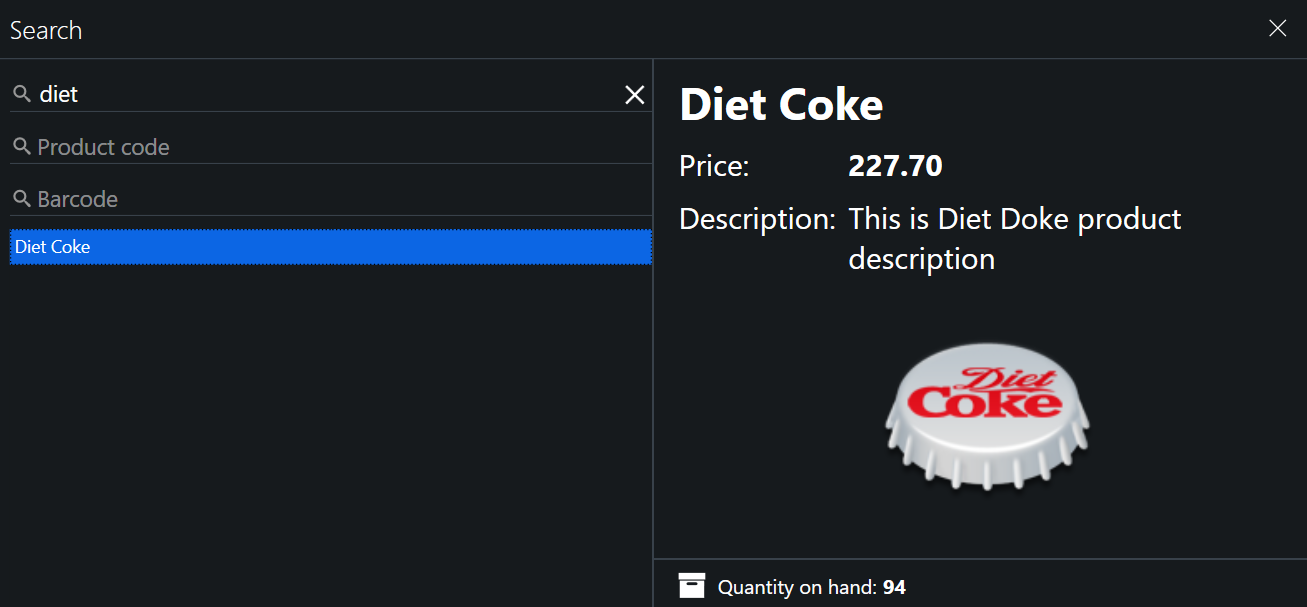
    Hope this helps.

    Thanks, Aronium team.

    Comment actions Permalink
  • Avatar
    John

    Hey,

    You're looking for a straight forward way to check products prices without the need to go to management/products, right? 

    0
    Comment actions Permalink
  • Avatar
    Eric75200

    yes . you are right . 

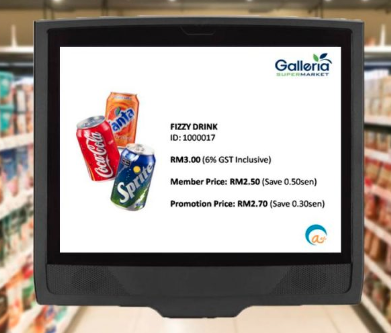
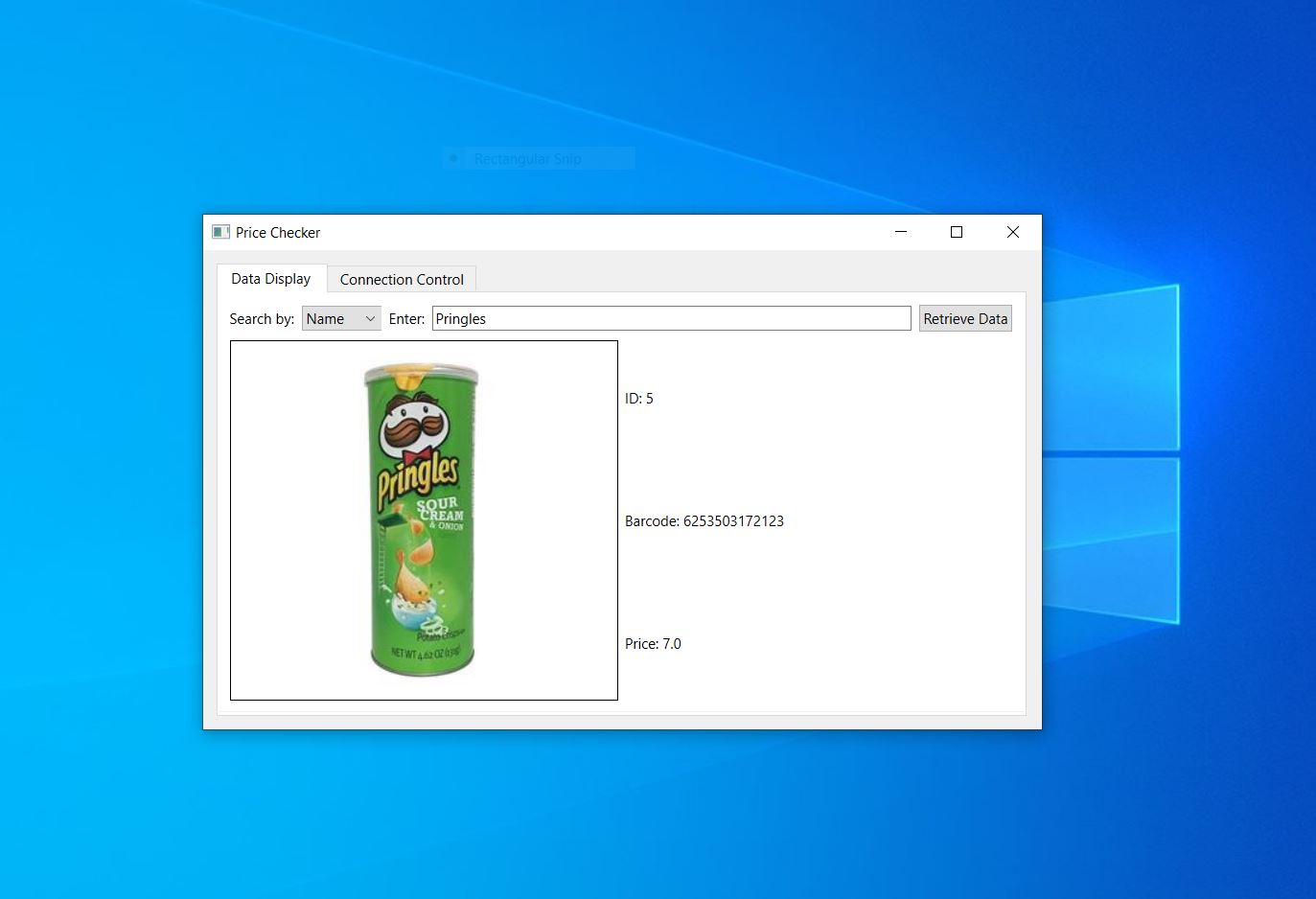
    so customer can scan the barcode so know the product price . and can display product photo , product name and product price .

    maybe can enable / disable  product cost / product balance . for staff very fast know the cost and balance quantity

    0
    Comment actions Permalink
  • Avatar
    Eric75200

    maybe can search by name  or scan the barcode directly then display product info . 

    search by name easy and fast for staff check product cost / balance

    tq

    0
    Comment actions Permalink
  • Avatar
    John

    I can build a simple Python app that allows you to get product price by name or barcode if you like. 

    0
    Comment actions Permalink
  • Avatar
    Eric75200

    sure  i want the function . tq very much 


    0
    Comment actions Permalink
  • Avatar
    John

    I'm not home at the moment. I'll send it to you as soon as I get back home.

    0
    Comment actions Permalink
  • Avatar
    Eric75200

    thank you so much for your help i appreciate it


    0
    Comment actions Permalink
  • Avatar
    John

    You're welcome buddy.

    0
    Comment actions Permalink
  • Avatar
    John

    Hey,

    Sorry about the delay. I was a little bit busy.

    Here's the app
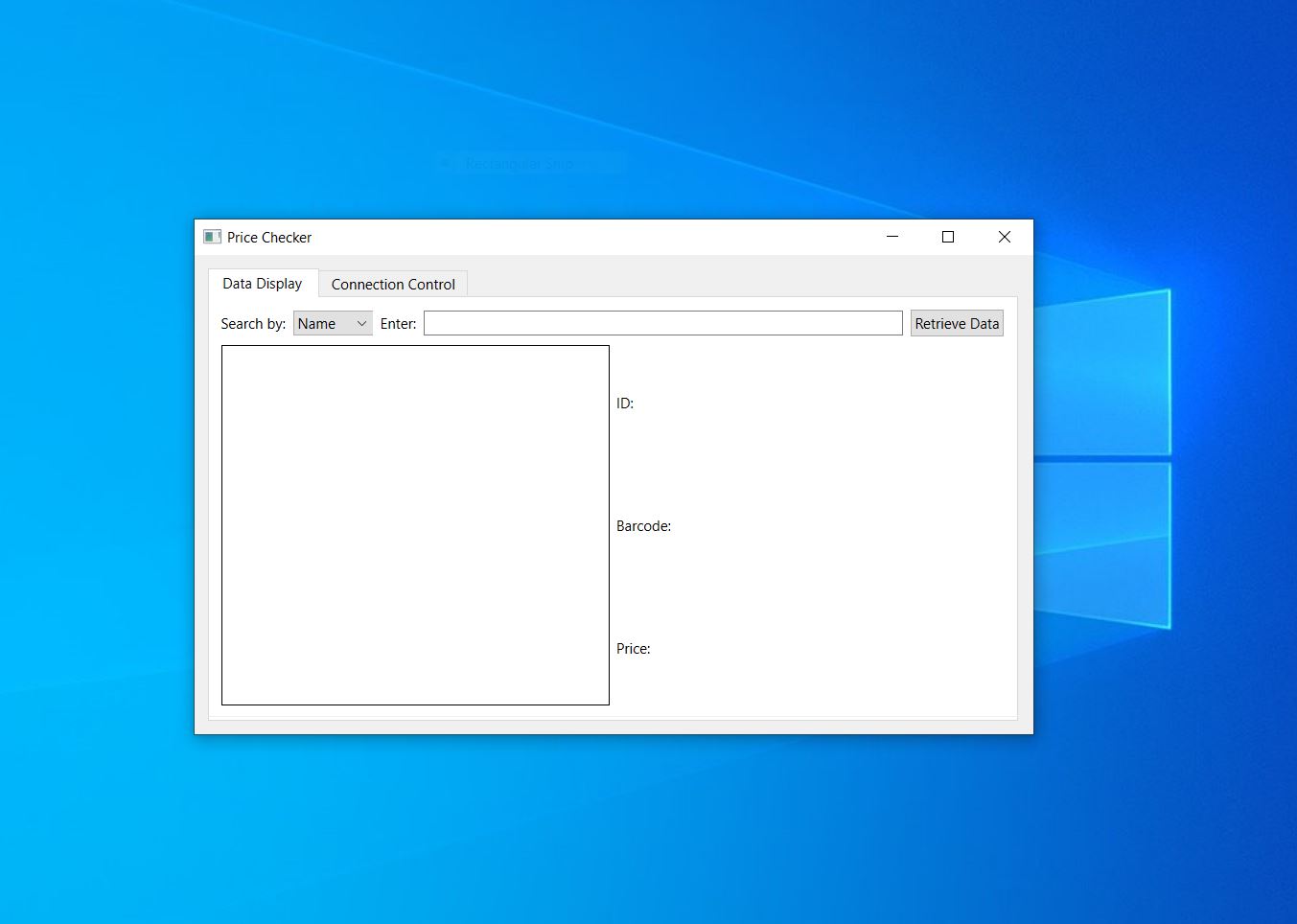
    Download link: https://mega.nz/file/VdsV2LZJ#3zIVvL-WNU0wuOO1W_M0i-04r3C7oYXv8sT7xnUM3kc

    Note: To use this app, you'll need to have Python and the PyQt6 library installed on your system.

    1
    Comment actions Permalink
  • Avatar
    Javed akram

    HI John 

    Thanks for your help. if you could share the procedure how to open it in python will be greatfull. 

    Thanks for your efforts. 

    i have tried to convert this to exe and found below error while compiling. 

    SyntaxError: invalid syntax (Pricechecker.pyw, line 124)


    0
    Comment actions Permalink
  • Avatar
    John

    hey Javed,

    To open the script,

    1. Install Python: You can download Python from the official Python website.

    2. Install PyQt6: Once Python is installed, you can install PyQt6 using pip. Open a terminal or command prompt and run the following command: pip install PyQt6

    3. Run the script: just double click to open like any exe file.

    Anyway, here's a ready to use exe file.

    Download link: https://mega.nz/file/xEtzSS5K#N-PhJaUHOUuIOUiCza5X7NBMERdeDBzaNJ2fq8d3Ct8

    0
    Comment actions Permalink
  • Avatar
    Javed akram

    Dear Aronium Team

    Thanks for reply, the way you mentioned is good but here we have "Quantity in hand" which is not necessary to show the client.

    0
    Comment actions Permalink
  • Avatar
    Javed akram

    Dear John

    Worked fine. Thank you so much for your efforts.

    could you please share your contact for further discussions.


    0
    Comment actions Permalink
  • Avatar
    Eric75200

    hi john

    install and test . worked fine .tq  

    to search by name if can search any keyword will be more perfect . 


    1
    Comment actions Permalink
  • Avatar
    John

    Hey Javed,

    Thanks for the feedback. If you have any question, mail me and I'll do my best to help you.

     j93609566@gmail.com

    0
    Comment actions Permalink
  • Avatar
    John

    Hey Eric,

    Thanks for the feedback. 

    Do you mean get every item that contains the keyword? For example, if we have products 1 and product 2 and we search for product, show both of them.

    0
    Comment actions Permalink

Please sign in to leave a comment.