How to Unlock Previous Sale?

Hi
If I am Making a Sale of a Person And there is Another customer who is in Hurry so I press F8 for New Sale when I finish the new Sale The old sale is Locked and I could not edit it And could not be unlocked by pressing Locked And Unlock sale, please tell me the solution.
Thanks
Wajeeh
-

Hi Wajeeh,
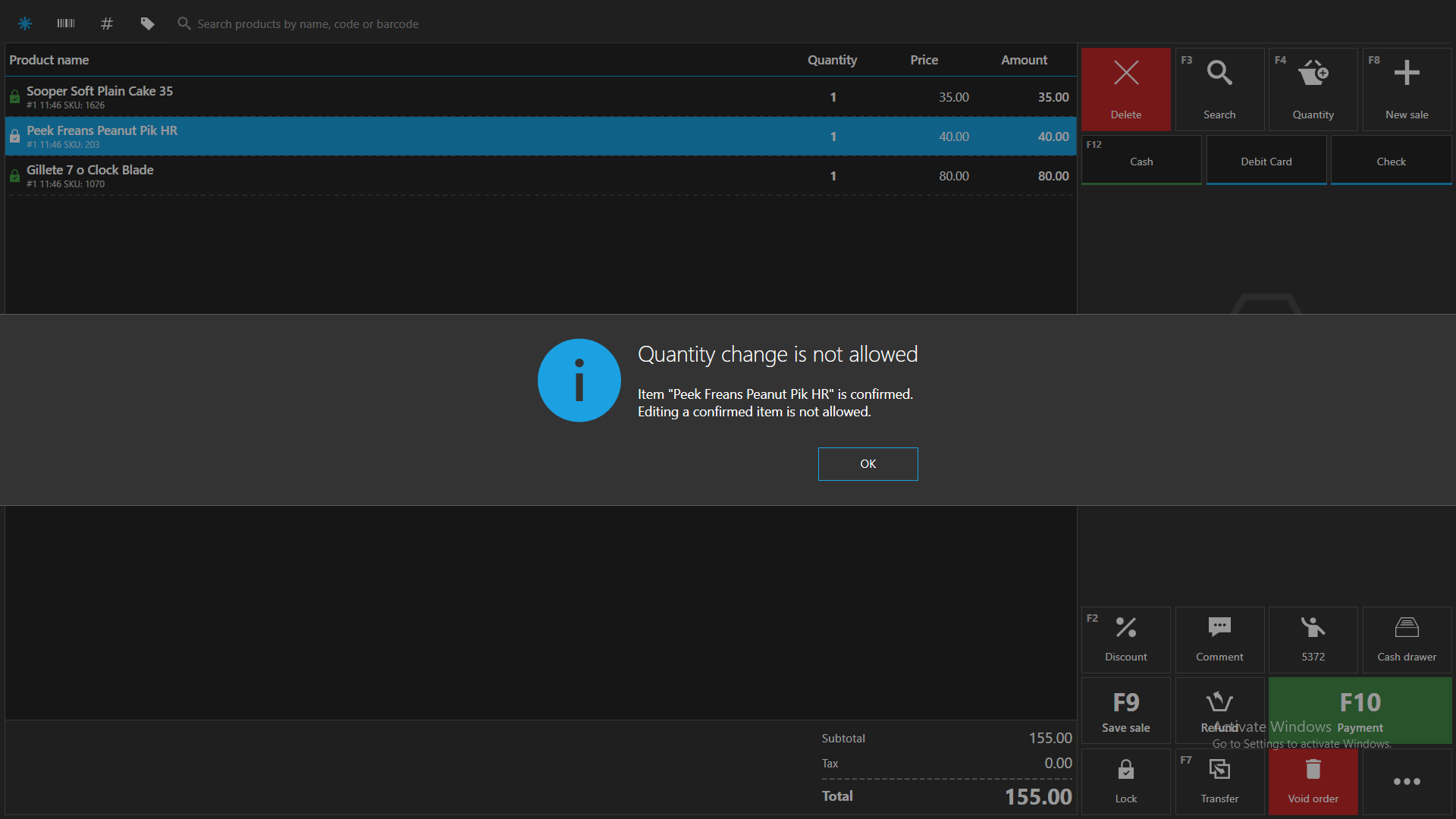
This sale is not locked, it is confirmed (or "saved"), there is a difference between the two.
Every time you press "F9 - Save sale" (or take some other action that requires order to be "saved"), you can't change the quantity of added item anymore. You can still change discount, delete them and add new items to the same sale, but you can't modify previously saved ones.
Locked sale, on the other hand, is locking an entire sale and the entire sale cannot be modified.
Hope this answers your question.
Thanks, Aronium team.
-
Yes, because pressing F8 will automatically save the current sale before opening a new one. Once you are back to the previous sale, it is confirmed, the same way if you would have pressed F9 yourself.
As mentioned in the previous message, taking some other actions requires order to be "saved". Some of these other actions are F8 (to open a new sale), F10 (starting payment process) or doing transfers.
Hope this helps.
Thanks, Aronium team.

Please sign in to leave a comment.
Comments
8 comments