The process of recovery of goods

-

Hi Osama,
You can do a refund from main sales screen and specify what you are returning. Please read instructions on how to do a refund from sales screen at https://help.aronium.com/hc/en-us/articles/115002138149-Refund-return-sale#h_01GTPEEXXJY9CSMRRSVCJKS6A8.
Thanks, Aronium team.
-
If you go to refund from Sales history, you won't be able to specify the quantity. But, if you initiate a refund from main sales screen, you can refund desired quantity only. Let me give you an example.
You have sold 3 items with the sale number "24-200-000123". If you wish to return only 1 item (not all 3), do the following:
- Start new sale
- Add 1 items to refund
- Press Refund button
- Enter "24-200-000123" in the receipt number field
- Complete refund
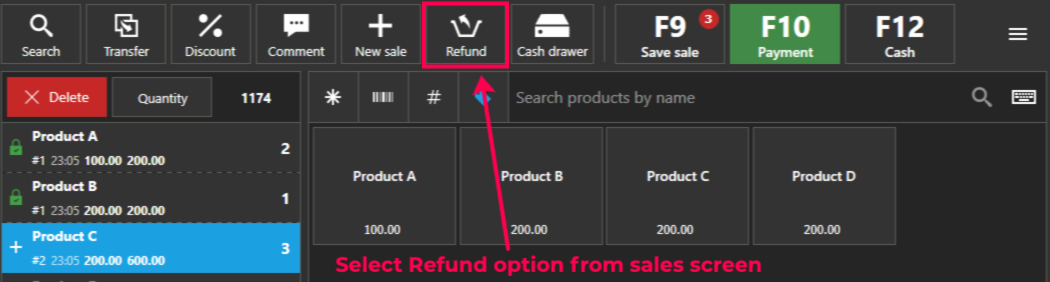
With the above, you will return only 1 item instead of 3 as described at https://help.aronium.com/hc/en-us/articles/115002138149-Refund-return-sale#h_01GTPEEXXJY9CSMRRSVCJKS6A8.
Please sign in to leave a comment.
Comments
3 comments