ARONIUM PRO

I have 7 stores and I setup aronium pro in main computer .. so I cant connect to my stores ..
How ??
I dont understand the explanation PDF
-

Español: Recuerda que Aronium Pro solo funciona con conexión en red, es decir, todos los equipos deben estar conectados a la misma red. Para conectar equipos que no están en la misma red a Aronium Pro, usa Radmin VPN. Crea una red, pon el nombre que desees y también la contraseña. Luego, en los dispositivos que deseas conectar, abre Radmin VPN y haz clic en la opción de unirte a una red. Ingresa el nombre de la red y la contraseña. Una vez conectado, abre Aronium y conéctalo a la base de datos. Recomiendo iniciar Radmin VPN al inicio de Windows para no tener que abrirlo manualmente cada día.
Inglés: Remember that Aronium Pro only works with a network connection, meaning all devices must be connected to the same network. To connect devices that are not on the same network to Aronium Pro, use Radmin VPN. Create a network, choose a name and password. Then, on the devices you want to connect, open Radmin VPN and click on the option to join a network. Enter the network name and password. Once connected, open Aronium and connect it to the database. I recommend starting Radmin VPN at Windows startup so you don’t have to open it manually every day.
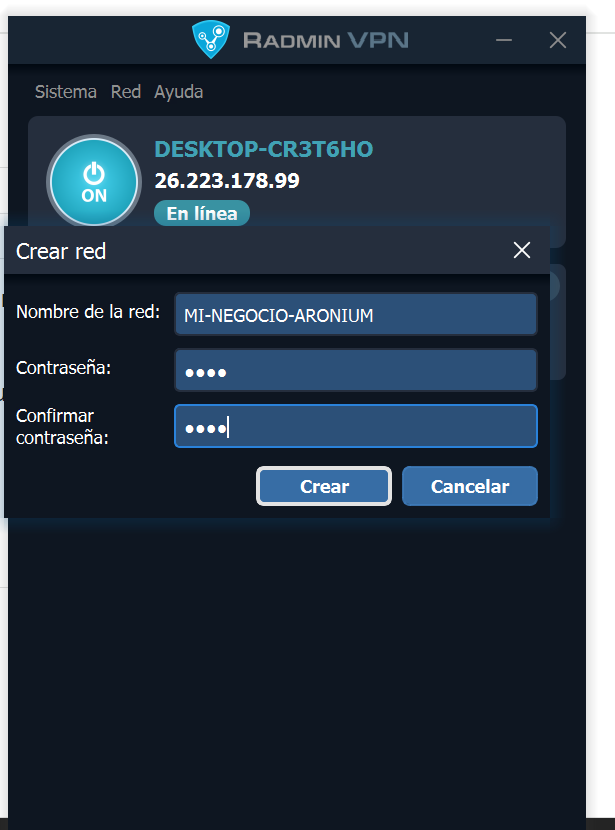
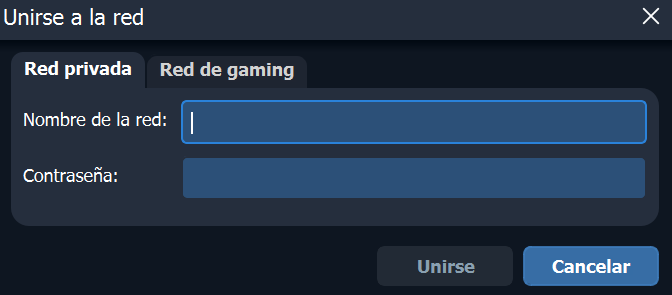
-

I recently discovered that the new Aroinium Pro installation does not include SQL Server Configuration Manager 2014, which was unexpected. To resolve this issue, I opted to install SQL Express, as it comes with the SQL Manager. I recommend installing SQL Express prior to Aroinium to avoid complications. In my situation, I installed Aroinium first and then added the SQL Manager, which made it challenging to bypass the errors that arose during the process.


Please sign in to leave a comment.
Comments
13 comments