How to access the table number settings?

Hello there. Hope you are doing well. I have tried to look for table numbers in the settings of the free version but ain't seeing it any where!!. I would appreciate any help. Thanks
-

Hi there,
Thank you for reaching out! I hope you’re doing well too.
To enable table numbers in the free version, please follow these steps:
1.Navigate to Settings:
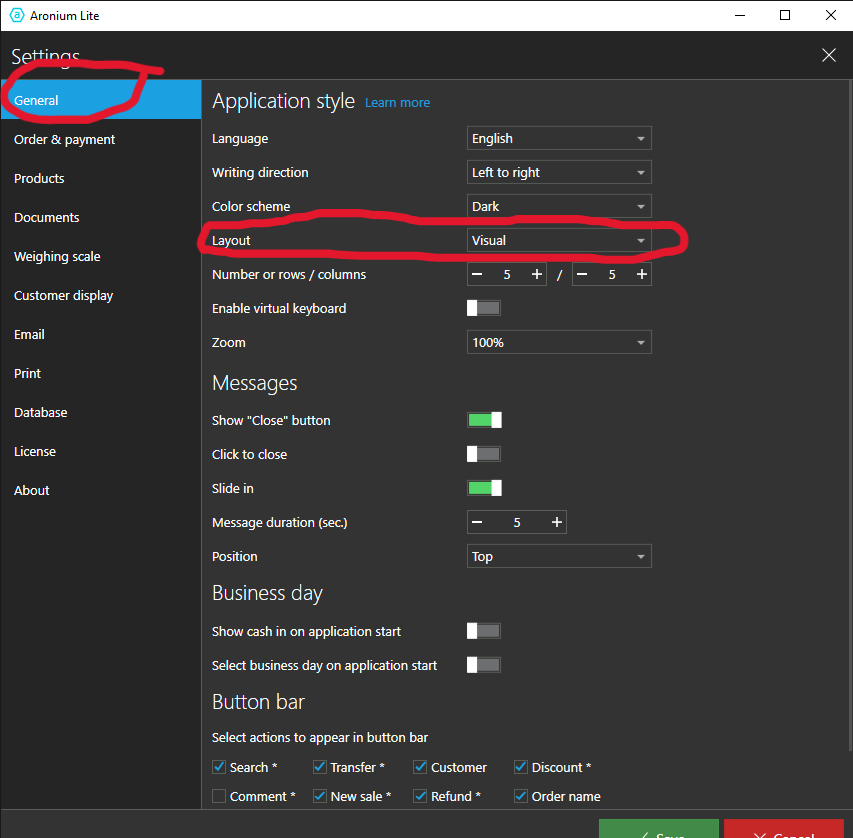
- Go to General settings.
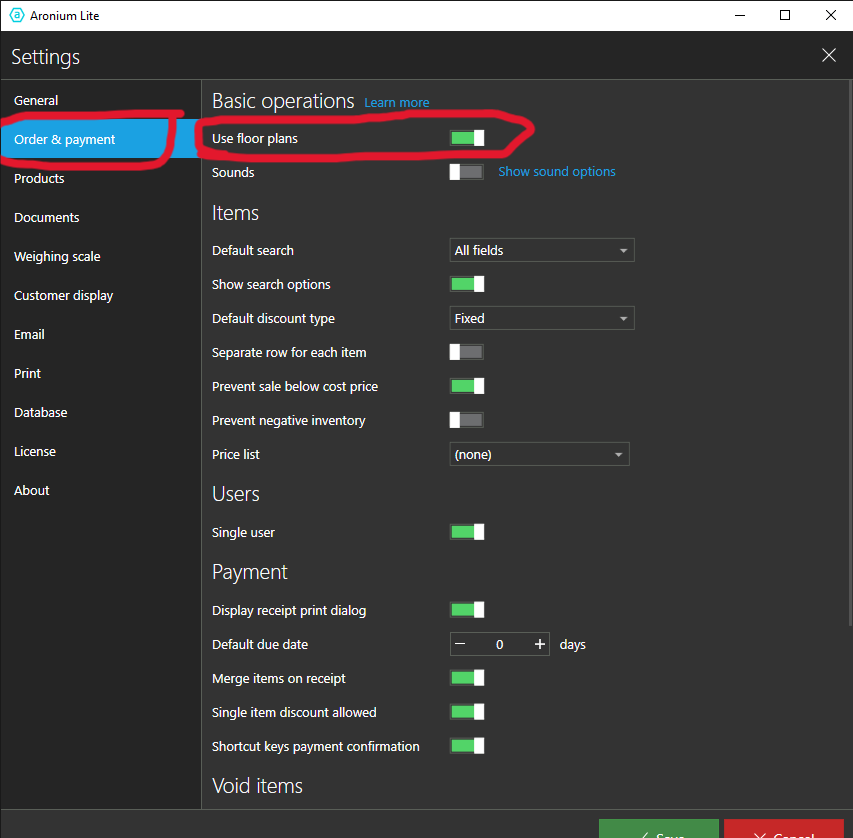
- Select Layout and switch from Standard to "Visual".2. Access "Order & Payment" Settings:
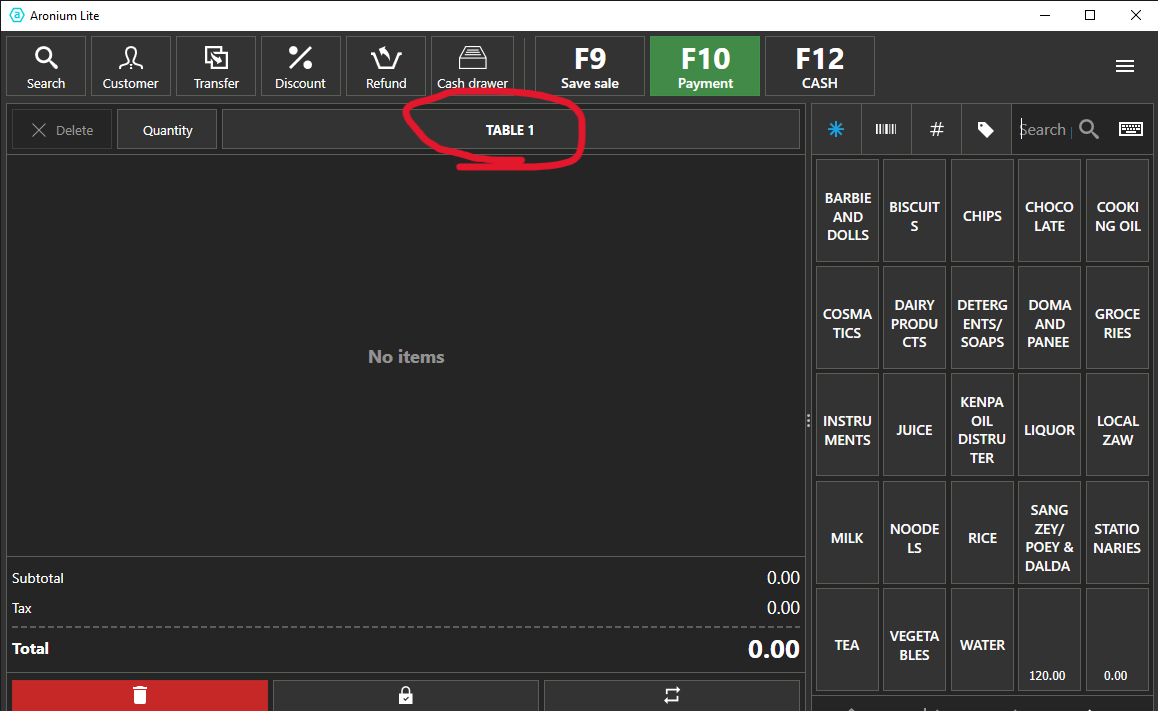
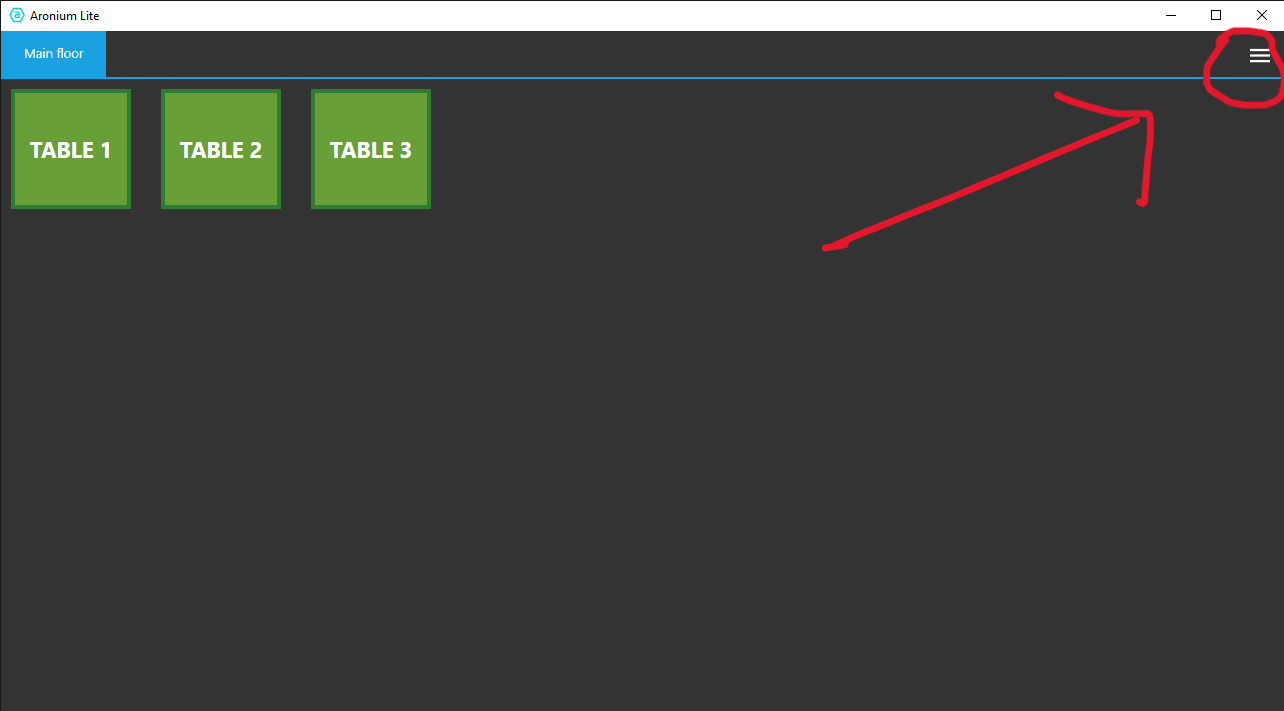
- Enable the Use Floor Plans option by turning it on.For further guidance, including step-by-step instructions with screenshots, please check the detailed guide attached below:
If you need additional assistance, feel free to ask.
Best regards,
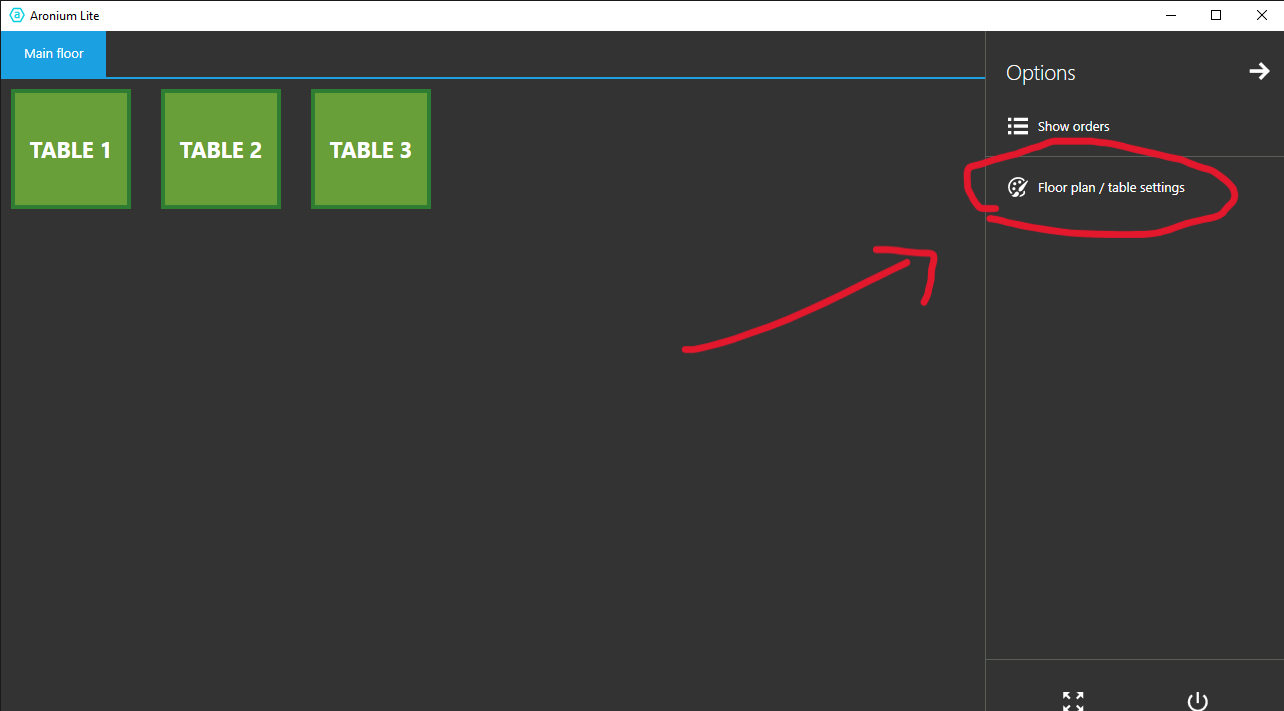
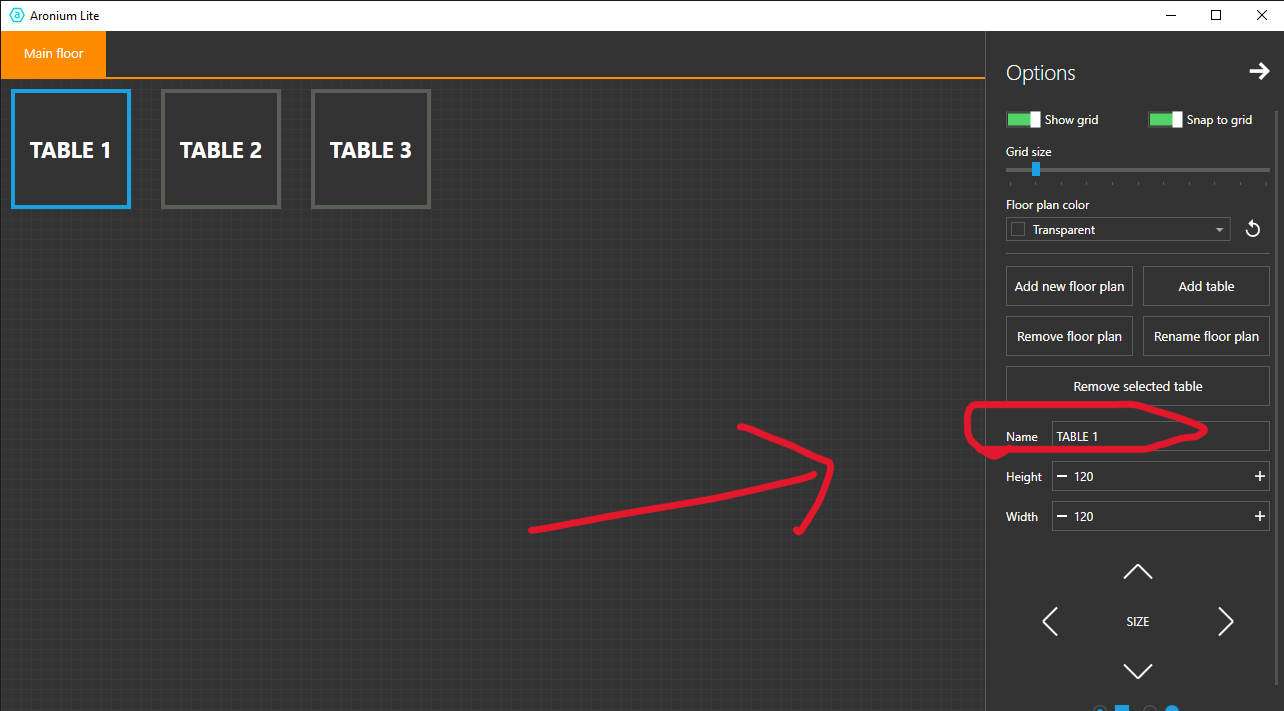
More guide with screenshot below.
Please sign in to leave a comment.
Comments
1 comment