Descriptions and defaults.

How can you view the descriptions of your products without going into actually editing them in Products? Also I noticed when adding a new customer when I click the dropdown for State it only displays countries. Do I have to add my own states and how can I set my particular state as the default? Thanks, Jeff.
-

Hi Jeff,
You can see descriptions of your products if you go to products search from main screen, as in the screenshot below.
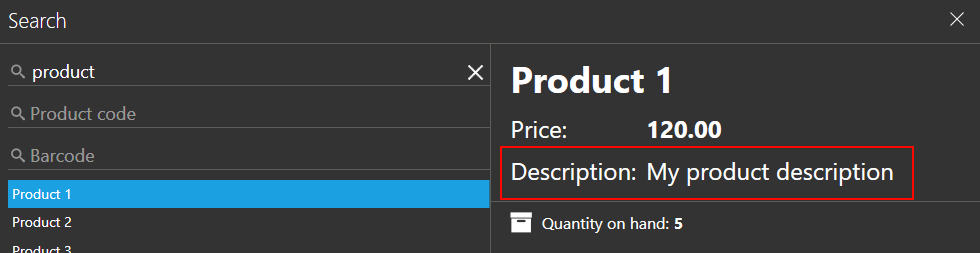
You can find more info about product search at https://help.aronium.com/hc/en-us/articles/209522445-Adding-a-product#search
Regarding the states, Aronium has countries only, and you can modify them as you wish in "Management / Countries" section.
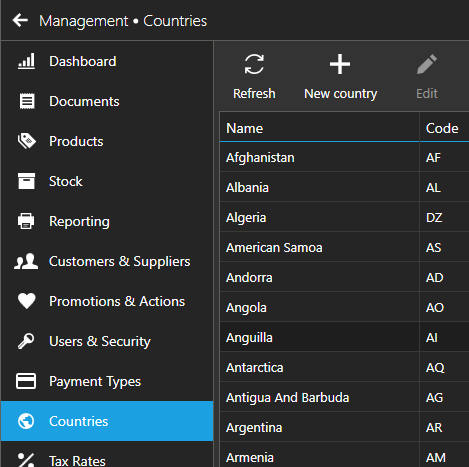
Default country for new customers will be the one you've set in "Management / My Company" section, as described at https://help.aronium.com/hc/en-us/articles/211667105-Company-details
Hope this helps. If you have any more questions, please let us know.
Thanks, Aronium team.
Please sign in to leave a comment.
Comments
1 comment