Receipt are printed cutted off

Hi, Please help about my issue, I am using 58 mm POS printer, receipt that I print are not alligned well and not fully covered, otherwise document that i generated from aronium is fine. I attach receipt photo. Thank you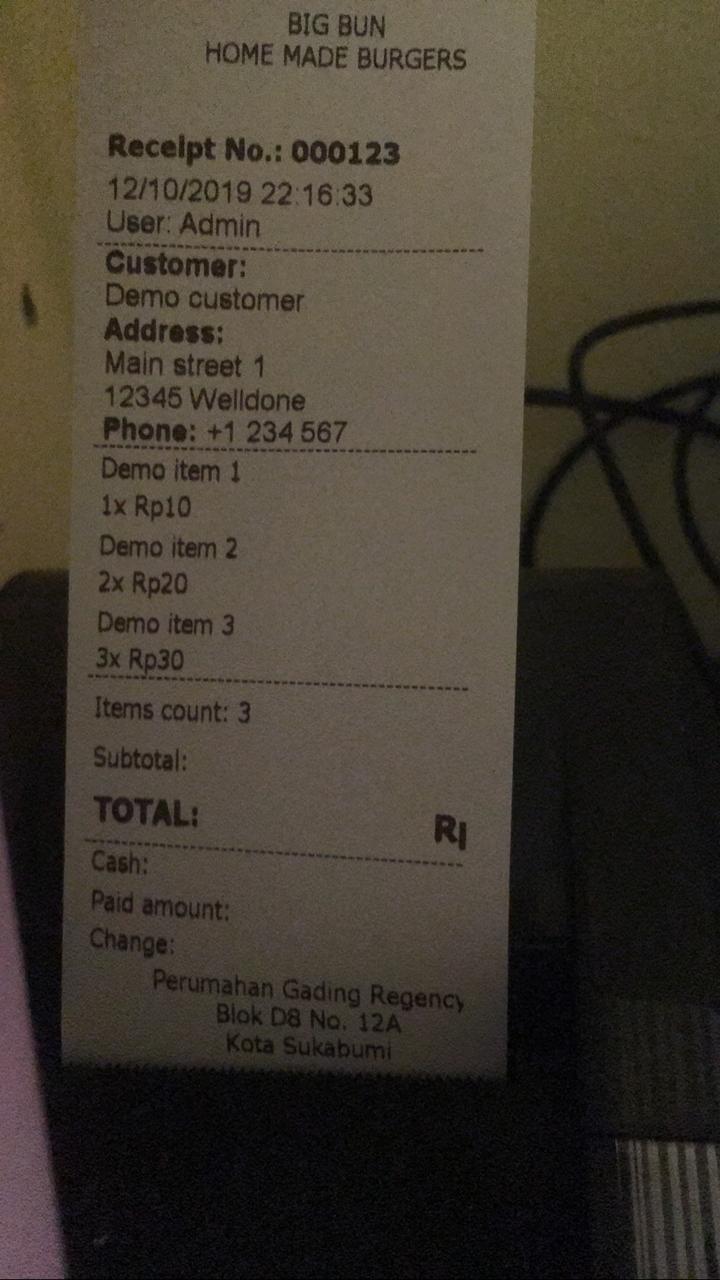
-

Hi Muhamad,
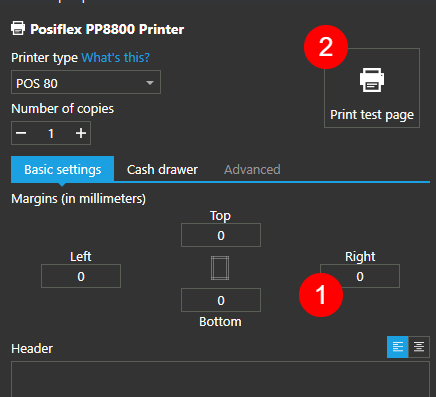
Please double check what printer type you have selected, "POS 58" is using 58 mm, while "POS 80" use 80 mm paper size. From your message, I understood you should select "POS 58" as printer type.
Once you have selected correct printer type for your printer and paper size, you can use margins to adjust actual paper width for your receipt as described at https://help.aronium.com/hc/en-us/articles/115003406071-Setting-up-POS-58-80-printer
So, the simplest way to make sure your receipt is printed correctly, is to:
- Adjust right margin
- Print test page
Repeat the above steps until you are satisfied with the result
Hope this helps.
Thanks, Aronium team.

Please sign in to leave a comment.
Comments
5 comments