Invoice with Included Tax
Answered
How can I adjustment TAX with included sale price in invoice.
For Example if I want to sale Play Station with the price of 1000.00 then it will showing same like as
Subtotal => 869.57
Tax => 130.44
Total => 1000.00
But by default its done same like as below when I want to sale product with 1000.00
Subtotal => 1000
Tax => 150
Total => 1150.00
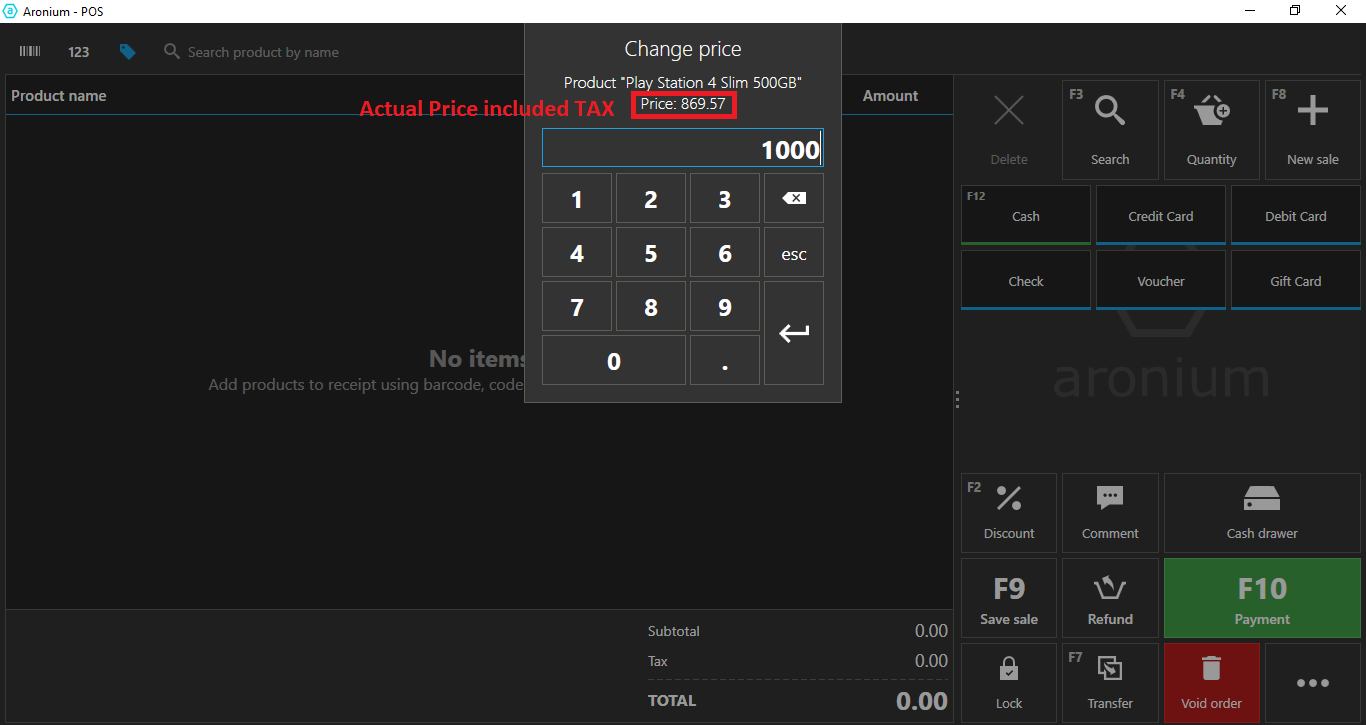
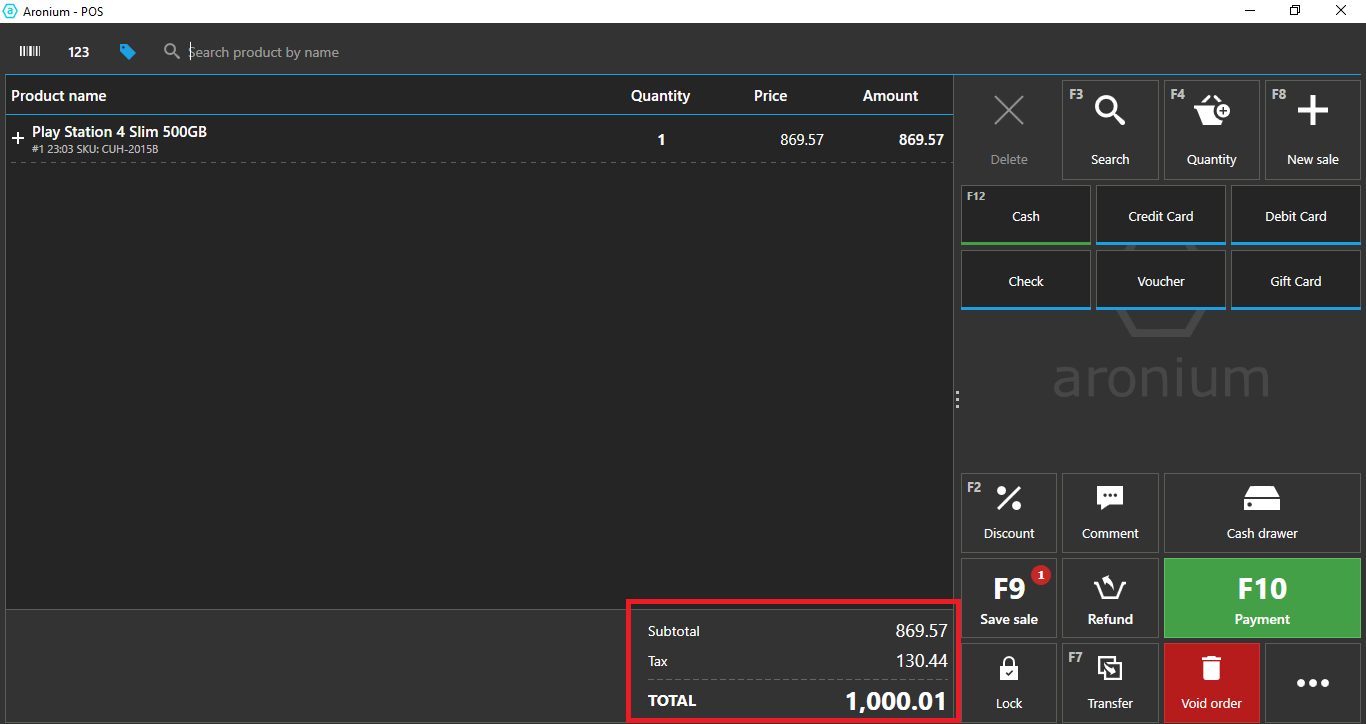
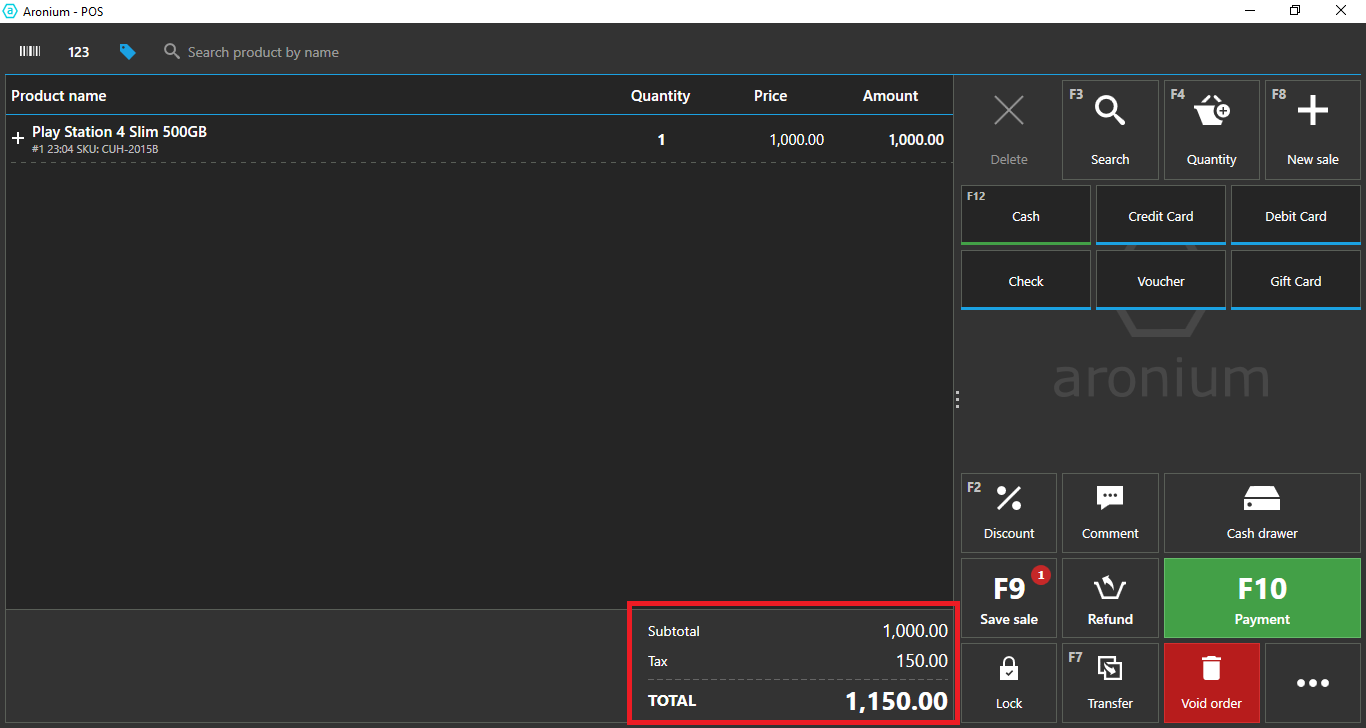
-

We are not quite sure what the problem is and what is desired outcome, can you help us clarify that?
If you wish to sell PS4 for $1000, all you need to do is set its price to $1000 and turn on "Price includes tax", as described here.
After that, when you sell it, your tax will be calculated as in the screenshot below, and total will be $1000.
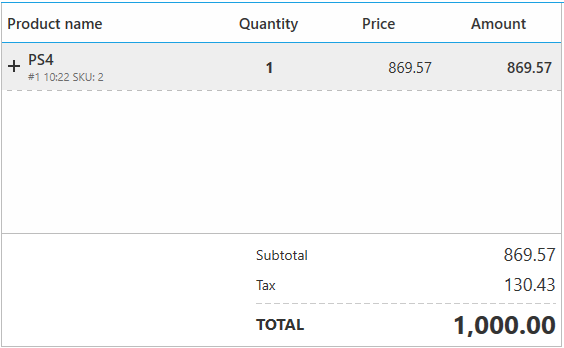
Is this what you are looking for?
Thanks, Aronium team.
-
Another thing that may be relevant to this discussion. It seems that you have turned off "Price with tax included" option, as in the screenshot below.
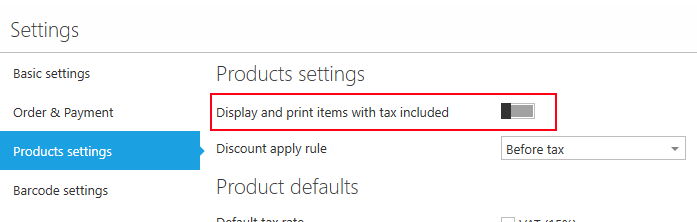
This means that you decided to use all prices before tax.
So, if you wish to sell PS4 for $1000, and you wish to set that price manually during sale (change price), you need to enter price before tax (as that is your preference).
Your first screenshot say (in red) "Actual price included tax", but actually, it is not.
If you want to use prices with tax included, then you will have to turn this option back on. Once you have it turned ON, you can enter "1000" in price change dialog, and it tax will be calculated accordingly.
Hope this helps. If we have missed anything, please let us know.
Thanks, Aronium team.
-
Great, glad that the problem is solved!
Regarding serial numbers (your existing feature request), I am sorry, but there are no updates, it is not scheduled for development yet.
Thanks, Aronium team.
Please sign in to leave a comment.
Comments
4 comments