Comments

6 comments

  • Avatar
    christopher dillon

    just do a backup and then transfer the .db file to the new system

    0
    Comment actions Permalink
  • Avatar
    Zachery Kromowidjojo

    I want to export the data in some format so i can import this in a business intelligence system to do some analysis and create custom reports. I am aware how the backup procedure works. 

    Also this is for the free version. For the paid version, there is central database, so that shouldn't be problem I think. 

    0
    Comment actions Permalink
  • Avatar
    D C

    Did anyone figure out how to export all the sales data into excel?


    -1
    Comment actions Permalink
  • Avatar
    Sjon Rombouts

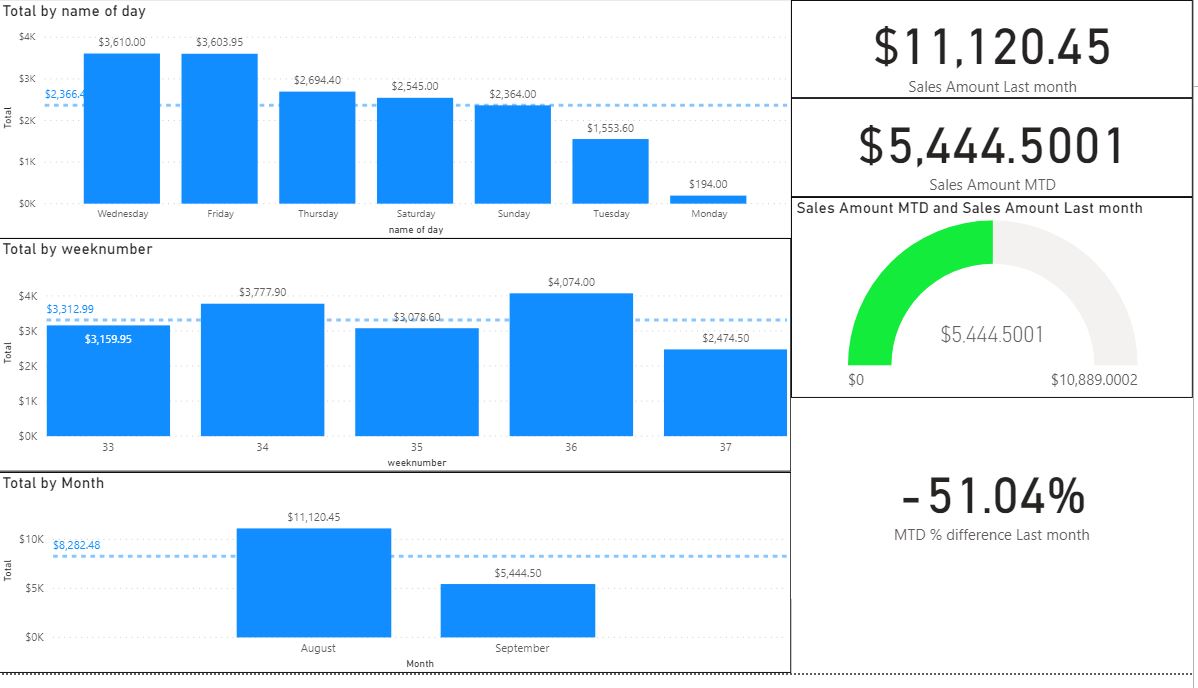
    I managed to connect my power bi to Aronium with a ODBC connector *SQLlite3. So you can also connect it with Excel. Beauty is you do this once and afterwards you only refresh and all your data is in there.


    1
    Comment actions Permalink
  • Avatar
    D C

    Feel free to reach out to me if you have time and will explain, dcmpbell@gmail.com

    0
    Comment actions Permalink
  • Avatar
    Sjon Rombouts

    For everybody else. I managed to do this with this website!

    https://www.biinsight.com/visualise-sqlite-data-in-power-bi/

    0
    Comment actions Permalink

Please sign in to leave a comment.