invoice template in arabic language

Can u send te me the invoice template in arabic language Please
my email : reheem.h.a@gmail.com
Thank you
-

Hi Abdu,
There is no Arabic invoice template, rom version 1.30, invoices are translated using language files, and Arabic invoice translate is present. Once you have "Arabic" language selected in settings, correct invoice (RTL) will be used.
Can you confirm you are using Arabic language and can you send us a screenshot of the invoice so we can see it?
Thanks, Aronium team.
-
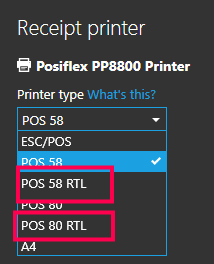
Yes, we can see that on your other post, but the question remains the same, can you tell us what language are you using and what printer type are you using? Can you confirm you are using "RTL" printer type, one of the below (in red)?
-
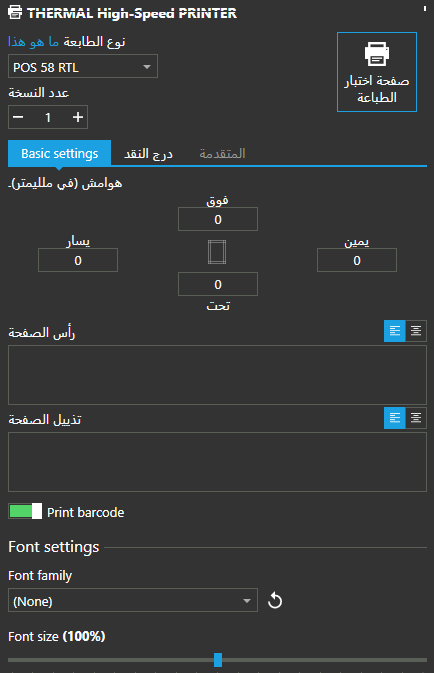
Thanks. Additionally, can you tell us did you change the font or print size in receipt settings? This receipt looks like it printed something out but totally unreadable, this is why I ask if you have changed the font.
Other than that, can you tell us are you able to print anything else on that printer, for example, can you print some example text from Notepad and see if it is printing correctly?
-
The font has changed in order for the invoice to be displayed correctly
What happens when you change the font back to original? Is it printing correctly with default font?
The idea has been printed correctly on the same printed
I am sorry, but I don't understand this, can you explain a bit better?
-
Thanks for the details.
ESC/POS do not support Arabic language, so you cannot use that for receipt.
When choosing Pos 58 RTL
The bill size is wrongYou can try "POS 80 RTL". 58 and 80 stands for 58 mm and 80 mm, I believe you should do better with 80 mm (POS 80 RTL). If it is too wide for you, you can adjust print margins to fit paper size correctly.
Please try "POS 80 RTL" and let us know if it worked.
Thanks, Aronium team.


Please sign in to leave a comment.
Comments
9 comments