Assign real Codes in document and invoice

Hello,
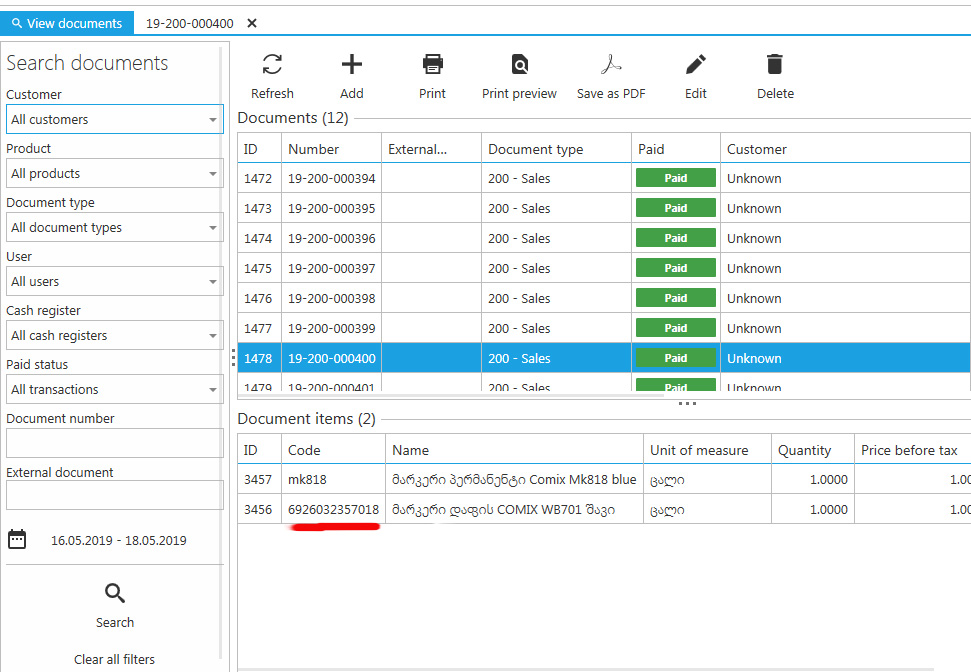
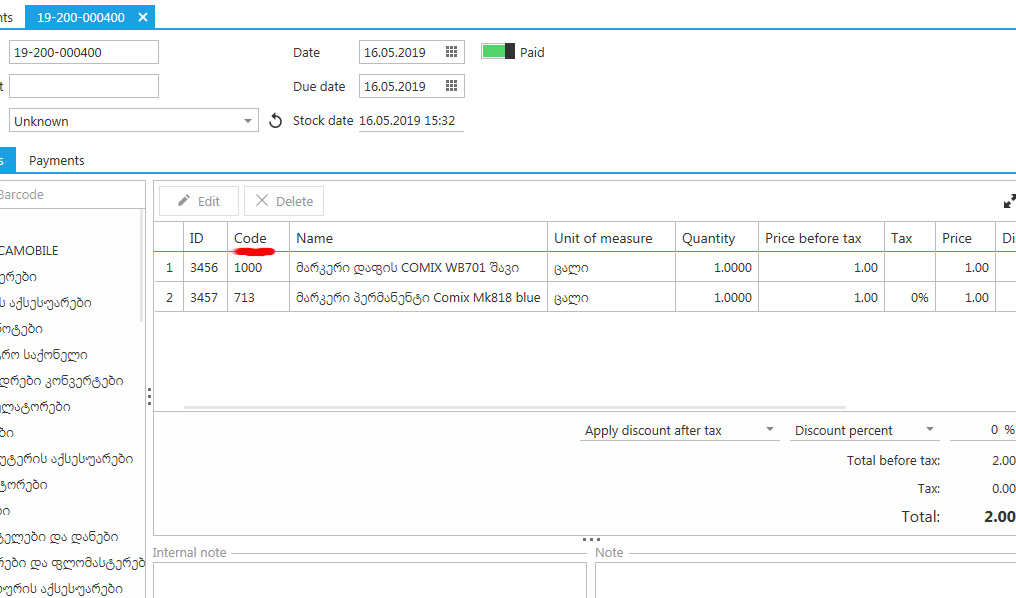
In Documents section, after creation of purchase or sale document products automatically assigned some random ID and Codes, which is different from the "real code" (that we assign manually during products creation process). Do not understand, why these random codes need there... Could you please, simply make this "real code" of each product displays also in documents here unchanged?
Also if possible, when print invoice /receipt (No. Item Quantity Unit etc.) to show product code (or it's barcode) before of item description as well?
Thank you.
-

Hi Pergamon Ltd,
The issue with product codes being wrong in documents list is fixed and fix will be available with next update (v1.24). What you see at the moment are automatically generated sale IDs, after this fix, there will be your product codes, as expected.
Regarding printing product code in receipt, the problem is that not all users needs it, so we cannot put it there by default. What we can do is create a custom receipt template for you, if that is possible, so you can have codes printed in receipt. If this works for you, please create a support ticket here, or send an email to support@aronium.com, we'll be happy to help.
Thanks, Aronium team.
Please sign in to leave a comment.
Comments
3 comments