BUG - (Barcode not found)

Hello
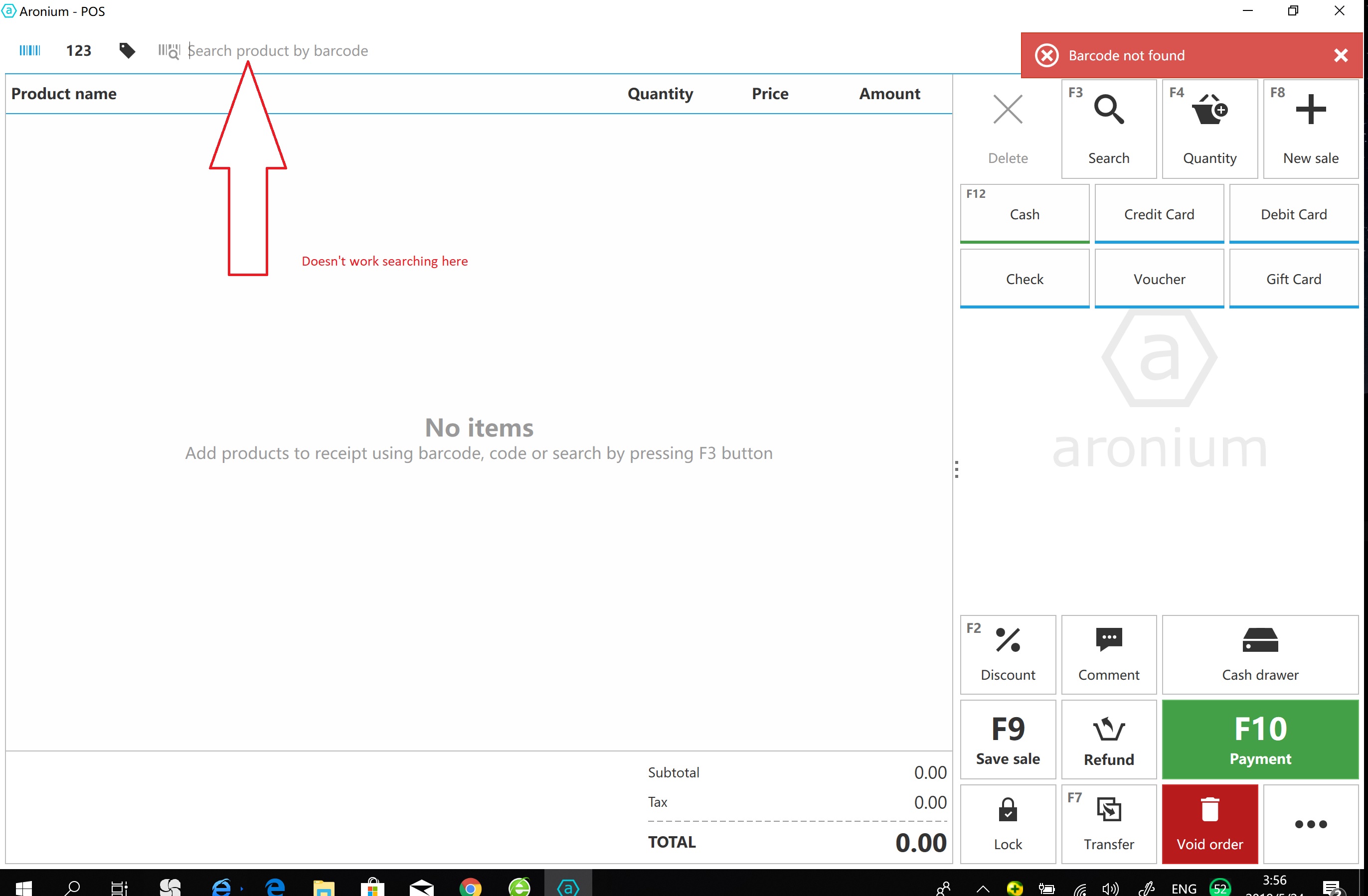
I have import all my product details in the system this morning (Including all the barcode for each item individually) and then I tried to test the system. At first, it works fine, but after a few try the system start telling me the barcode not found when I try to put through a sale by scanning the barcode.
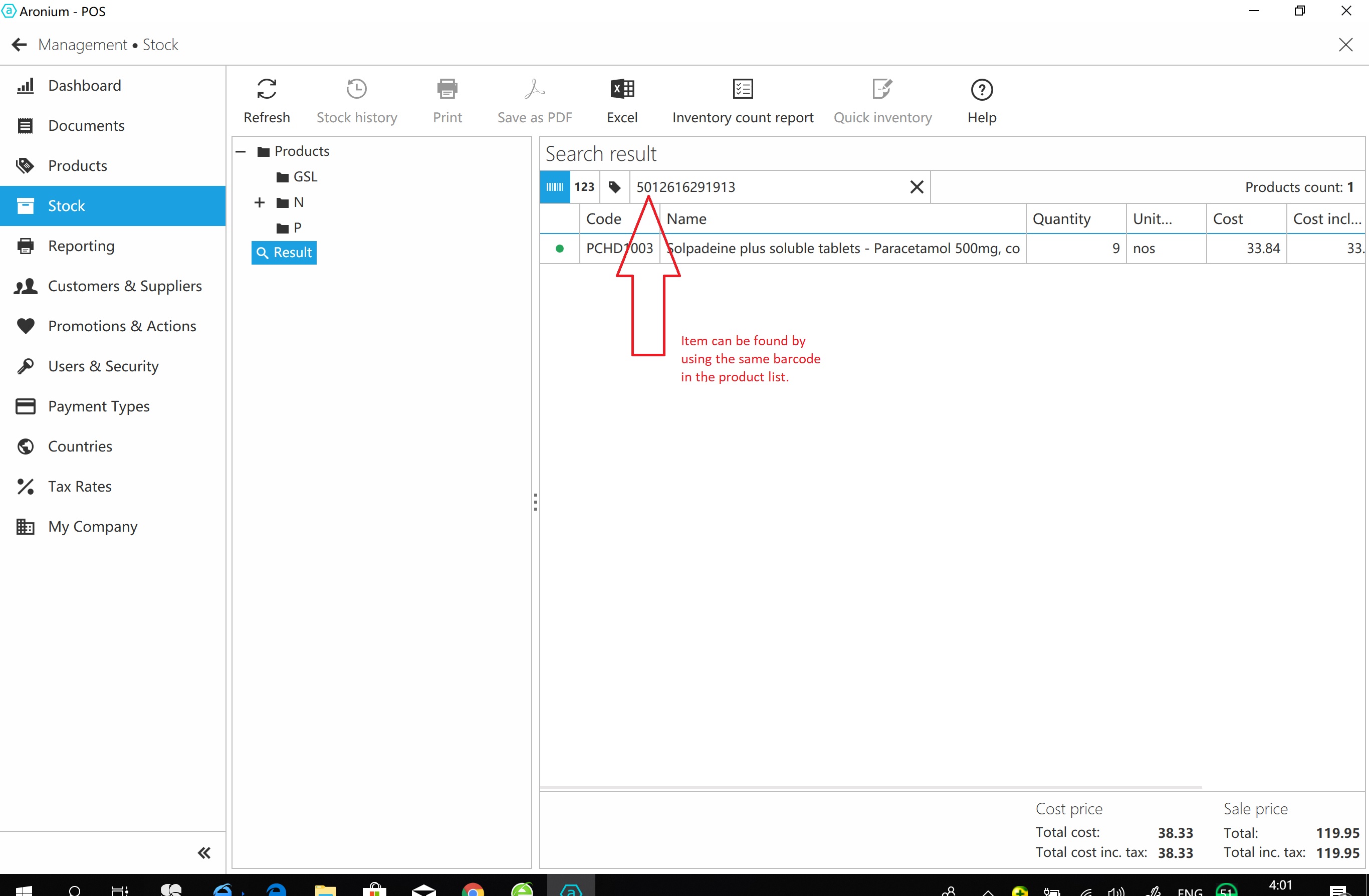
I have tried so many times with different item and barcode in the system, but the wired thing is it said "barcode not found" when I use the default barcode search, but when I click the button "Search" and do the advanced searching, the system found the item in the system with no problem. 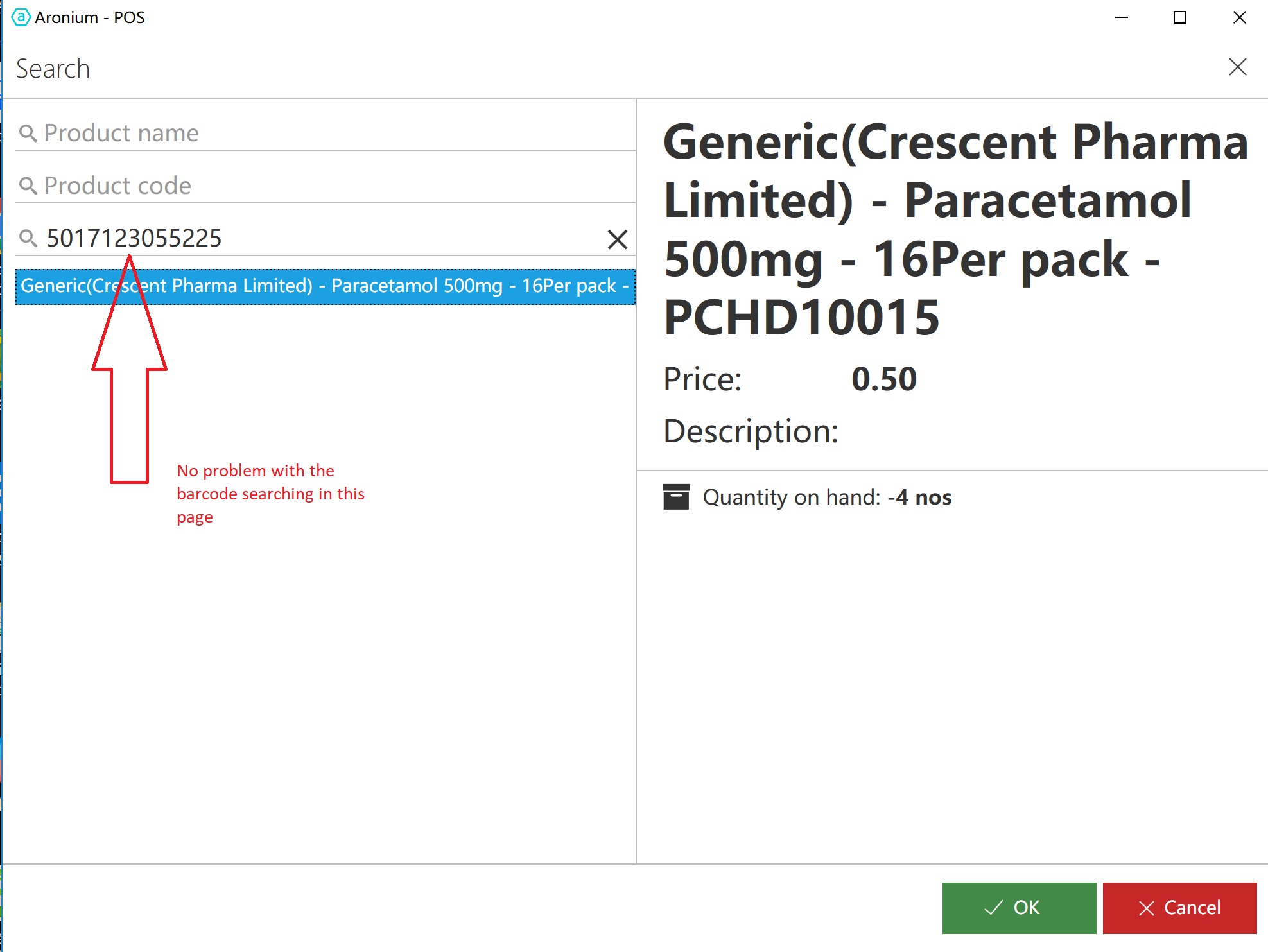
-

I understand, but in order to fix something we need to be able to reproduce it on our end, and we are not able to reproduce this problem.
For example, we would need answers to the following questions:
- Can you confirm your focus was in search field every time you tried to scan barcode?
- Can you reproduce it every time or this is something that happens randomly?
- Is there one or limited number of barcodes that are not working, or all barcodes are not working?
- Did you tried following instructions from our previous message and see what is happening?
If you can reproduce this problem every time, please send us your database to support@aronium.com with instructions what barcode is not working so we can try it out and see where the problem may be.
-
Here is an update on this, just in case someone has similar problem.
We have found from one user that his barcodes contained "OK" letters at the end. The problem is that barcode search in sales screen is case sensitive, which means "OK" is not the same as "ok". Temporary solution for this is either to remove the letters from barcode or to search by using the case (uppercase or lowercase) used in barcodes.
Here is an example:
Barcode: "123456789OK"
- Search for "123456789OK" - Works correctly
- Search for "123456789ok" - Not working correctly
We will discuss this internally and see if there is a reason to leave it this way or we will remove case sensitive check, so any combination of letter case will work. Until we decide and see if this change is possible, please try to avoid letters in barcodes or use the same letter casing every time and search with that case.
Hope this helps.
Thanks, Aronium team.
-

Hi ,
I have this same problem, example created this item barcode 20230901. Then i printed this on barcode printer section. Once printed i tried to scan the said printed barcode sticker on my usb barcode scanner , However the number will show on search tab but not added on sales.
Could you please help me with this.

Please sign in to leave a comment.
Comments
7 comments