Stock Movement Report Showing Incorrect Quantities
Answered
Hello Aronium POS Support Team,
I noticed an issue with the Stock Movement report. It appears that the report may be counting transactions or records instead of summing the actual quantities of items sold.
For example, if a customer purchases 3 cans of Pepsi on a single receipt, the report records the stock movement as only 1 instead of 3.
I investigated this issue using the raw data from my POS database, drawing on my background in data analysis. I tested my theory using SQL and found the following:
-
Using
COUNT()produces the same incorrect result shown in your report. -
Using
SUM()on the quantity field returns the correct total quantity sold.
Based on this test, the issue may be related to how the report aggregates stock movement data. I recommend reviewing the report's calculation logic to ensure it sums the actual item quantities rather than simply counting records.
Could you please investigate this issue and let me know if a fix is available?
Accurate stock movement data is essential for inventory tracking and sales analysis.
Thank you for your support.
-

Subject: Stock Quantity Mismatch in Arronium Sale Software
Description:
Dear Support Team,
We are facing a stock quantity mismatch issue in our Arronium Sale software.
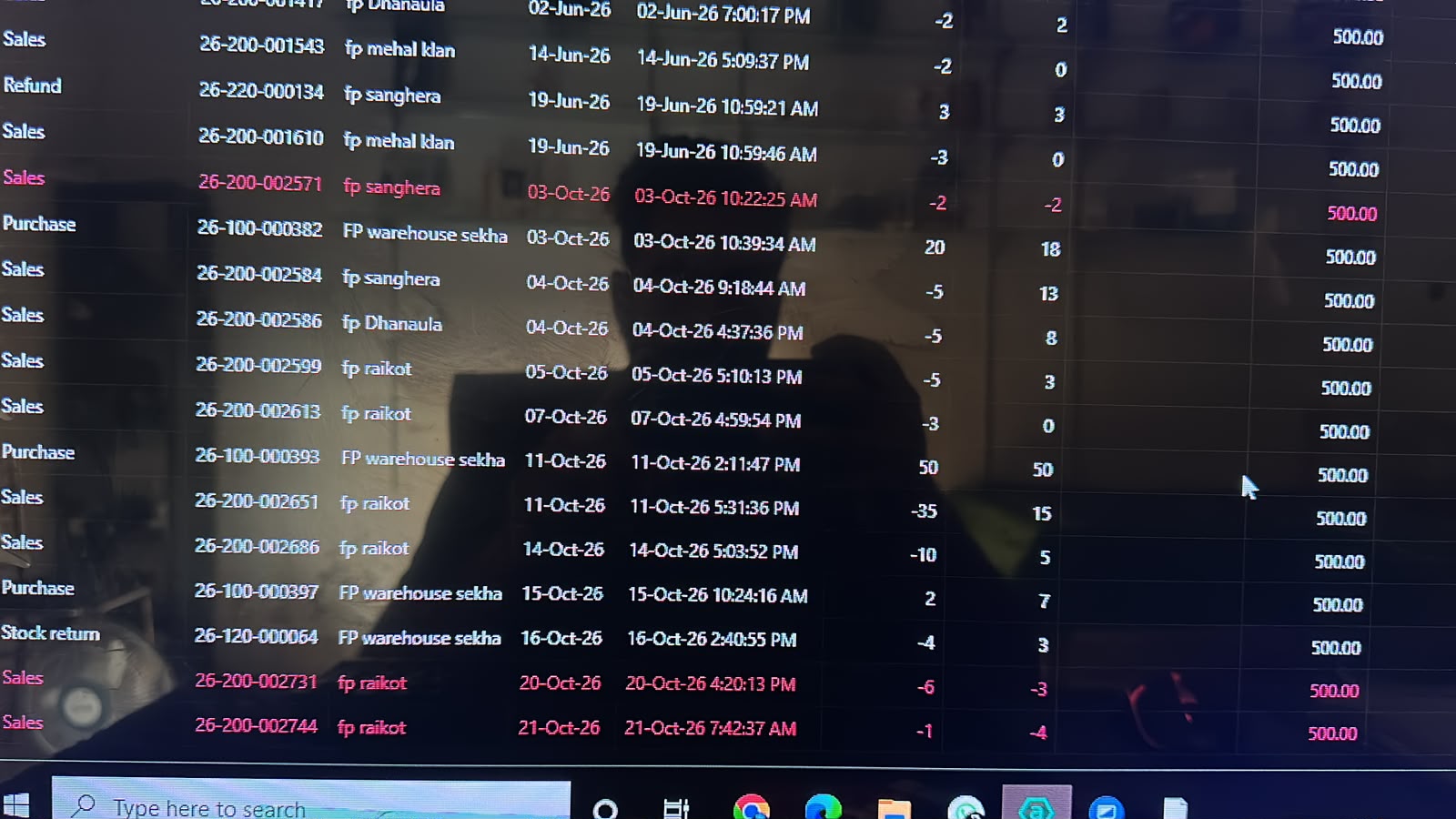
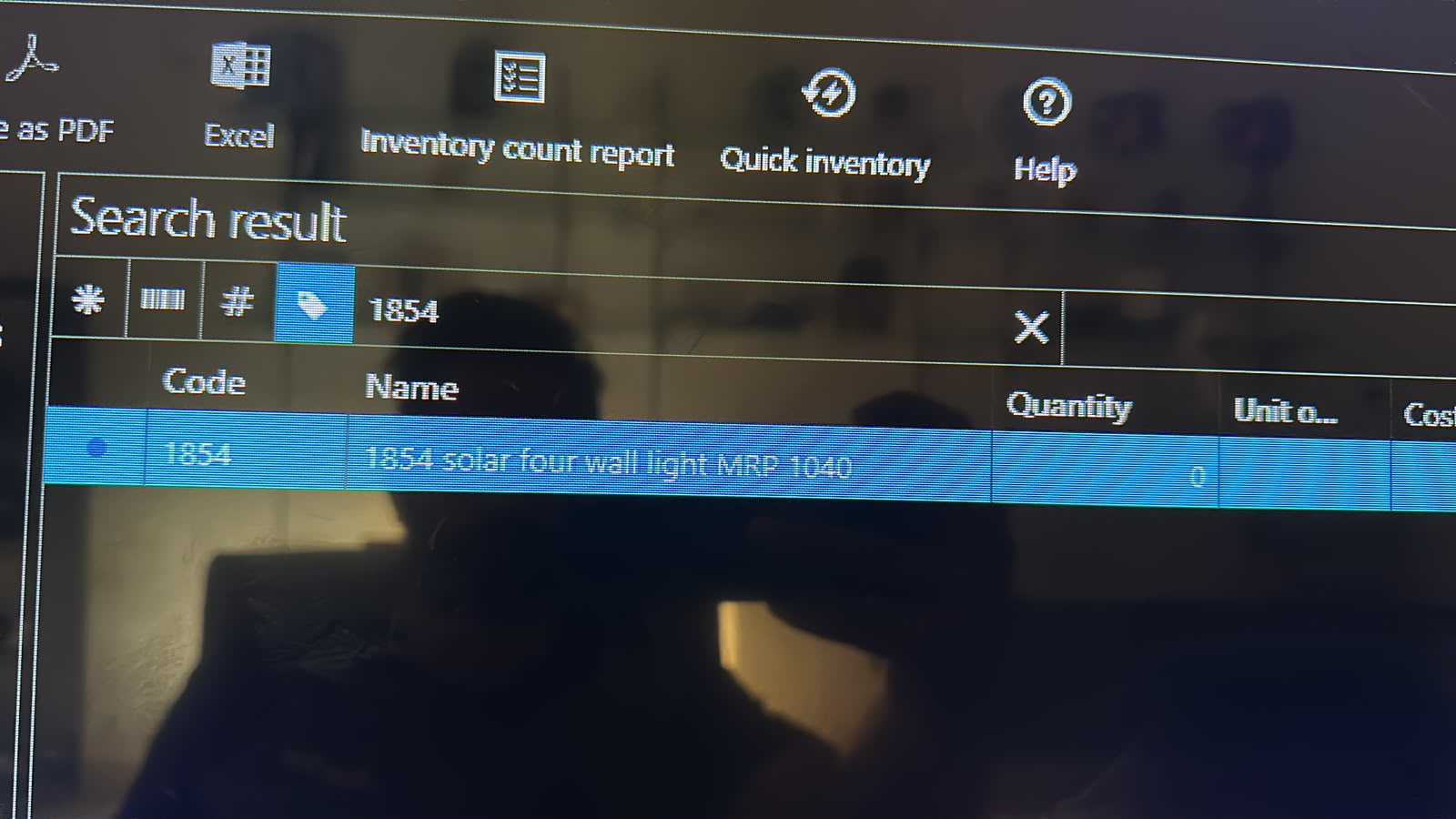
For product code 1854 – Solar Four Wall Light (MRP ₹1,040), the dashboard shows the available quantity as 0, but the product history shows the closing stock as -4.
The stock quantity displayed on the dashboard does not match the quantity shown in the product history. Please investigate this issue and help us correct the stock calculation without affecting our existing sales, purchase, and stock records.
Kindly guide us on how to resolve this issue.
Thank you.
-

Hi haitham,
Please find answers to your questions below.
For example, if a customer purchases 3 cans of Pepsi on a single receipt, the report records the stock movement as only 1 instead of 3.
Stock Movement report shows how many sales were made for a particular product, not the quantity sold. This is the reason why you are seeing these numbers. If you need to see how many items (quantity) you sold in a period, you can use other reports as most of them are providing this info.
Hope this clarifies the issue.
Thanks, Aronium team.
Please sign in to leave a comment.
Comments
2 comments