Bug Report Aronium Creates Empty Document

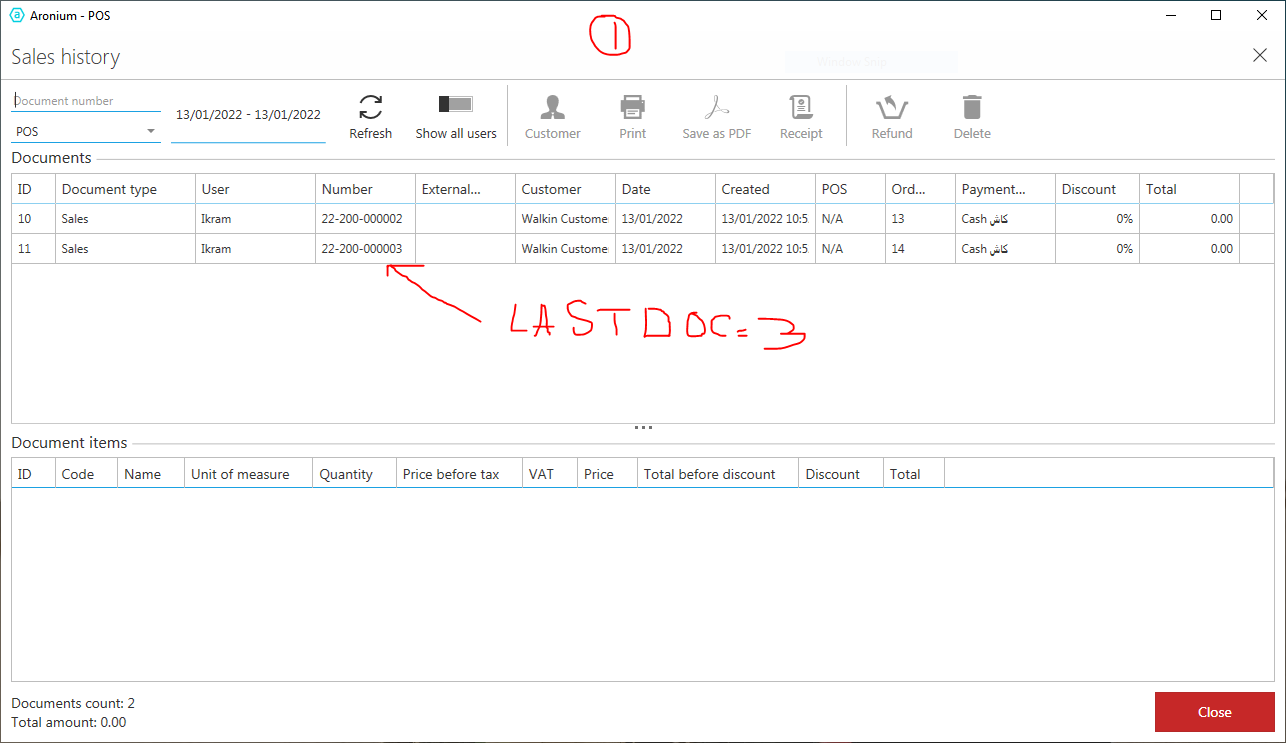
Step 1: Check Today's Sales & see last document number, which is 0003
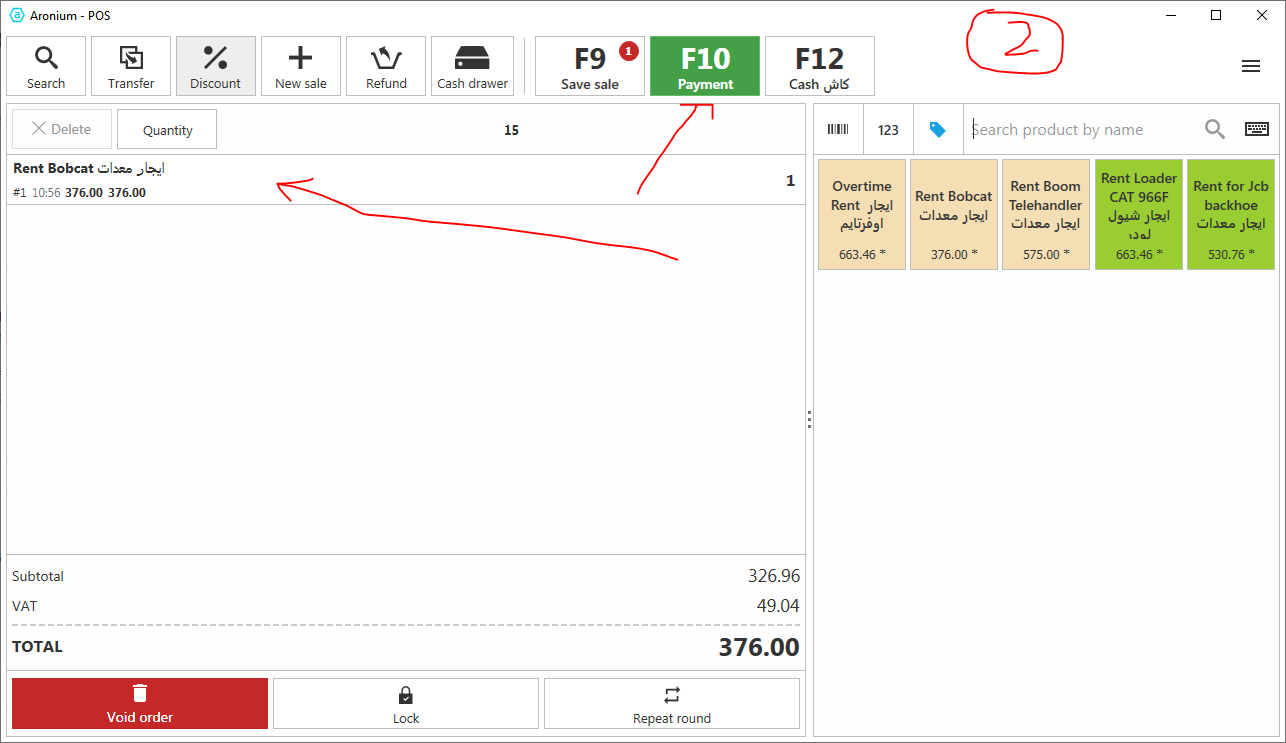
Step 2: Go to Main Screen & add 1 item into the sale.
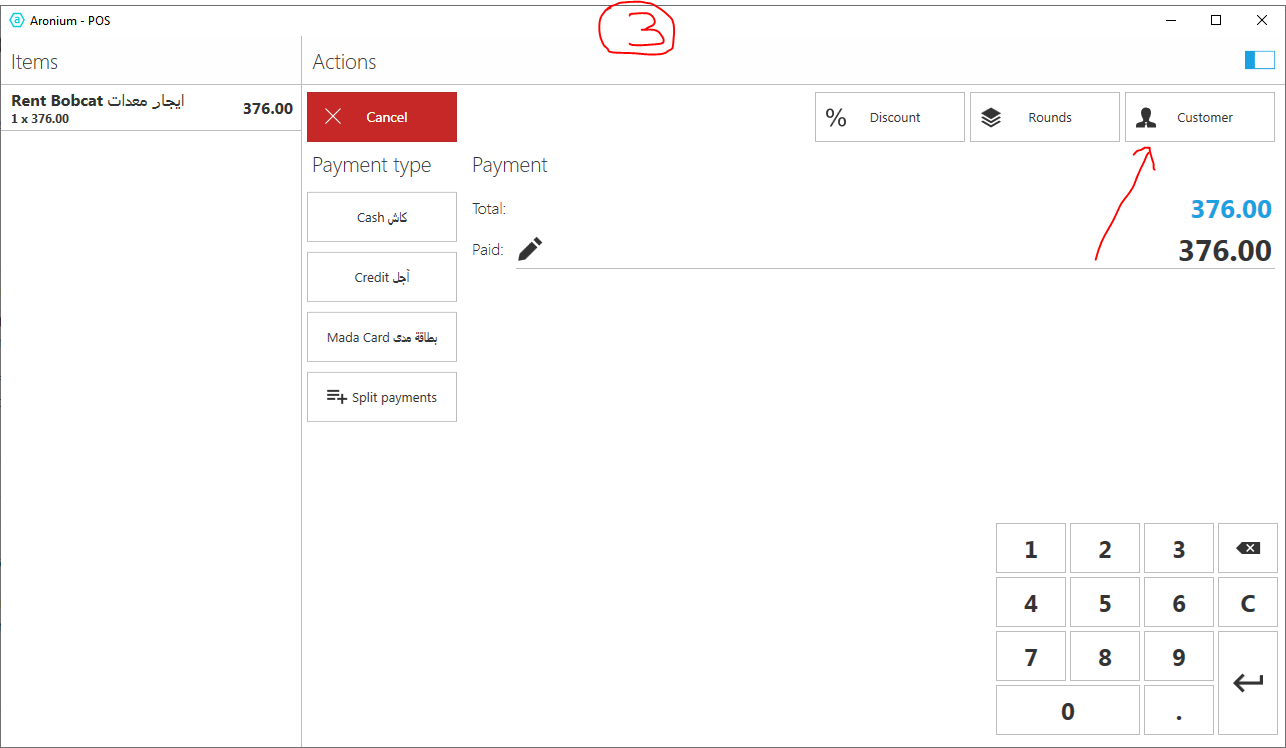
Step 3: Press the Button F10 Payment, you will reach to Payment Screen. Click the button Customer.
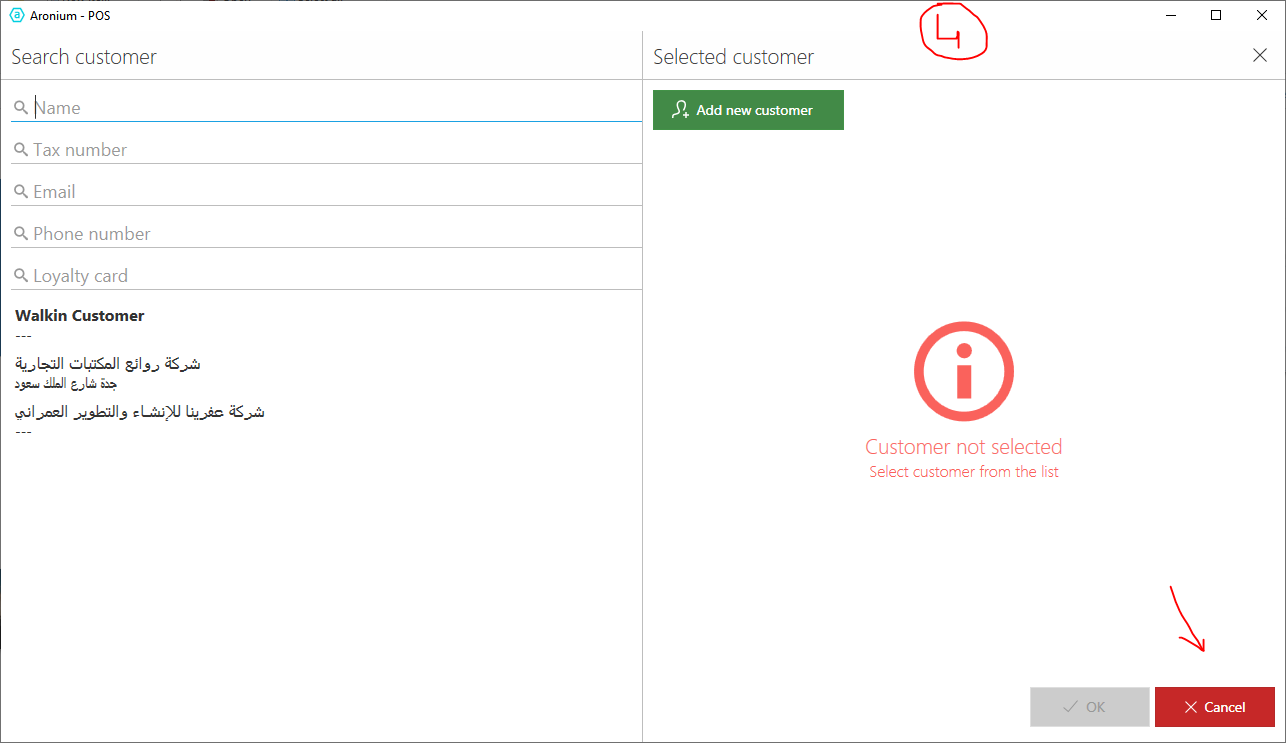
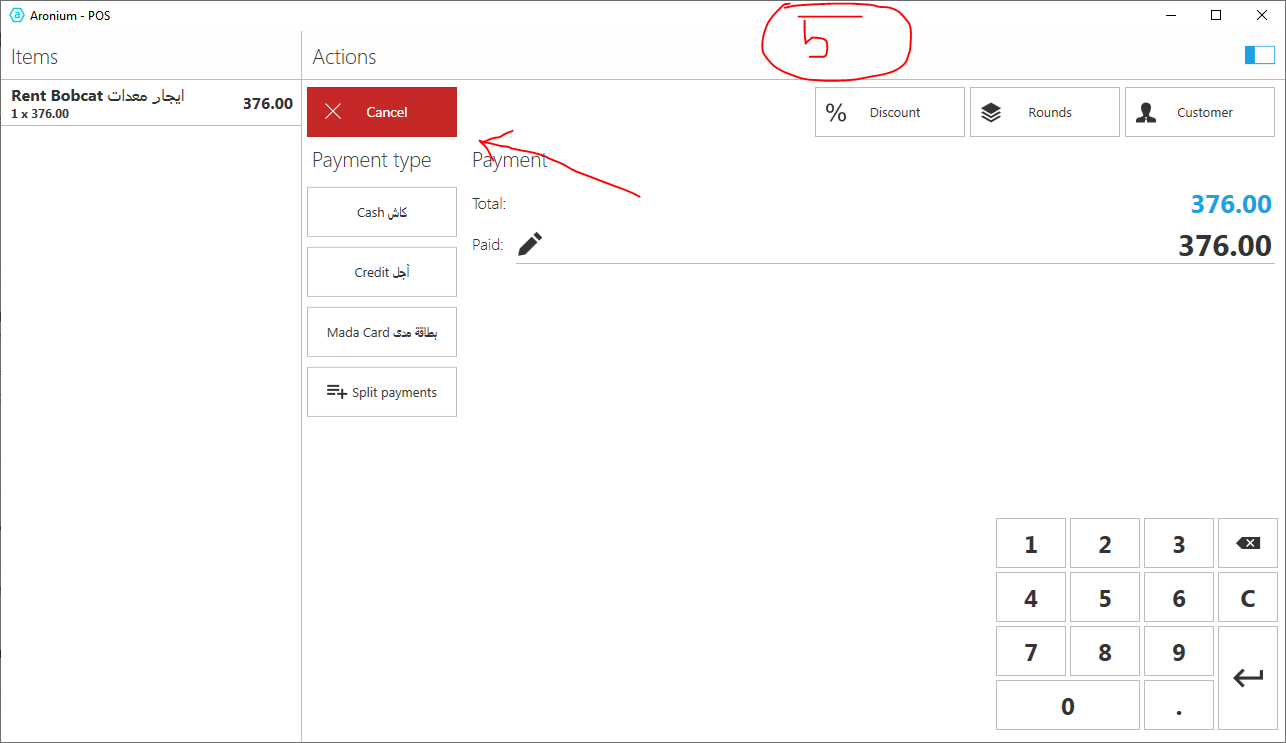
Step 4: Click the cancel button (e.g. You don't want to proceed for this sale). You will reach back to previous screen, which is Payment screen.
Step 5: Press the Cancel button again, so that you don't want to proceed this sale.
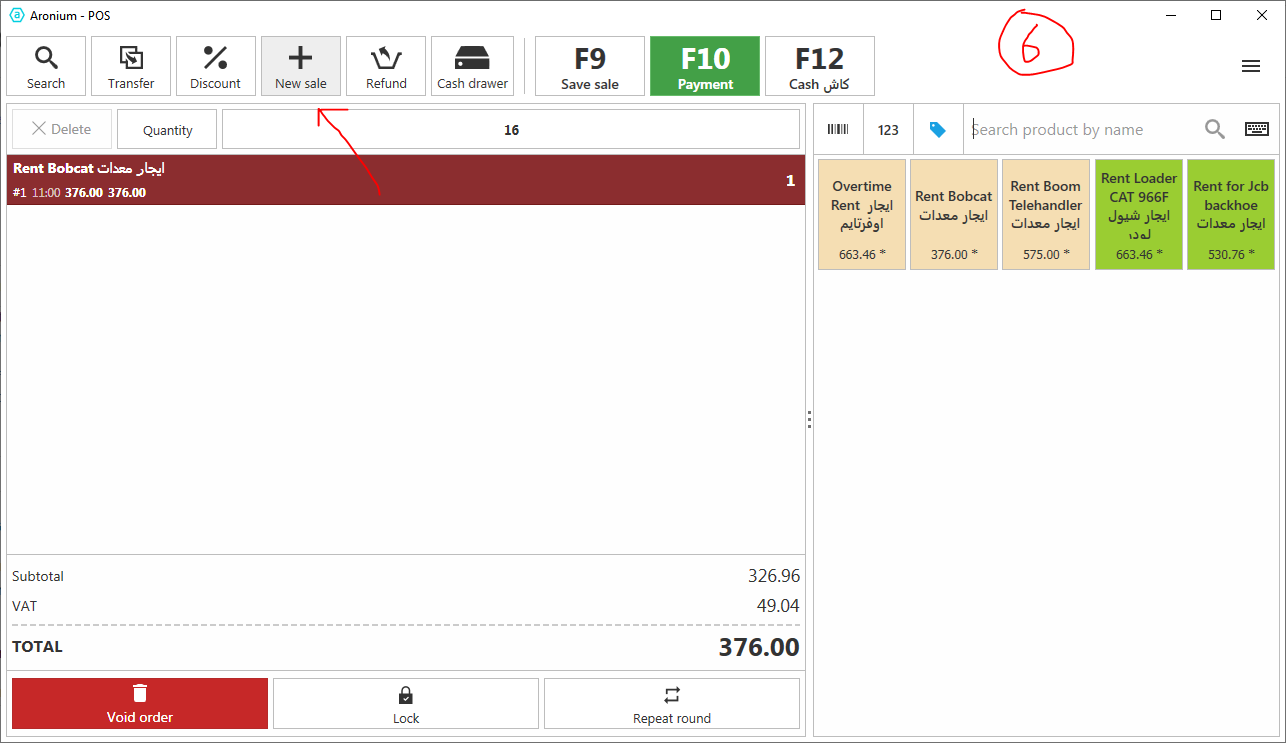
Step 6: Press the button on top New Sale
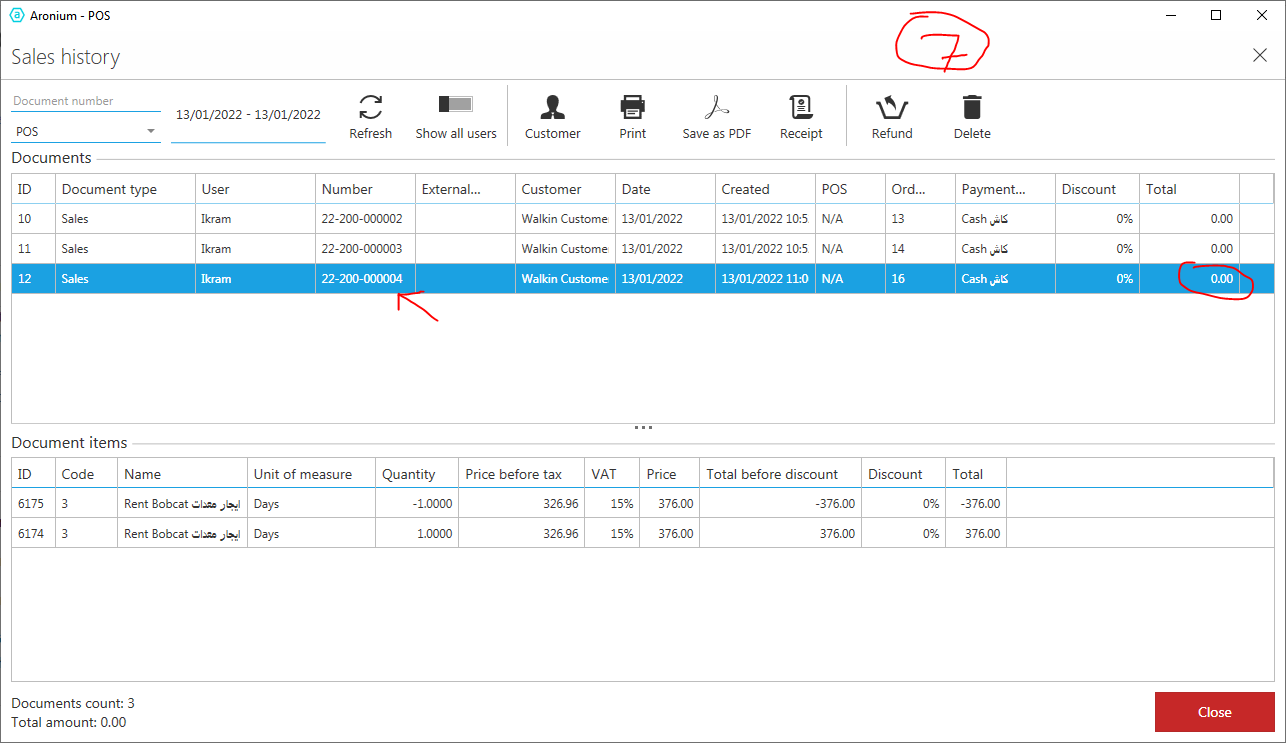
Step 7: Go and Check today's sales, you will see now the last document is 0004 and it is empty, it has Zero sales, but why system has generated a blank document, without any use.
-

Hi Merza,
We were never able to reproduce this, following the exact steps you sent.
Next, you said the document is created blank, but it actually contains voided items.
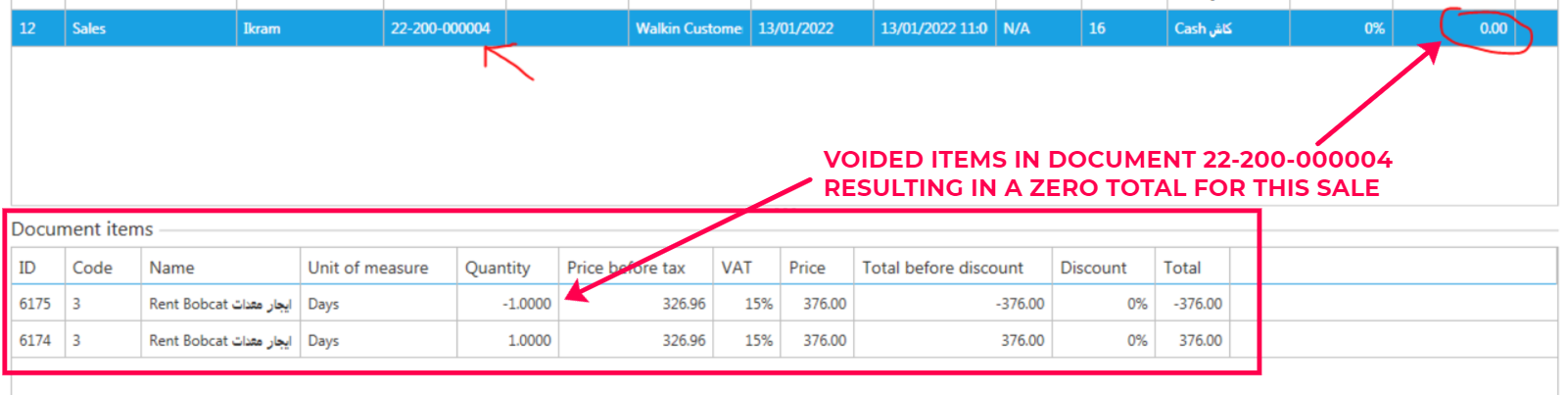
From what we can see, this sale seems to be voided. If you believe that pressing F8 voids the sale, try to reproduce the problem again and, if you can reproduce this, please let us know so we can work together and hopefully see where the problem may be.
Thanks, Aronium team.
Please sign in to leave a comment.
Comments
3 comments