No dialog pop up for change amount.
Answered
First of all you have done a tremendous job with this POS, and I am grateful for that.
Now, my only concern is, when I disable the "Display receipt print dialog" option in the Order&Payment tab (to speed things up).
After I press F10 for payment and input the cash my customer has paid me, then pressed enter. There is no dialog or no display for how much change I should give to the costumer.
-

Hi Ichinov,
Thank you for your kind words, much appreciated.
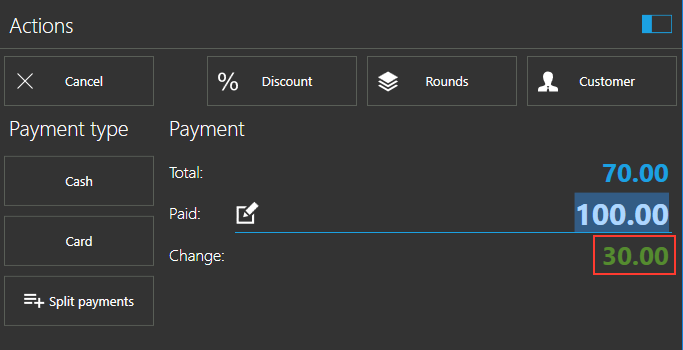
The change amount is displayed on payment form, immediately after you enter paid amount and press ENTER (see image below).
You can read more about payment process here.
One of the main purposes of print dialog is that it displays the change amount, so, you can have your change amount displayed on payment form or in print receipt dialog (or both if print dialog is turned on). Also, change amount is printed in receipt.
Adding additional dialog (in case print dialog is turned off) in order to display change amount is not planned at this moment, as it is already displayed in two places (and on receipt, too).
If you feel like this is something that should be added, please open a feature request, so other users can comment and vote for it.
I hope this helps.
-
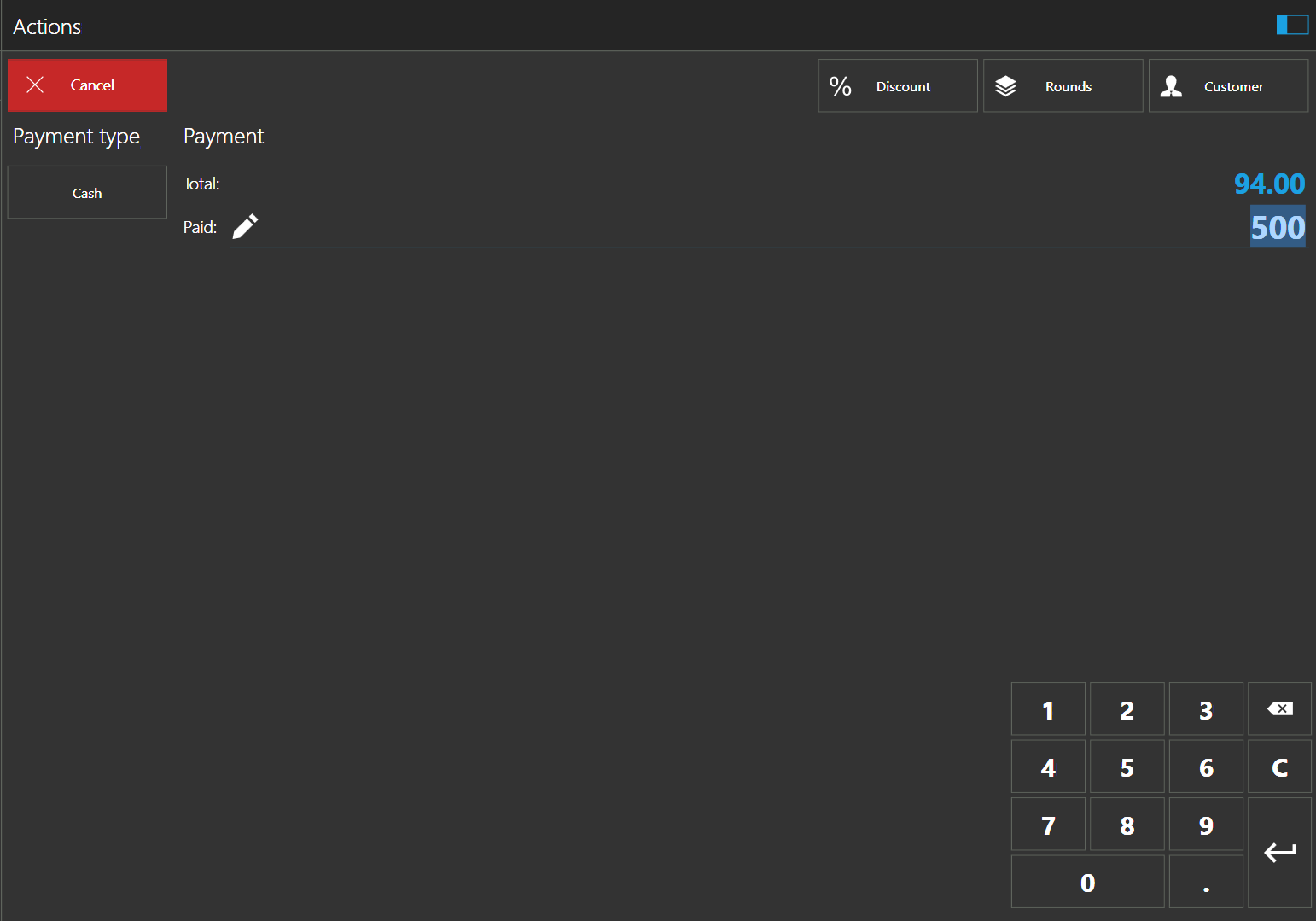
From your screenshot, I can see you have one payment (tender) type.
If a single payment type is used, it will behave slightly different, as it will automatically be selected on ENTER key.
There are two ways to solve this:
-
By using TAB key:
Once you enter paid amount in the field, instead of ENTER, press TAB key, it will move focus to "Cash" button and will calculate and display change amount.
After that, when you press ENTER, it will create and print a receipt -
By adding another payment type:
Add another payment type (like Credit Card or any other), once you press ENTER key it will not automatically print receipt, but will focus the first payment type, so, pressing ENTER again (while first payment type is active) will use it and receipt will be printed.
Please let us know if this helps.
-
By using TAB key:
Please sign in to leave a comment.
Comments
4 comments