cannot Log in Aronium Pro Network

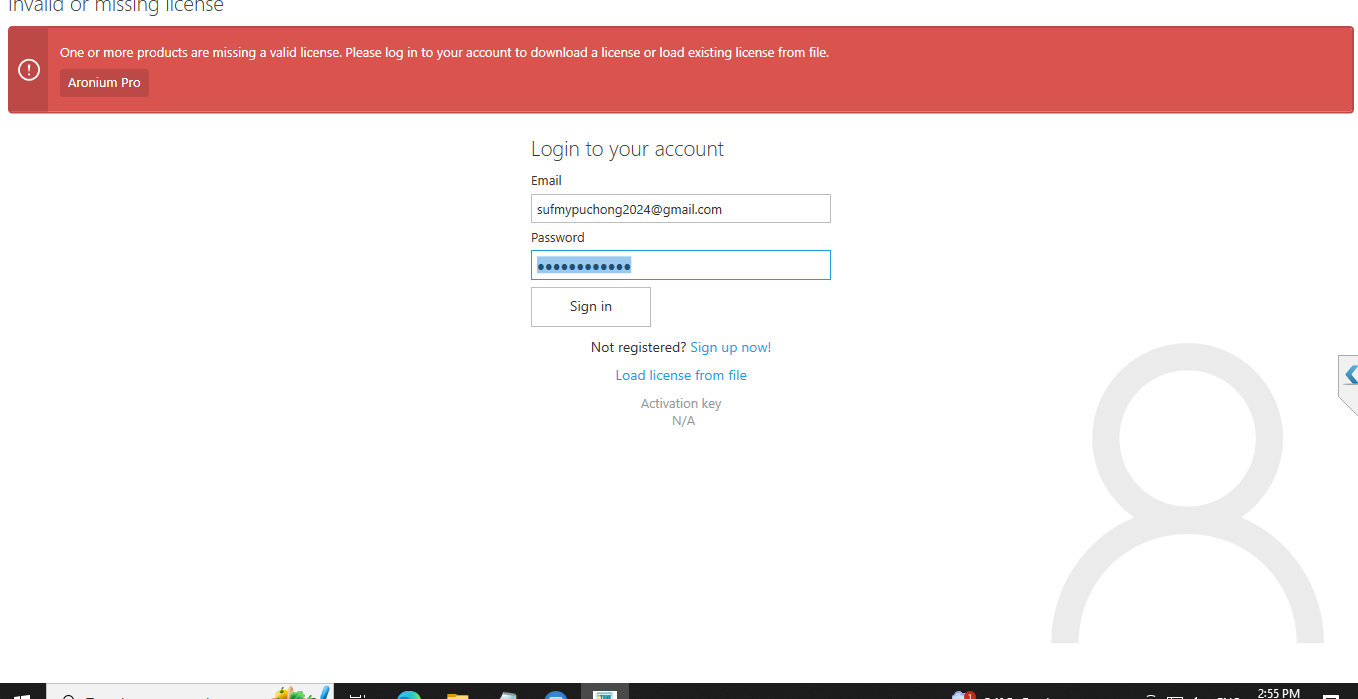
Hello Support, I got problem to log in my Aronium Pro. 
-
Official comment

Hi Ainul,
You have updated the server to the latest version but you didn’t update the other computers. Please update other computers to the latest version and the problem will be gone. You can Download the Aronium Pro update directly from Aronium.Pro.Update.exe or from your download page anytime.
Thanks, Alex
Comment actions -
Hi Ainul,
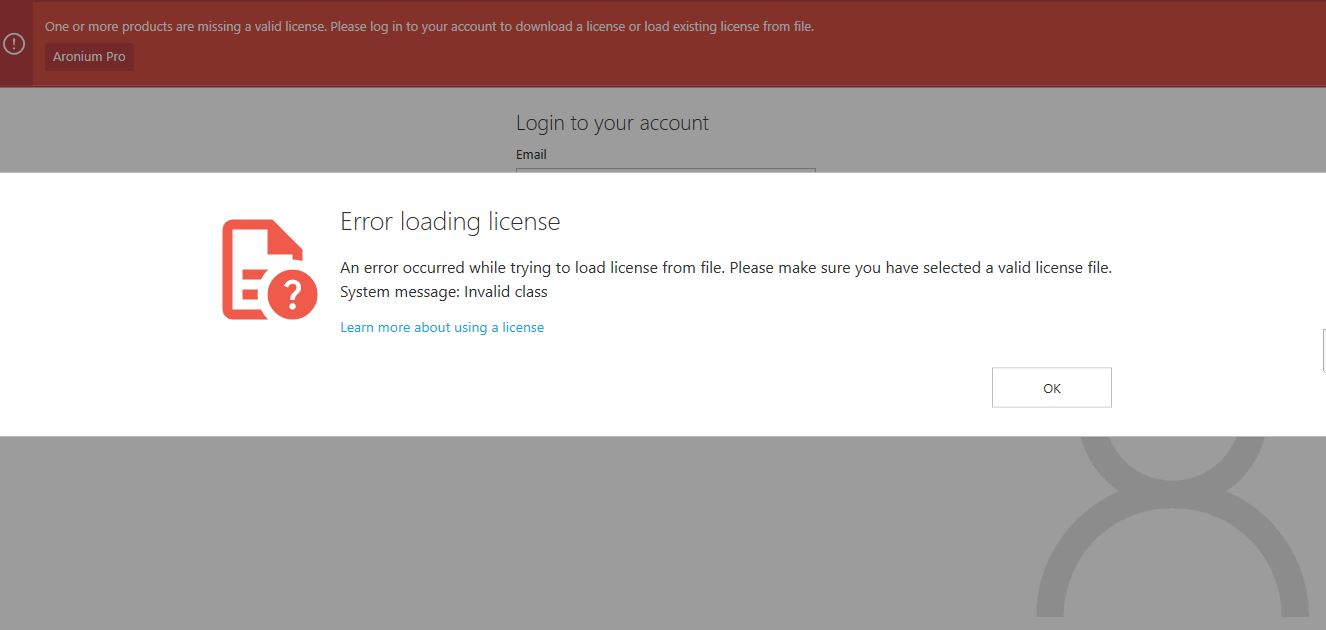
This error appears when you have corrupted license or if you have downloaded previous license version, which is most likely the case.
You can read more about license compatibility at https://help.aronium.com/hc/en-us/community/posts/12740710244114-Version-1-41-license-compatibility, but, in short, you need to either 1) sign in fro Aronium of 2) download correct license from My Aronium portal.
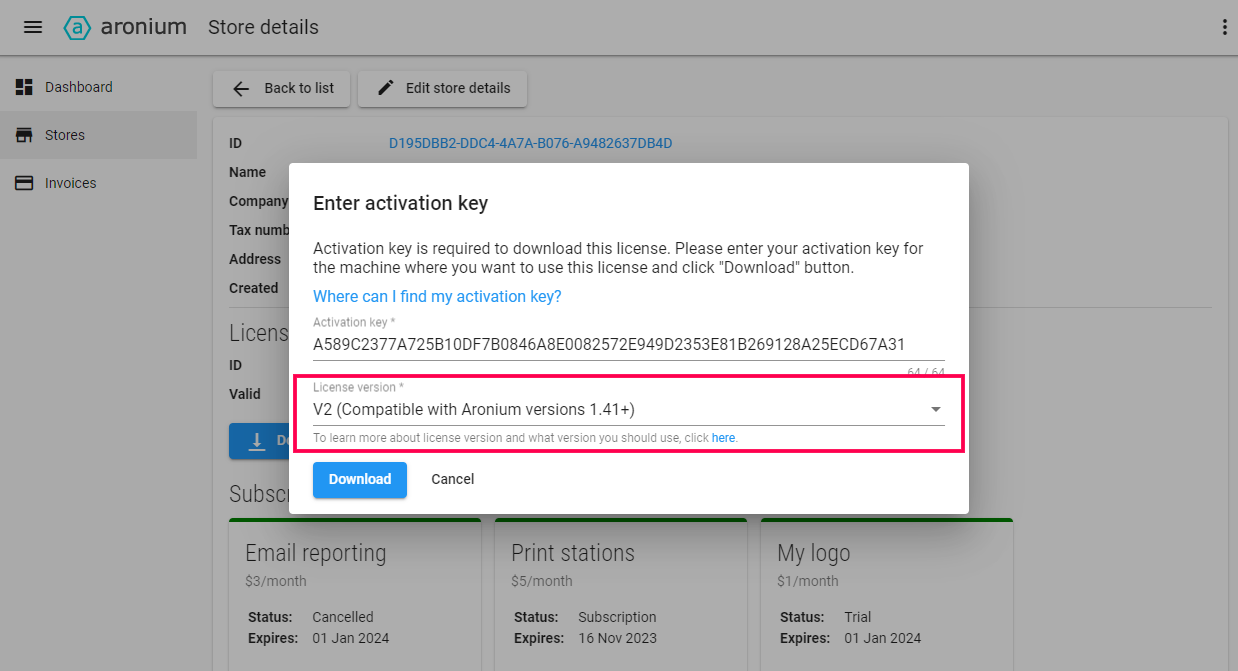
Can you try downoading the correct license and let us know if you are stil facing the same issue?
Thanks, Aronium team.
-
Dear Support,
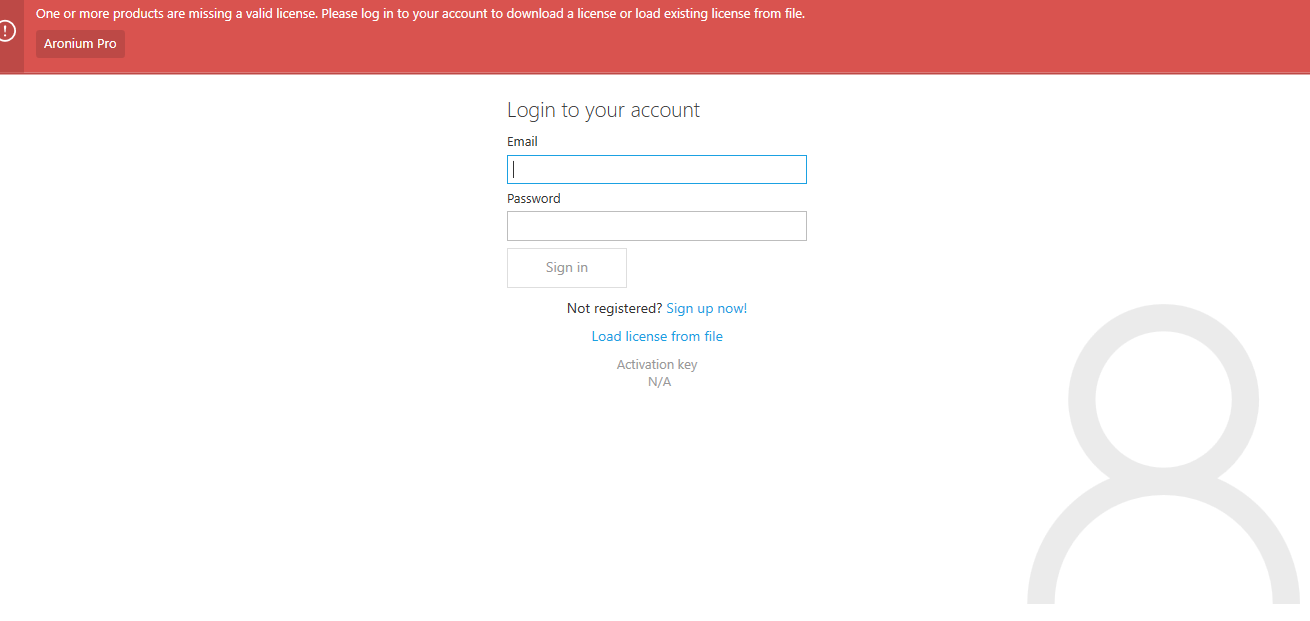 At the main page of Aronium does't show any Activation key , so how can i download the license ?..After i Log in with Email and password ..The page Suddenly disappear like it cant access the database. so please help me to solve this problem as soon as posible.Best regards,AINUL
 -
Hi AINUL,
Situations where actiation key cannot be generated are extremely rare. Unfortunately, without the activation key, the license cannot be generated, so you won't be able to use Aronium on this computer.
As you already have an open support ticket, we will reach out there to hopefully understand more why this happened.
Meanwhile, the best we can suggest is to use another computer, if possible.
-
Dear support,
Can you remote my computer and help me?
we can communicate by my email : sufmypuchong2024@gmail.com
best regards,
AINUL
-
Dear Support,
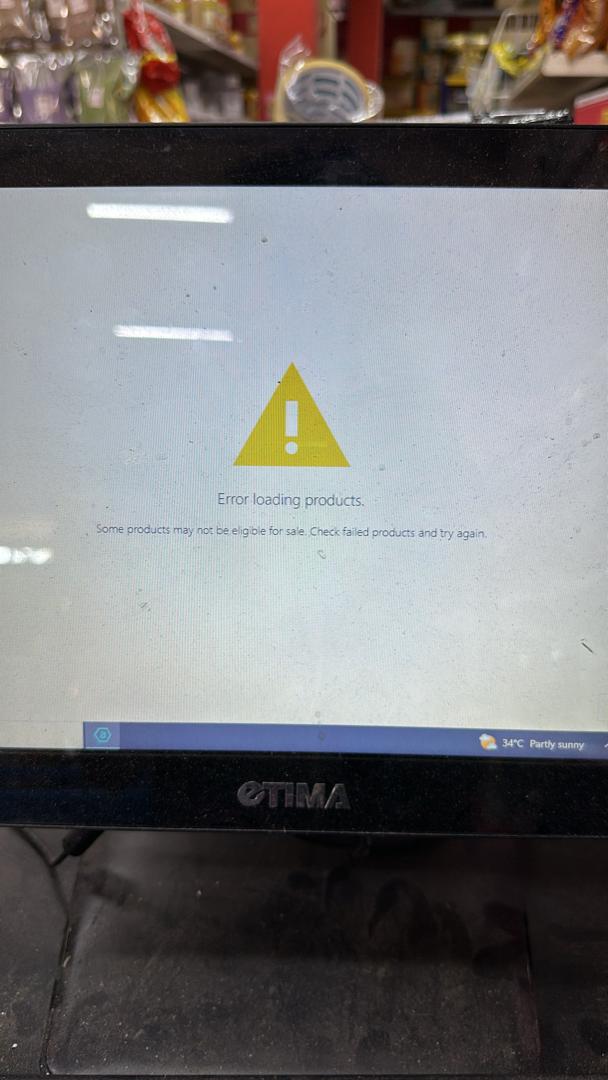
ARONIUM TEAM be ALERT, my second shop also got problem , when ARONIUM PRO pos show this error, Im afraid if i follow your previous instruction which you all want me to update the version, then the worst error appear and nothing i can do. This situation have happen this year when your team want me to update the version.. Any Solution??
Best Regards,
AINUL
-
Hi,
You need to Update all your computers to Aronium latest version 1.42 and the problem should be solved as you can read in a pinned post.
You can Download the update from our website: https://www.aronium.com/download/Aronium.Pro.Update.exeThanks, Alex
-
Hello Support,OK i have solved the issue by formatting all my pc/terminal and reinstalling windows 10 pro . I dont know what sequence of error that coz this problem but after i have formatted and reinstall Aronium Pro, the Activation key appear, and it's run smoothly. I also very lucky coz i have make many backup.. TQ for your support ;)best regards,AINUL

Please sign in to leave a comment.
Comments
11 comments