Payment in Parts

i am accepting payment in parts,some payment today,some tomorrow and and some in coming days.how can i add that payment So it goes minus from total credit on daily basis
-

Hey there,
You can use split payments
https://help.aronium.com/hc/en-us/articles/209524645-Payment
https://help.aronium.com/hc/en-us/articles/115001968912-Credit-payments -
I am using the split payment option, but I am accepting the remaining or credit payment in installments. For example, a portion is paid today, another part tomorrow, and the rest over the coming days. How can I add today’s payment so that it deducts from the remaining credit balance?
-

Hi there,
I got your question. Yes, the split payment option works too, but
There are some options that might help you.
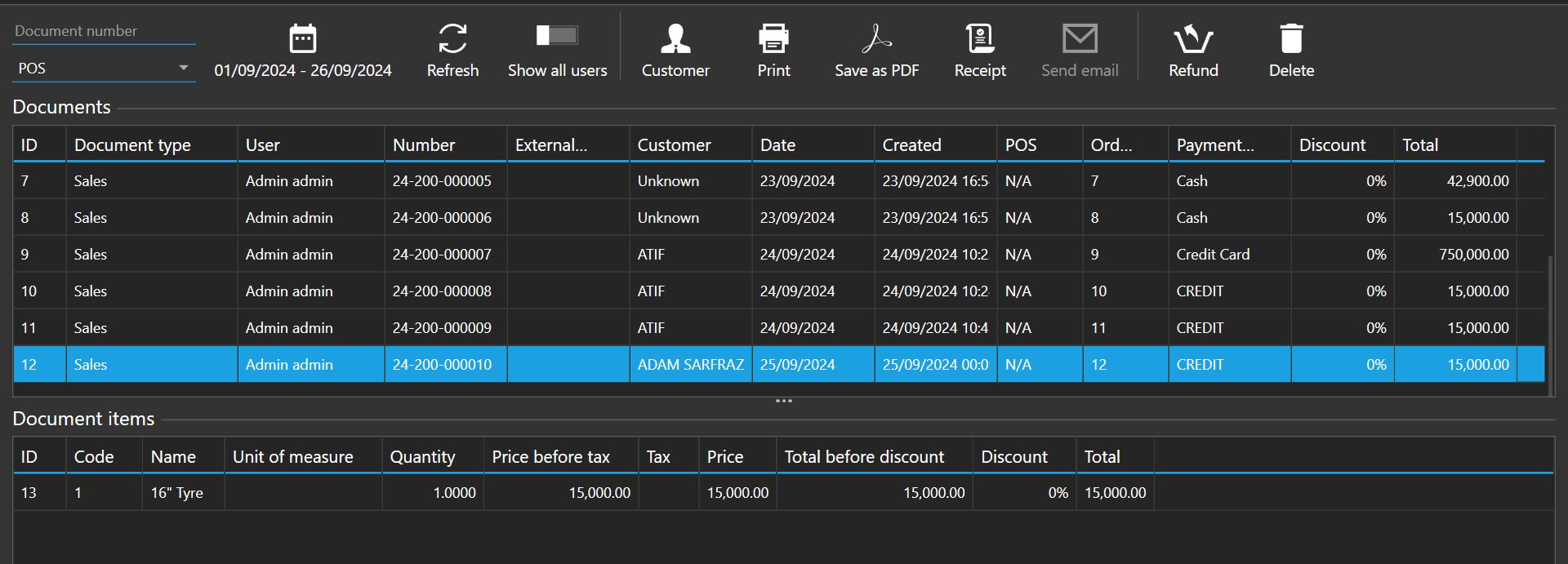
Go to the "Payment Type" section and create a new payment type as "Credit."
on the payment type Check "customer required" ON/tick and "Mark transaction as paid" to uncheck/untick.
After that, go back to your sale and change the payment option.
For example, your total sales are $500.
the customer paid "$300" today the remaining balance "$200," which he wants to pay after a week.
so in the payment potion, make $300 as cash the remaining balance is made as "Credit".
once you receive full payment, change to cash payment. thats all, i hope you got.
if you have any questions, feel free to contact me. -
Hi, @Adam again,
Yes, I have told you before; follow the steps.
Again, for example, your total sales are $500, which the customer has to pay, but he doesn't want to pay full payment.
So, the customer paid "$300" for today. He wants to pay the remaining balance, "$200," every week.Steps.1
For today's sale in the payment section,
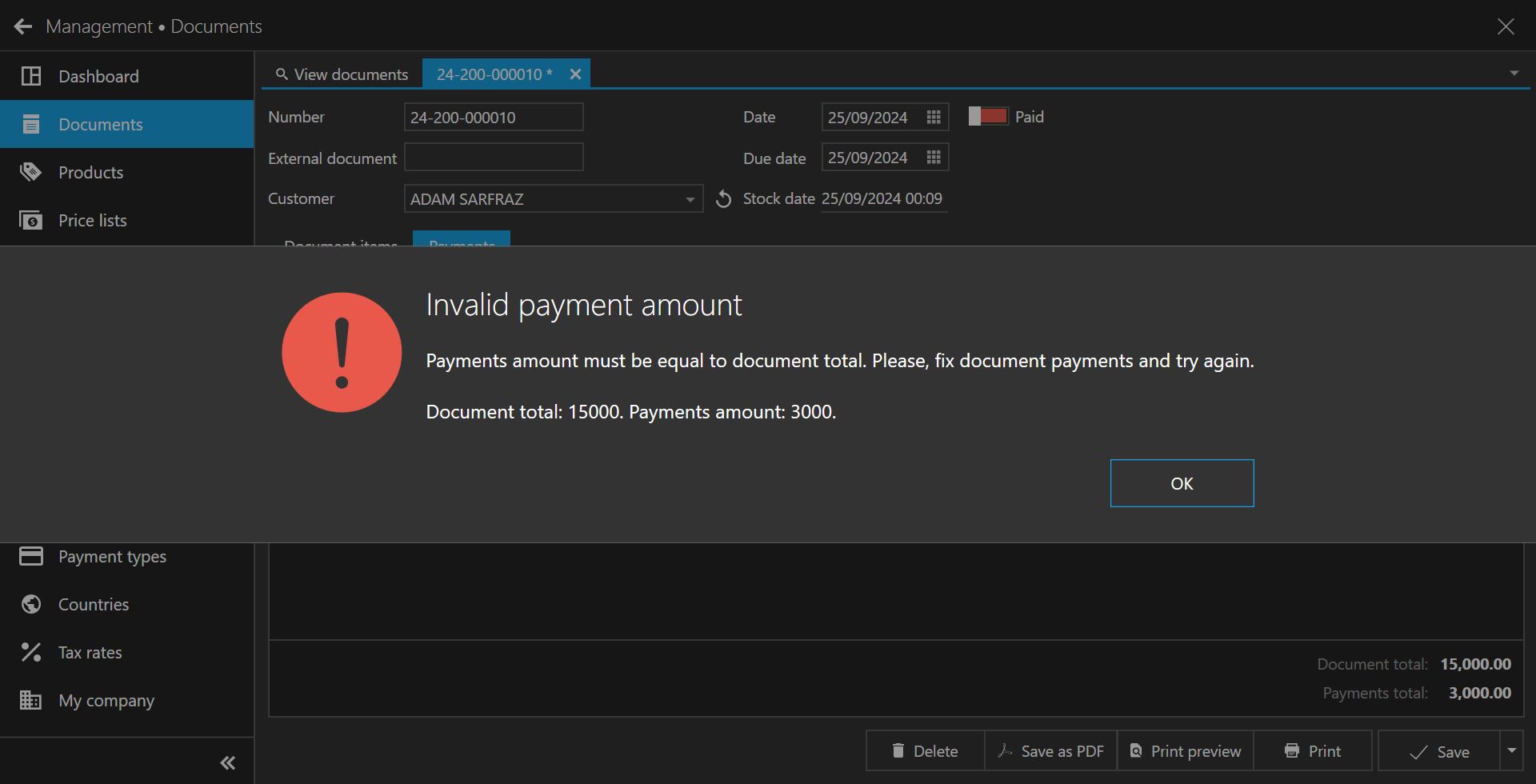
1. Put $300 and select payment type "Cash."
2. The remaining balance put $200. Select the payment type as "Credit."
>>click save button<< <<done>>Steps.2
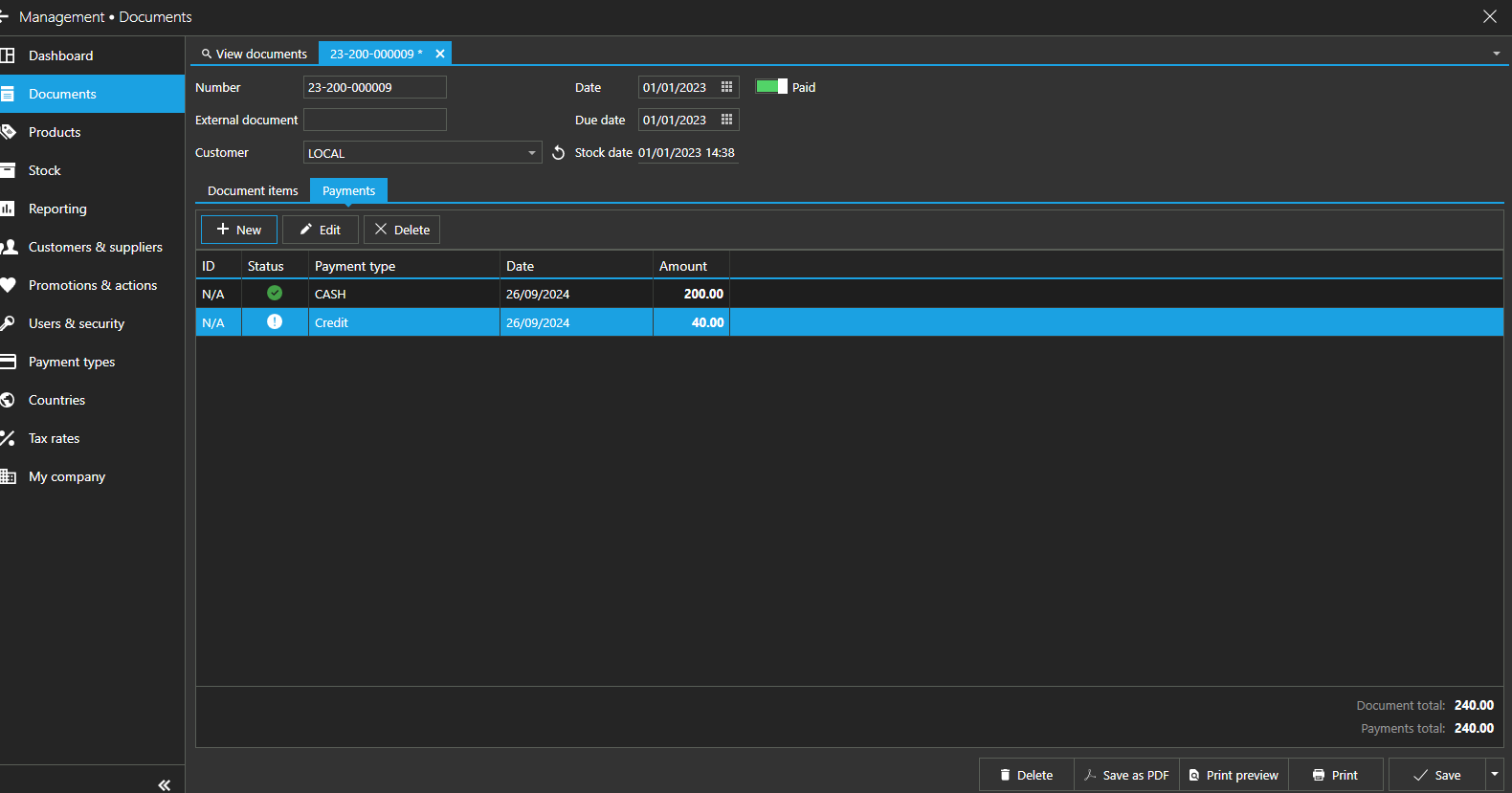
The next week go to the same sale history. Let's say he wanted to pay $150.
The payment method will be.
1. $300 as "Cash" payment (remains the same; no need to change)
2. **The remaining balance of $200, "Credit," has to be deleted, and add $150 and select payment type to "Cash."
3. the new remaining balance put $50. select payment type as "Credit."
>>click save button<< <<done>>Steps.3
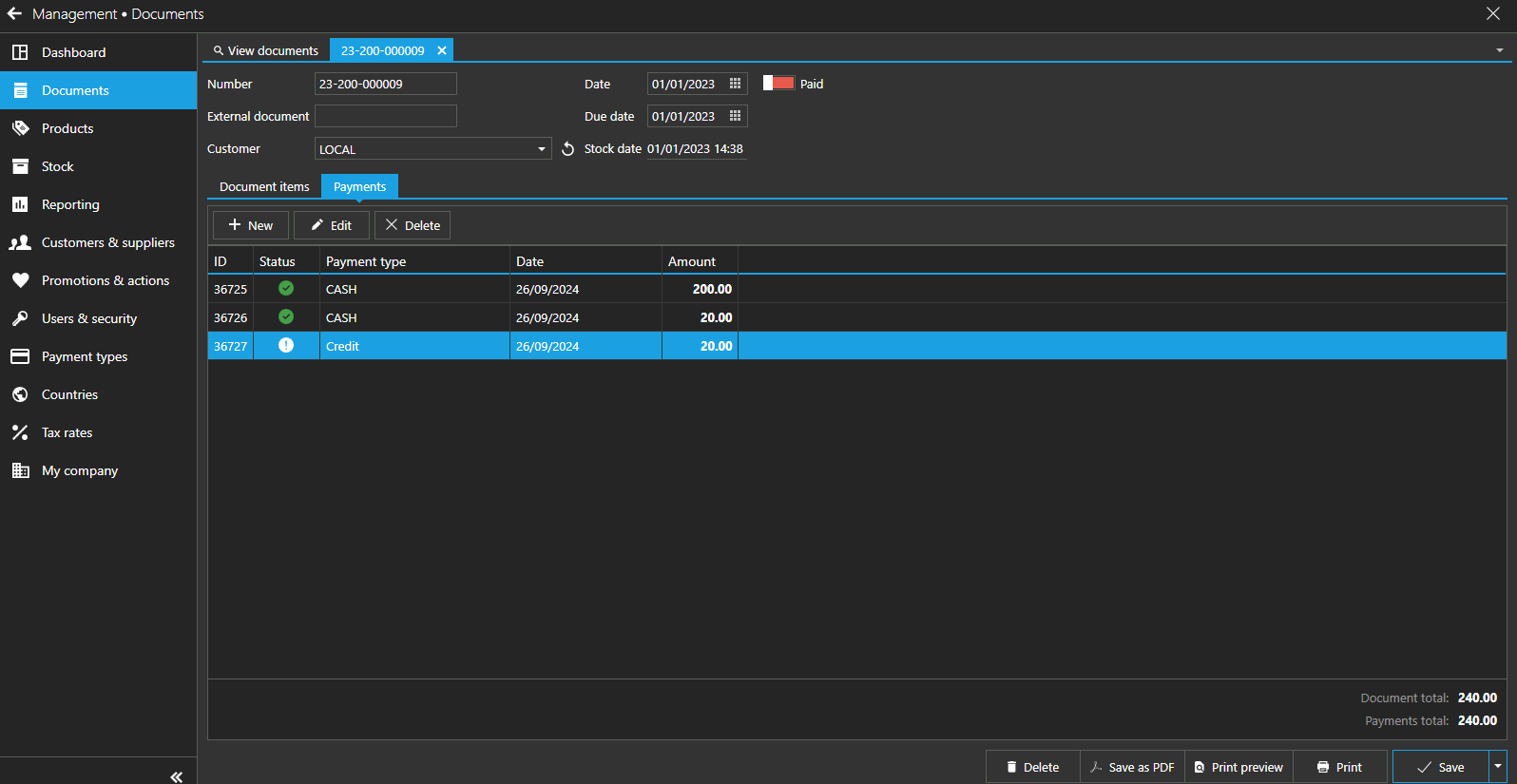
Again, after a few weeks, go to the same sale history. Let's say he wants to pay the full payment this time, but he has to pay only $50.
So, the payment method will be.
1. $300 as "Cash" payment (remains the same; no need to change)
2. $150 as "Cash" payment (remains the same, no need to change)
3.**The new remaining balance put $50. Select payment type as "Credit"**, has to delete and add $50 select payment type to "Cash"
>>click save button<< <<done>>
Note##, So in every step's date and time are recorded too. Follow the same steps for more.I hope you got my points, if you have any further questions, feel free to contact me personally.
Please sign in to leave a comment.
Comments
9 comments