reprint a ticket error
Answered
good morning
Previously in a question which answered how to do the reprinting of a ticket, by doing the process indicated I found a problem
the ticket was originally generated in 58 mm thermal printer but in the option to reprint the ticket this is generated in A4 format please check this so that the reprinting is in the same format that originated
Another important detail would be to have an option as most systems have by a button (reprint last ticket) on the main sales screen
since the common faults are the possibility that the printer runs out of paper, that the paper jams in the printer or that it is incomplete
So if the employee who is in charge of the collection and if their level of functions is limited does not have to leave the main point of sale screen to go to documents and have to look for the ticket.
-
Hello I have tried in all the ways with the icon to print on the top, with the print icon that is on the bottom and it is always the same error comes out even though you have configured as printer the thermal printer of 58 mm reprint the generated in A4 format
I would like you to take the test and if you have better images to be able to see the process because of all the ways I'm doing print in A4 format
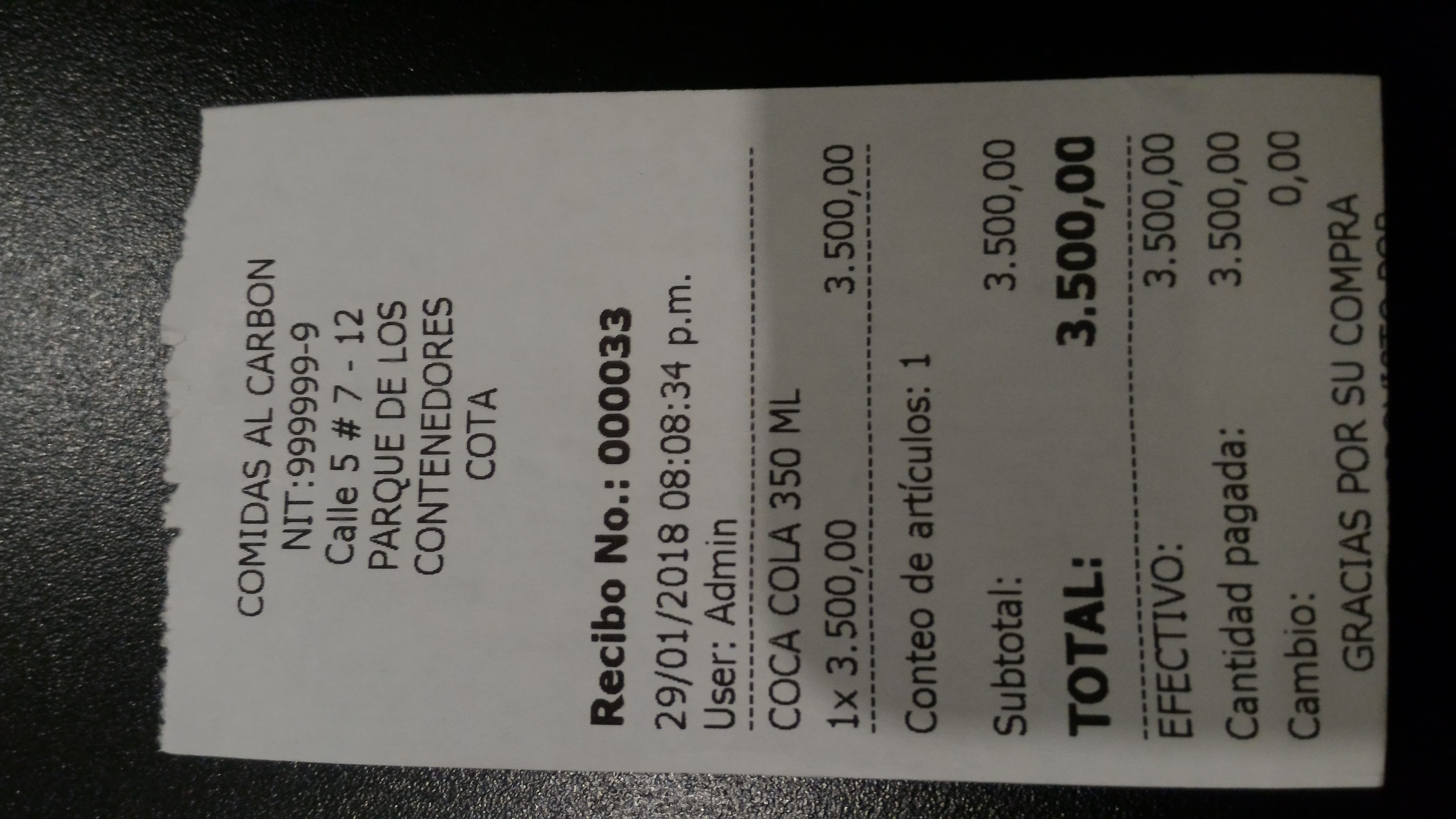
attached image of the original ticket and next to it the reprinting of the same

-

Hi Enrique,
What you are looking at is documents management, there is no option to reprint ticket as a receipt, only as invoice (A4).
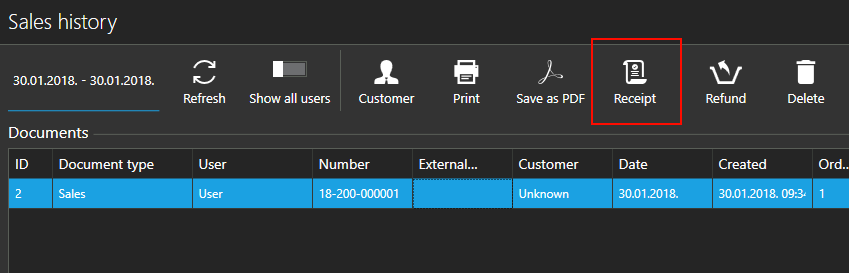
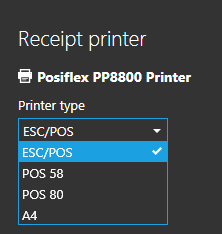
You can reprint ticket (receipt) from sales history only. Please, read more about sales history at https://help.aronium.com/hc/en-us/articles/208794689-View-sales-history
Thanks,


Please sign in to leave a comment.
Comments
6 comments