Update cost price, fixed markup and auto sele price

Hi everyone, I'm new on Aronium, well, there is something that is getting me crazy. How can I add purchase document with a new cost price, have a fixed markup and update automatically sale price?
Right now, I add a document, with item product with new cost price, but sale price wont update, and system calculate markup value, the if i want a markup of 35, sale price won't change. thanks
-
Official comment

Hi everyone,
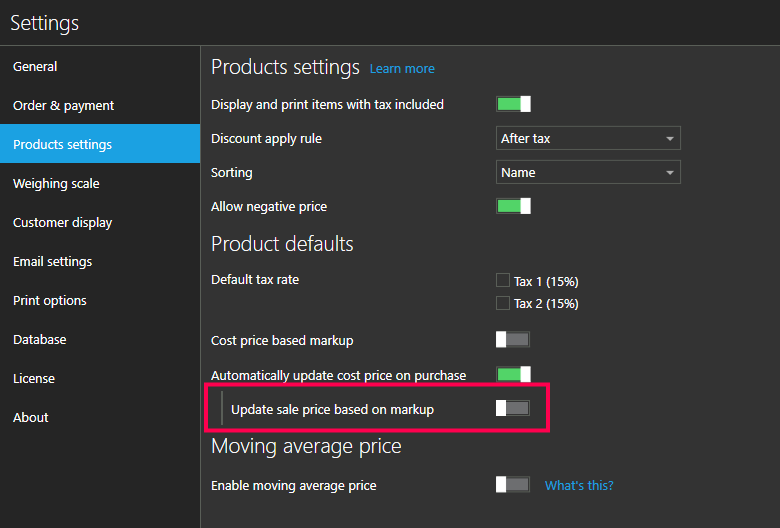
Version 1.40.1 comes with the ability to choose if you wish sale price to automatically change according to markup when product's cost price is changed on purchase. To enable this functionality, go to Settings > Products settings and enable Update sale price based on markup option, as in the screenshot below.
You can read more about these options at https://help.aronium.com/hc/en-us/articles/115000719352-Products-settings.
Thanks, Aronium team.
Comment actions -

this seriously needs to be addressed as fast as possible its a big problem after the changes in the prices recently some of the item went crazy up more then the prices i used to sale and after i made a purchase order the markup went fucking insane to negative - %-30 so it remain selling at the same price i put 4 months ago ..so if my cost price goes higher then the price i used to sell the markup switch negative this nearly ruined me aronium team it should be fixed
-

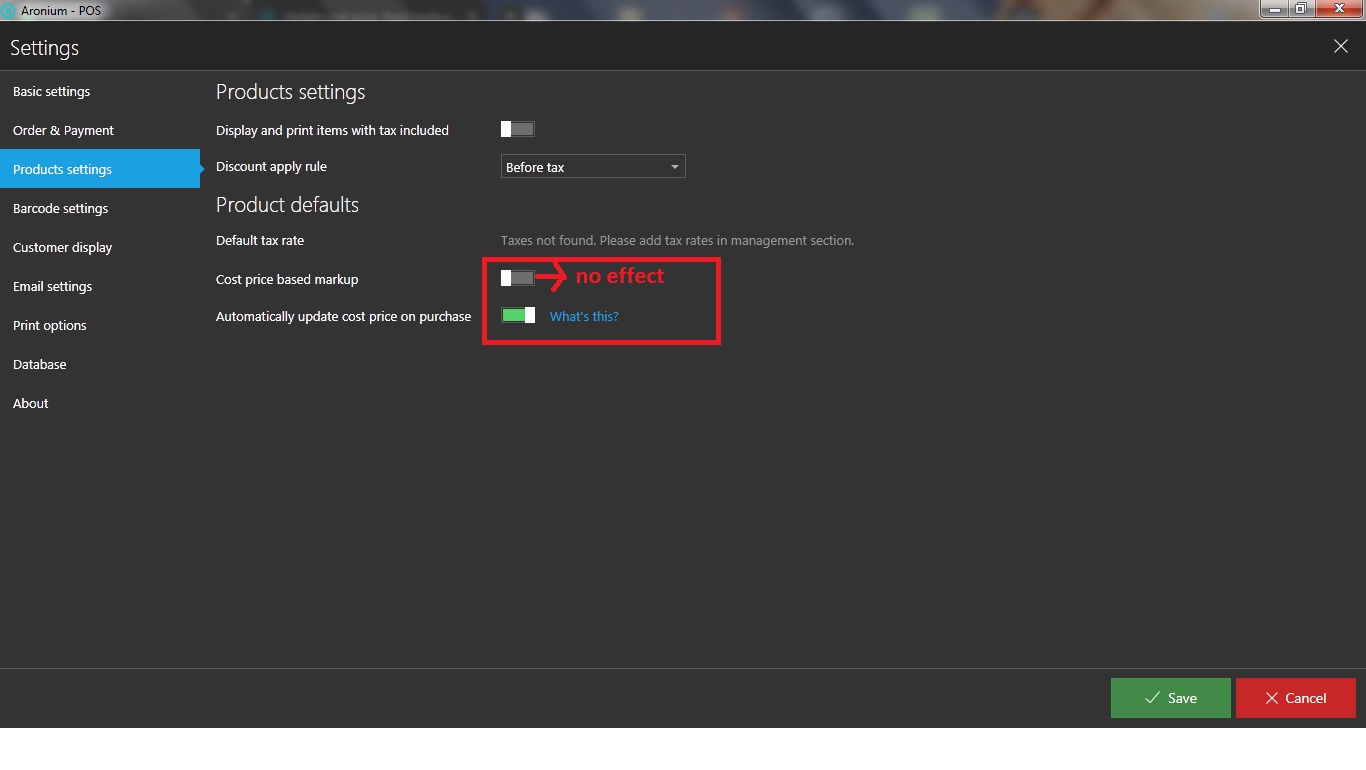
@aronium team...Can you please confirm if this issue has been fixed now? As I am still unable to find out the option from which I can automate the sales price basis cost changes.
What I want is - Let's assume that I want 3% margin on a product. Initially the cost of the product was 11 dollars and now it has increased to 12 dollars - Basis these costs, initial sales price of the product should be 11.33 dollars and now it should automatically increase to 12.36 without any manual intervention.
What I also want is that the cost should be automatically picked from purchase documents added by us.
Let me know if there is an option to do what I have mentioned above.


Please sign in to leave a comment.
Comments
10 comments