Be able to auto print the receipt once a transaction is complete.

-

Hi Oliver,
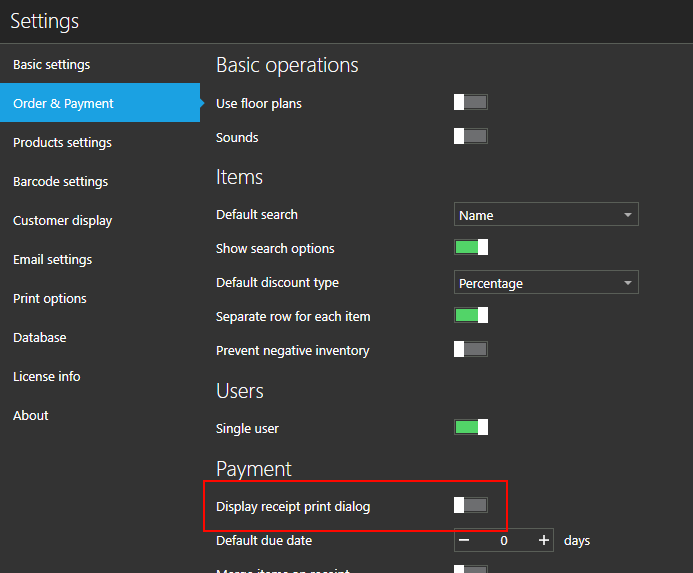
All you have to do is turn on "Display print receipt dialog" option OFF (as in the screenshot below), and receipt will be automatically printed to selected printer.
Also, you can select customer for sale in "Payment" screen, as described at https://help.aronium.com/hc/en-us/articles/208794009-Selecting-a-customer
If you had something else in mind when you said "labeled", please let us know.
Thanks, Aronium team.
-
Hi Oliver,
Unfortunately this kind of "labeling" is not possible, as you can print as many receipts / invoices you want, so there is no way to tell which one would go to "customer" and which one would be a "merchant copy".
The best we can suggest if you need to print 2 copies each time is to set "Number of copies" to 2 in printer settings, but they will be identical always, no option to add additional different labeling.
Best regards, Aronium team.
Please sign in to leave a comment.
Comments
3 comments