Help I Sold 2 Product but Refund 1 old method not working
Answered
I sold one product of 2 Quantities. and need to refund for one 1 Quantity, but not full. "Separate row for each item" is not working for me
I see this article but not working in 2021
Refund one item of same product but retain the other: https://help.aronium.com/hc/en-us/community/posts/360042982591-Refund-one-item-of-same-product-but-retain-the-other?input_string=Sold%202%20but
-

Hi Dipal,
Option to select items is available when you do the refund from Sales history. If you wish to return products from sales screen, just add what is returned.
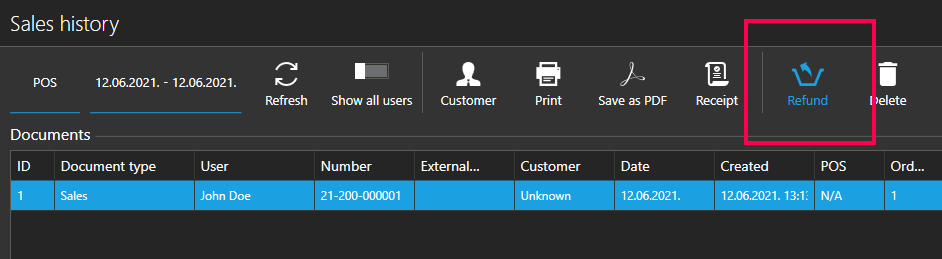
To run refund from sales history, find the sale there and click Refund button, as in the screenshot below. Option to select what items to refund will be available.
Thanks, Aronium team.
-
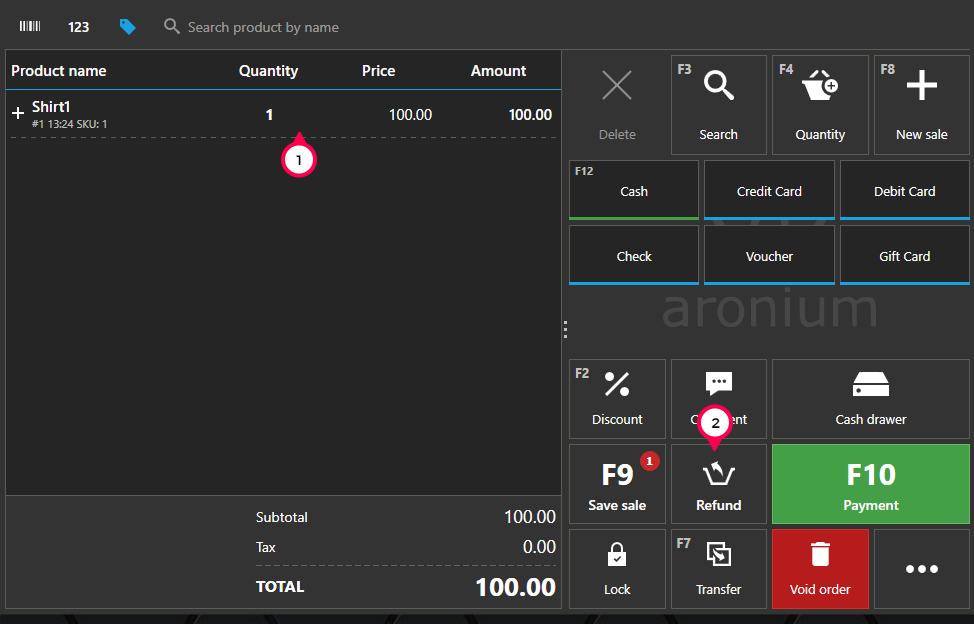
Yes, you can do that from sales screen then, as you want to refund only a part of one sale document item:
- In regular sale screen, add 1 piece of "Shirt1" product (like you are about to sell it)
- Click "Refund" button
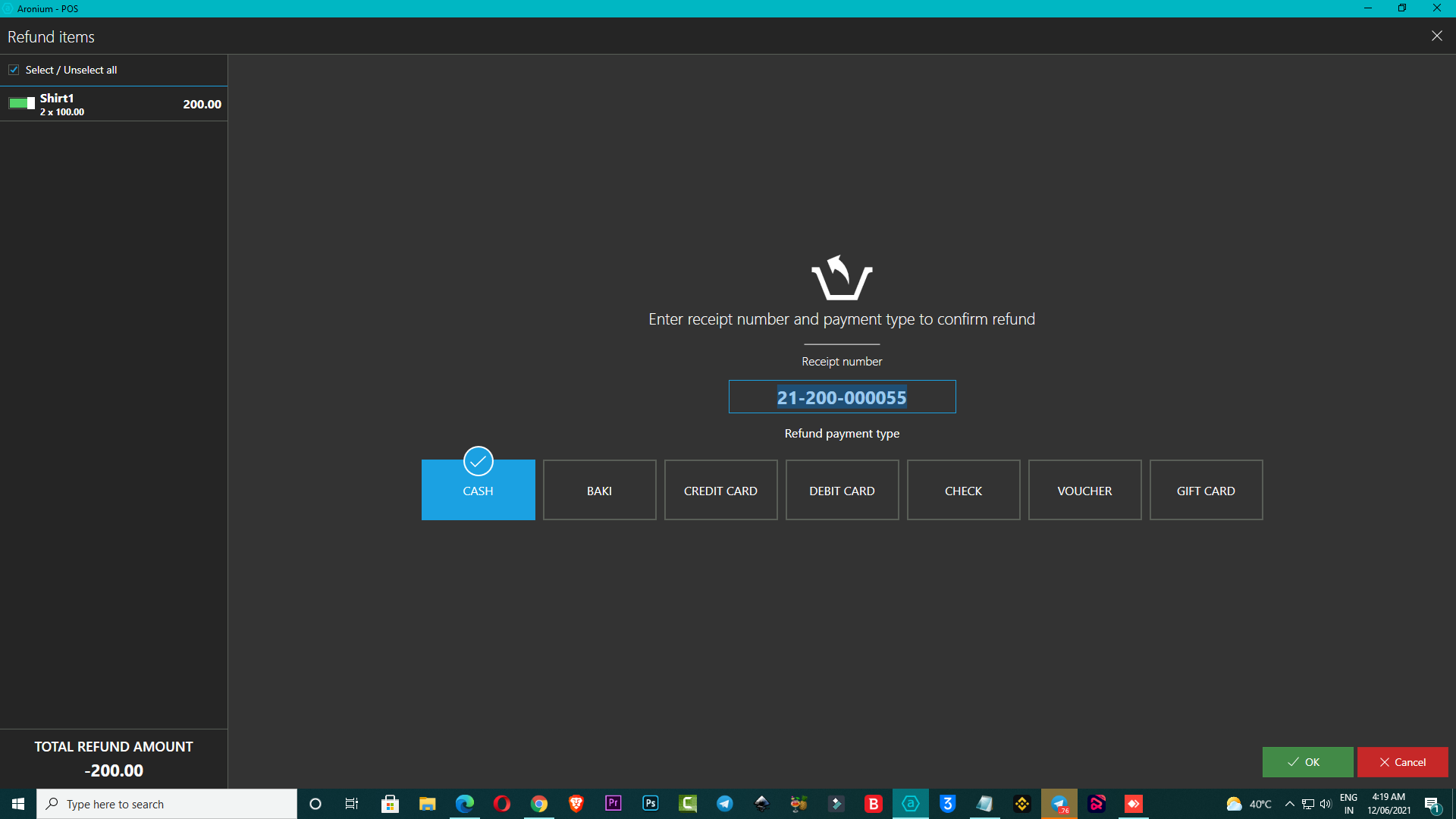
- Enter receipt number so you can refer to it later
- Close the refund and only 1 piece of product "Shirt1" will be returned to the stock
You can find some more info on this at https://help.aronium.com/hc/en-us/articles/115002138149-Refund-return-sale.
Thanks, Aronium team.
Please sign in to leave a comment.
Comments
4 comments