Customer Display on 2nd Monitor
Completed
I know you support the Text based customer display via the small 20x2,24x2... lcd module.
I see alot of companies manufacturing POS systems with 2x screens these days. One in front for the terminal and one directly mounted at the back which is used for the customer. These are both normal computer LCD screens.
It can perhaps have a welcome message or even advertisement slideshow. Once the sale starts it can display to the customer what is added to the cart as the items get added with the total amount ofcourse.

-
Official comment

Hi everyone,
We’re happy to share that customer display on a secondary monitor is now available in Aronium version 1.51.
This has been one of the most requested features for a long time, and we truly appreciate your patience, feedback, and persistence while we worked on it. We hope it makes the customer display experience more flexible and closer to what you’ve been asking for.
Setup instructions are available here: https://help.aronium.com/hc/en-us/articles/115001610232-Customer-display
Thank you again for helping us shape Aronium.
Comment actions -
Hi,
This is not scheduled for development yet.
The best we can do is leave this request open and see if it gather enough votes so we could potentially prioritize this over other requests and planned functionalities, but, at this moment, we cannot promise when/if this will be implemented.
Best regards, Aronium team.
-

This will be a welcome and excellent Idea as it will also make aronium have upper edge among other POS software.
These kind of terminals are flooding markets thereby replacing the VSF display.
I recently install aronium on one of this "ComPOS Dual screen Terminal" precisely i discovered that i cant use the 2nd screen as customer display..Its painful i have to use another software.
-

The welcome screen is not a luxury but rather it has become one of the basics, we reached 2020, and there are many important and basic screens, especially for restaurants:
1- Customer screen and accepts registration and evaluation
2- Queue screen and display all requests and role
3- The kitchen screen to prepare requests instead of the printer -

Request to add feature like this
-

I have found a workaround for those that don't have a vfd display and want to use any second monitor.
1. First you must download a virtual serial port emulator and a SSH Client (the ones I use are free).
Free Virtual Serial Ports or VSPE (I used the first one, the other I havent tested it I mention it as another option, I think it is the same process for both)
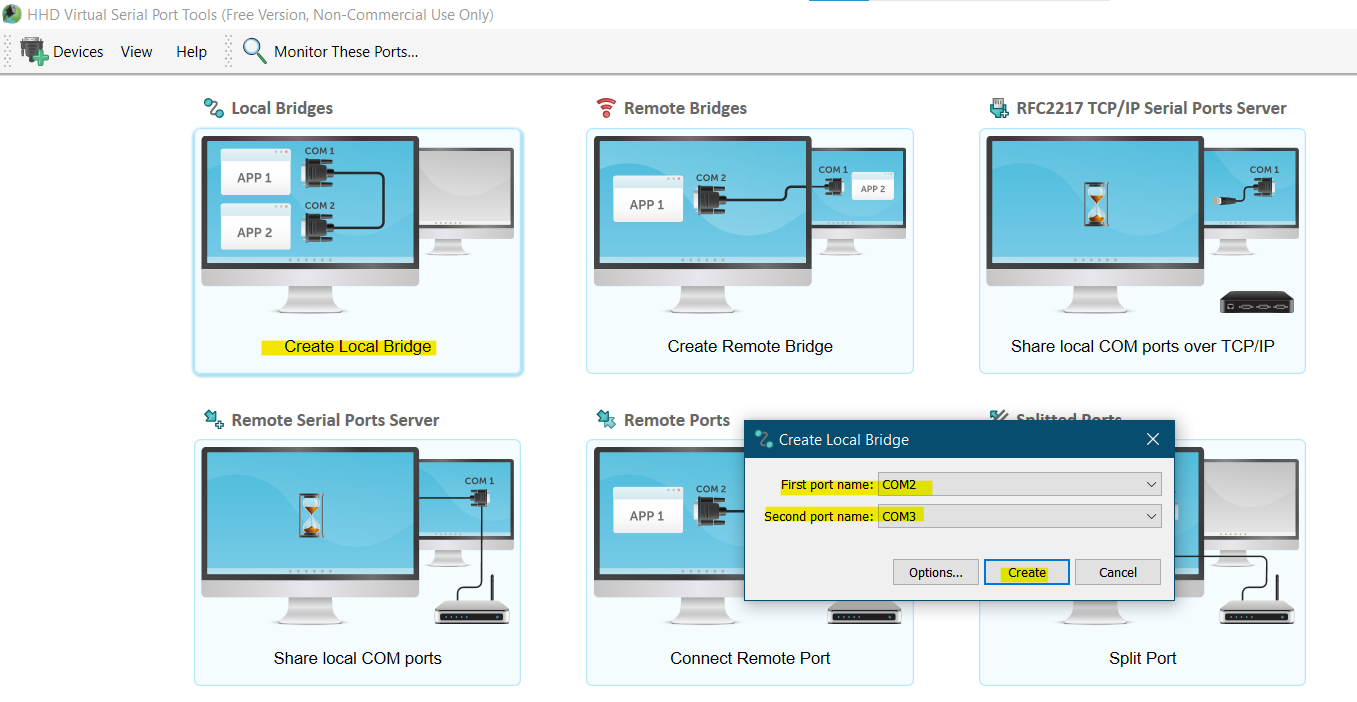
2. Go to your virtual serial port emulator of choise and click create local bridge and choose 2 ports that are not in use. This will create a 2 virtual ports so that we can send data from Aronium to Putty. You can close the app then.
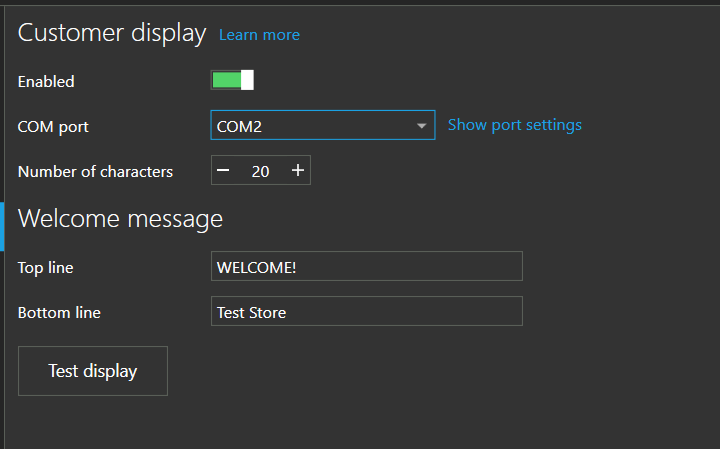
3. Go to Aronium settings -> Customer display. Enable it and in COM PORT put the first port name in my case COM2. Save the settings
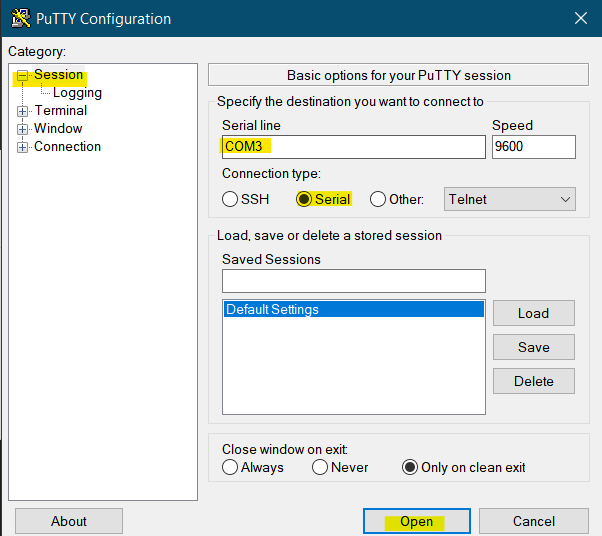
4. Go to Putty. In Session, select Serial and enter the name of the second port to receive the info from Aronium, the hit Open. Make sure to save it in default so you dont have to do it again every time you open Putty.
5. Move Putty terminal to your second screen or play with it in the same screen and enjoy! (it will only diplay 2 lines as if it was a vfd)
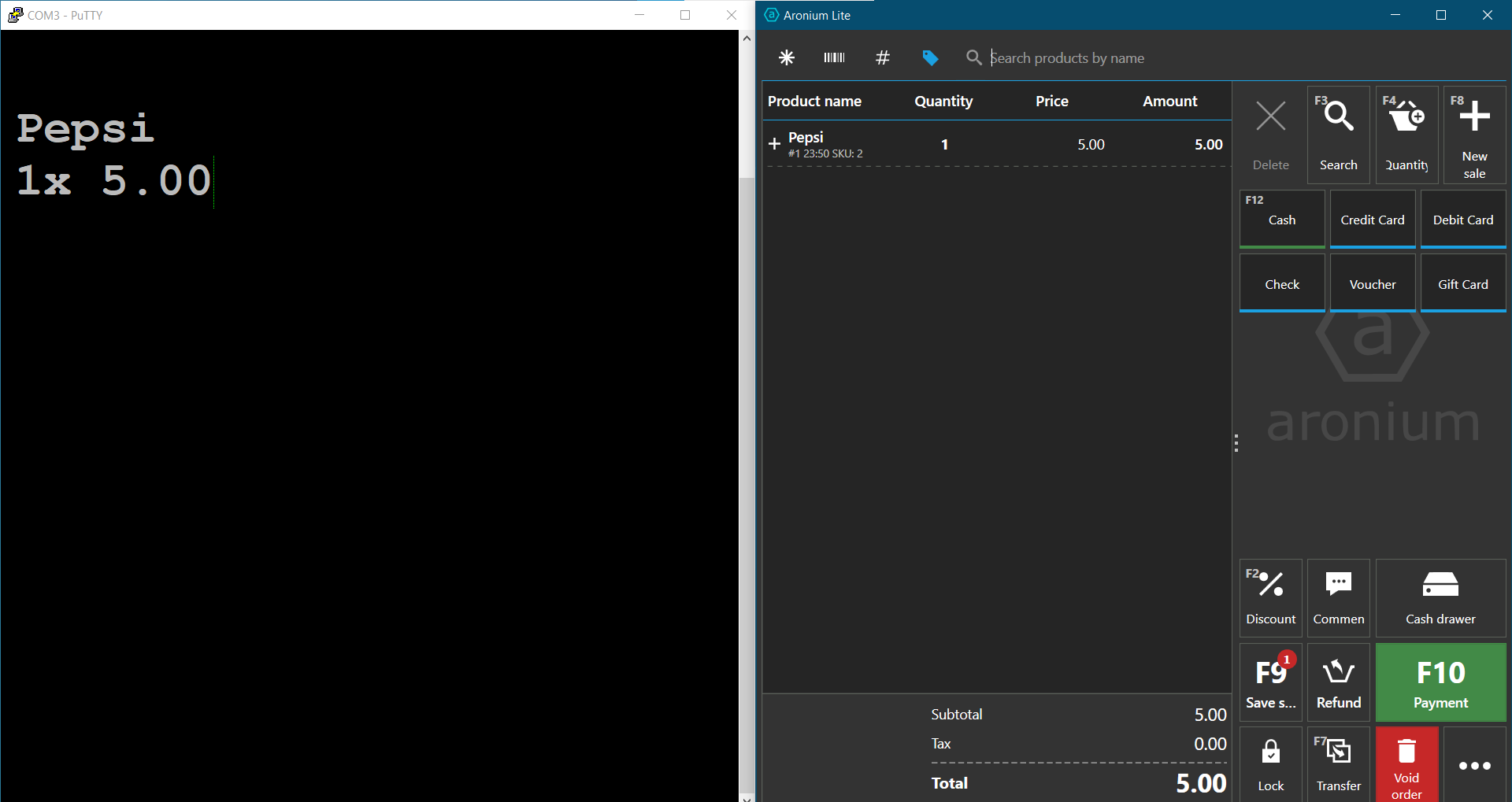
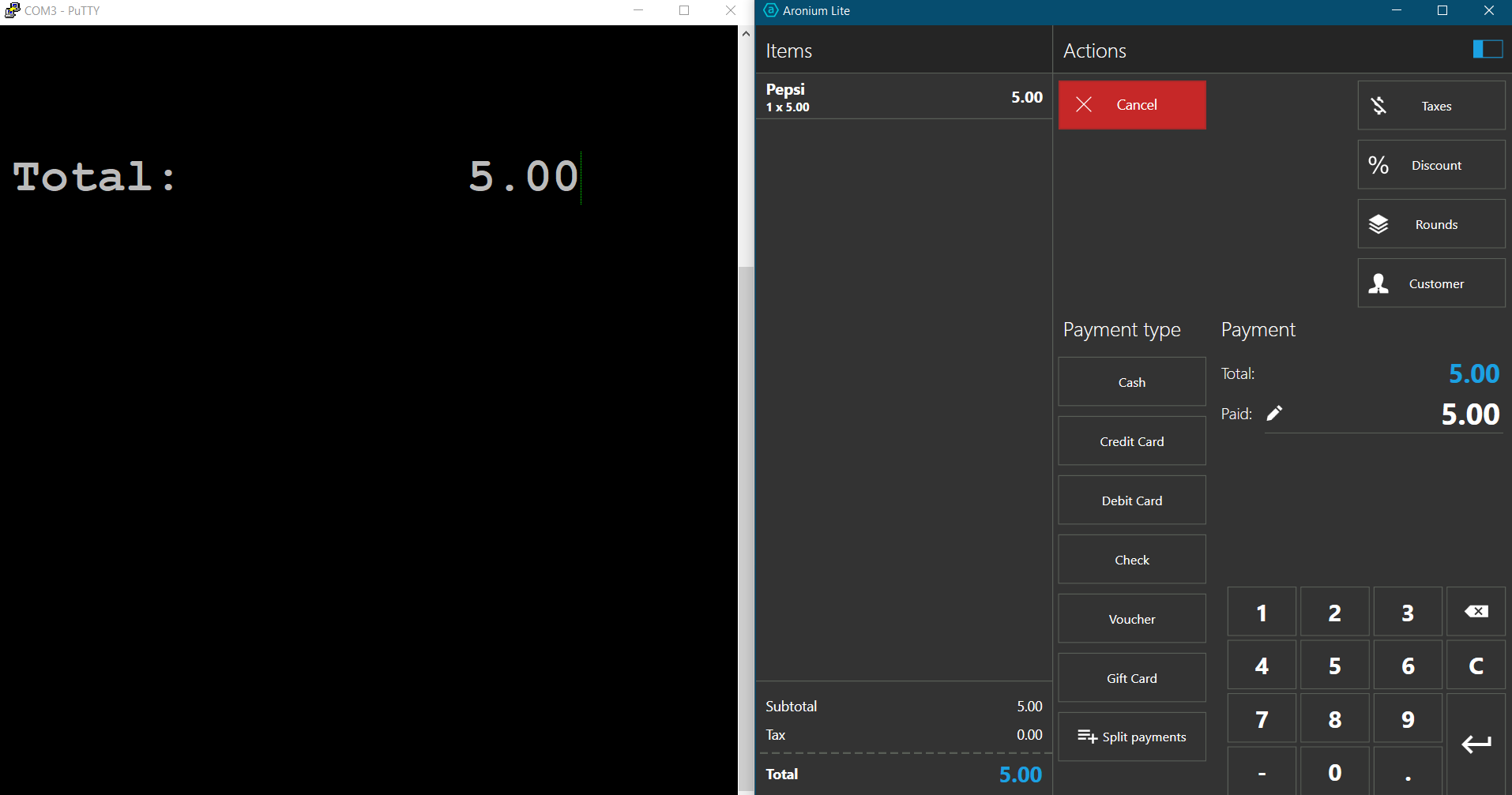
PS: 2 things I found that may be considered bugs are that if you erase a product it wont send and instruction to erase the screen to show nothing and the product name will be stuck, you have to void the order for it to go to the welcome message.
The other bug is that if you update the quantity after you introduced the product it won't send and instruction to show a new line with the new quantity it will show the same quantity as before.
-
Second Part (workaround second monitor).
You can style the putty terminal as per your liking changing the fonts size and type. You can right-click on the terminal window bar or if you are in full screen mode Ctrl + right-click on the screen terminal to enter the options. You may find all styling options in the window section.
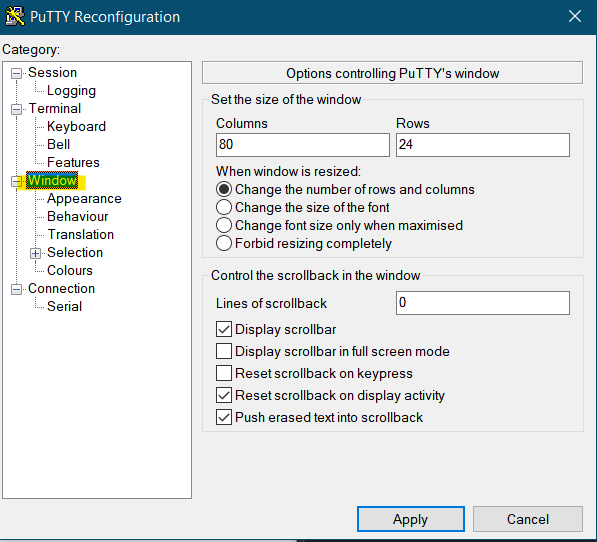
In window -> Lines of scroll bar I put 0 so that it doesnt save past entries. Then in appearance you can change the cursor which I keep in Vertical Line and font type and size, you can manually enter the font size so that it fills the screen. Then select the putty window option on full screen and you are done.
*Make sure to save your styling settings selecting default in sessions and click save to make them permanent.


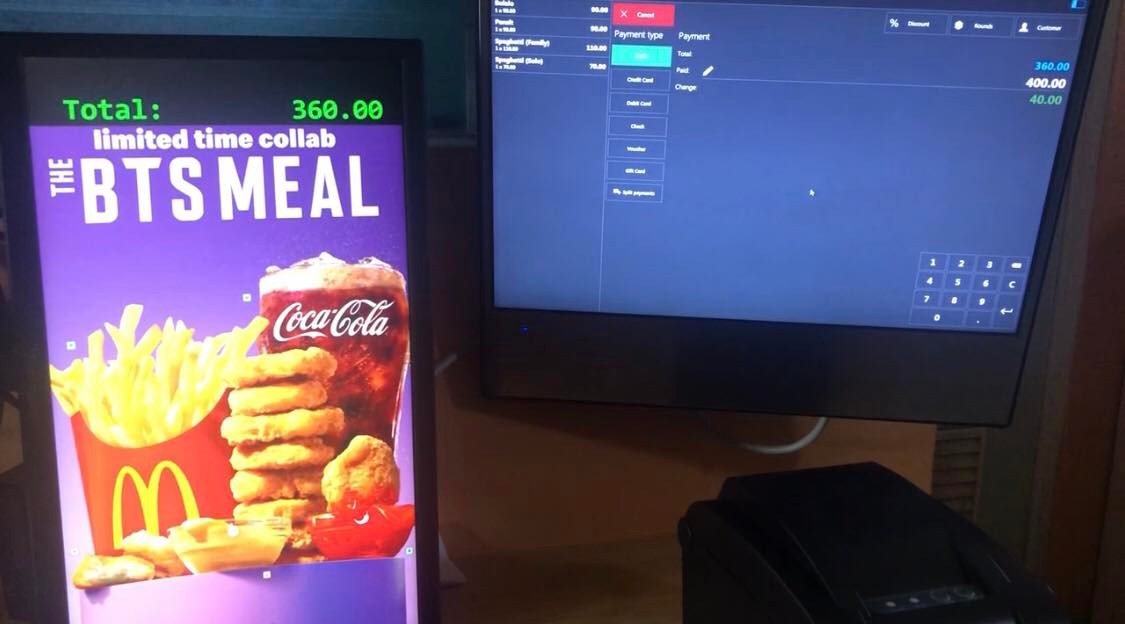 I was able to run a test and it worked....


Please sign in to leave a comment.
Comments
49 comments