voorraad 0 bestellen

Als ik einde van de dag mijn voorraad 0 of onderdelen wil bestellen die bijna op zijn zou ik graag weten hoe ik dit doen moet?
alvast bedankt voor een reactie.
-

Hi Onno,
Currently, you can enable "Stock control" in settings, as described at https://help.aronium.com/hc/en-us/articles/115002983669-Stock-control. That will prevent you selling zero-stock items and going negative, if you wish.
We are working on "Stock control" plugin right now, as requested at https://help.aronium.com/hc/en-us/community/posts/115001641451-Minimum-Inventory-Levels. With this plugin, you will be able to set notifications when product hits low levels.
Please subscribe to the topic above and we will update that thread once it is available for download.Thanks, Aronium team.
-
It depends on your printer selection, please see screenshot.
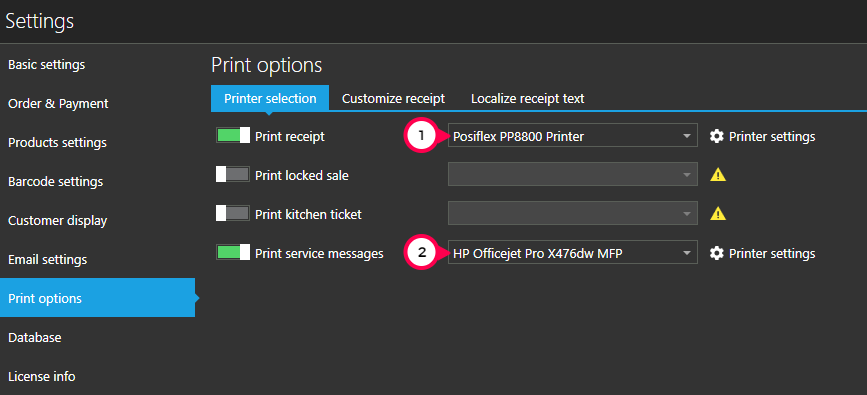
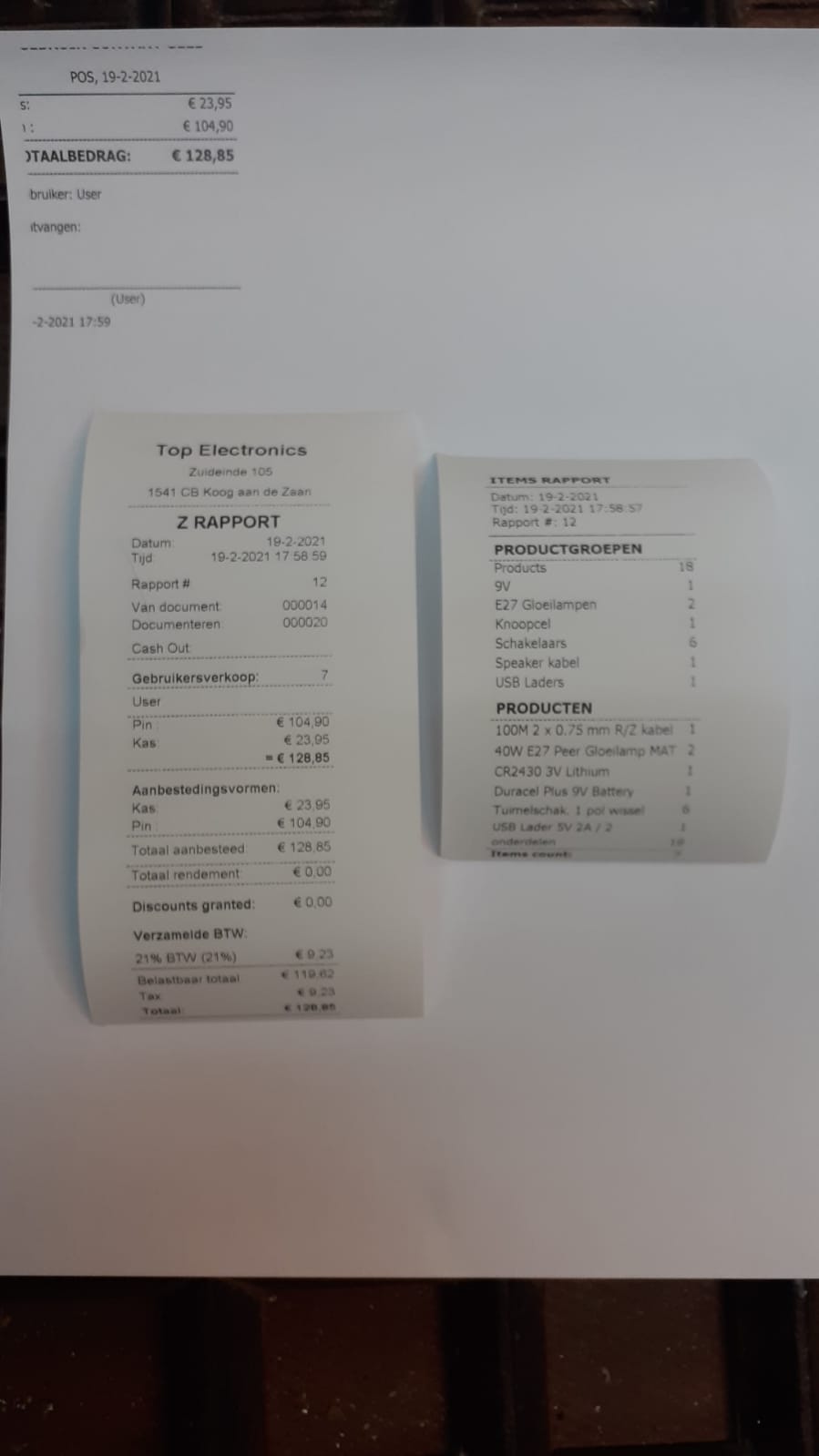
What we believe is that this A4 print is user cash out (No. 2).
So, this is what is printed on your end:
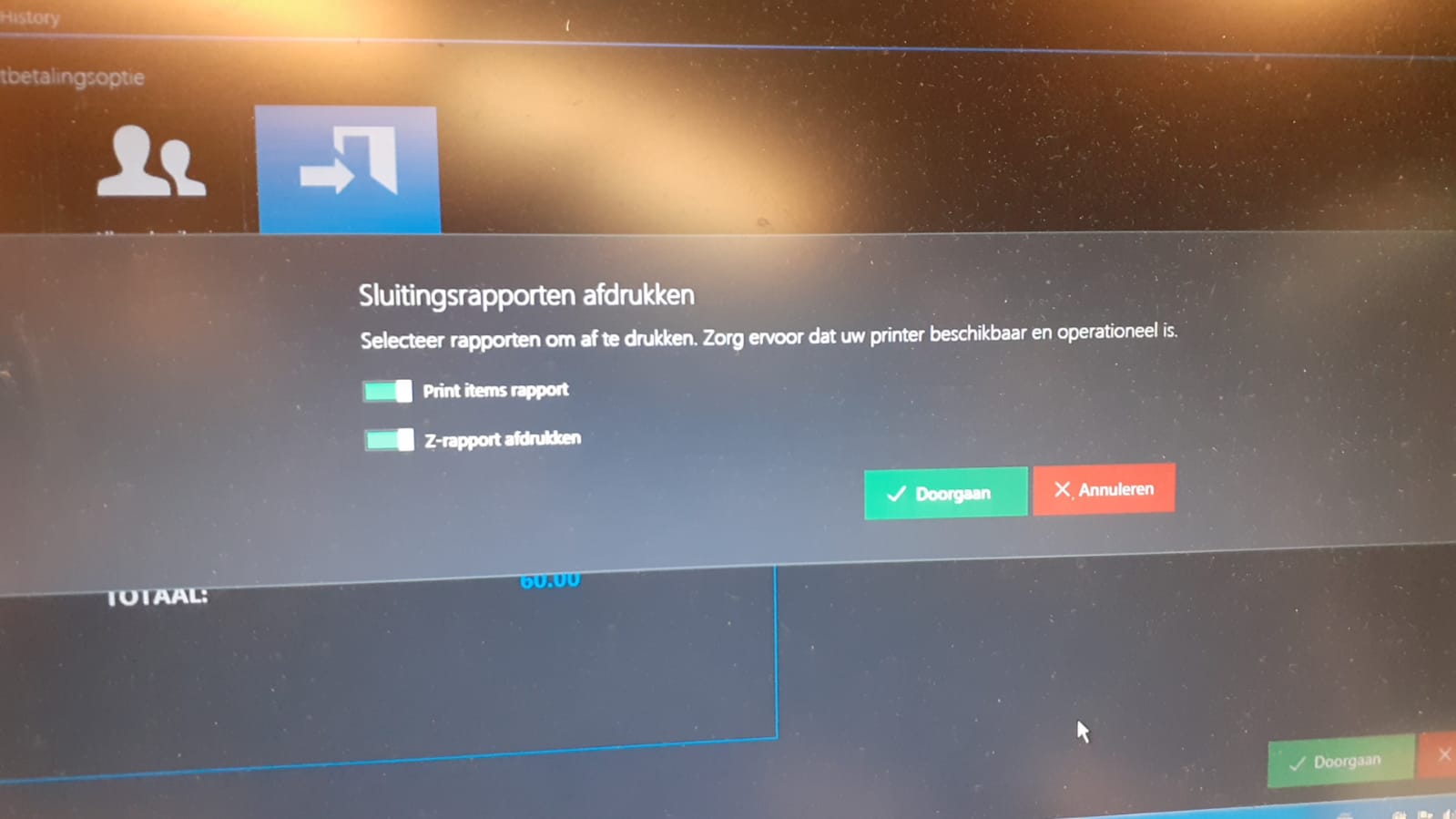
- Z report and items report (receipt printer)
- User cash out (A4 printer)
However, there are some limitations, for example, "Service messages" that prints user cash out has only receipt 58/80 mm template, no A4 template exists for this purpose.
So, please check your print options and see what works for you the best. You can find more info at https://help.aronium.com/hc/en-us/articles/209393985-Print-Options
Thanks, Aronium team
Please sign in to leave a comment.
Comments
5 comments