Having problems making the program read my barcodes as a price embeded barcode

so my barcode is 0200091005497 and its price would be 5.49 ergo the price is embeded into the barcode, i tried to set this up using the weighing scales barcode, but am having issues, becuase it is not reading it s a price embeded barcode, any help would be greatly appreciated.
-

Hi Agustin,
Can you please tell us did you tried turning on "Scale prints price instead of quantity" option in barcode settings, as in the screenshot below?
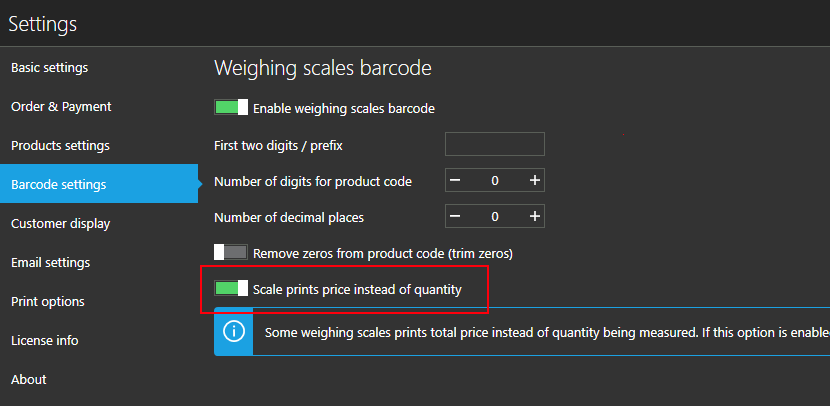
With this option enabled, quantity will be calculated based on price (total) in generated barcode, so I was hoping this may help in your case.
Thanks, Aronium team.
-

Hi I have kind of a similar problem, I am pretty sure there is a bug because when I play around with the settings at some point it works, then I stop playing with the settings it still works and for some reason it stop working after. Let me explain.
Here's my situation. I have scales that print these kind of barcodes:
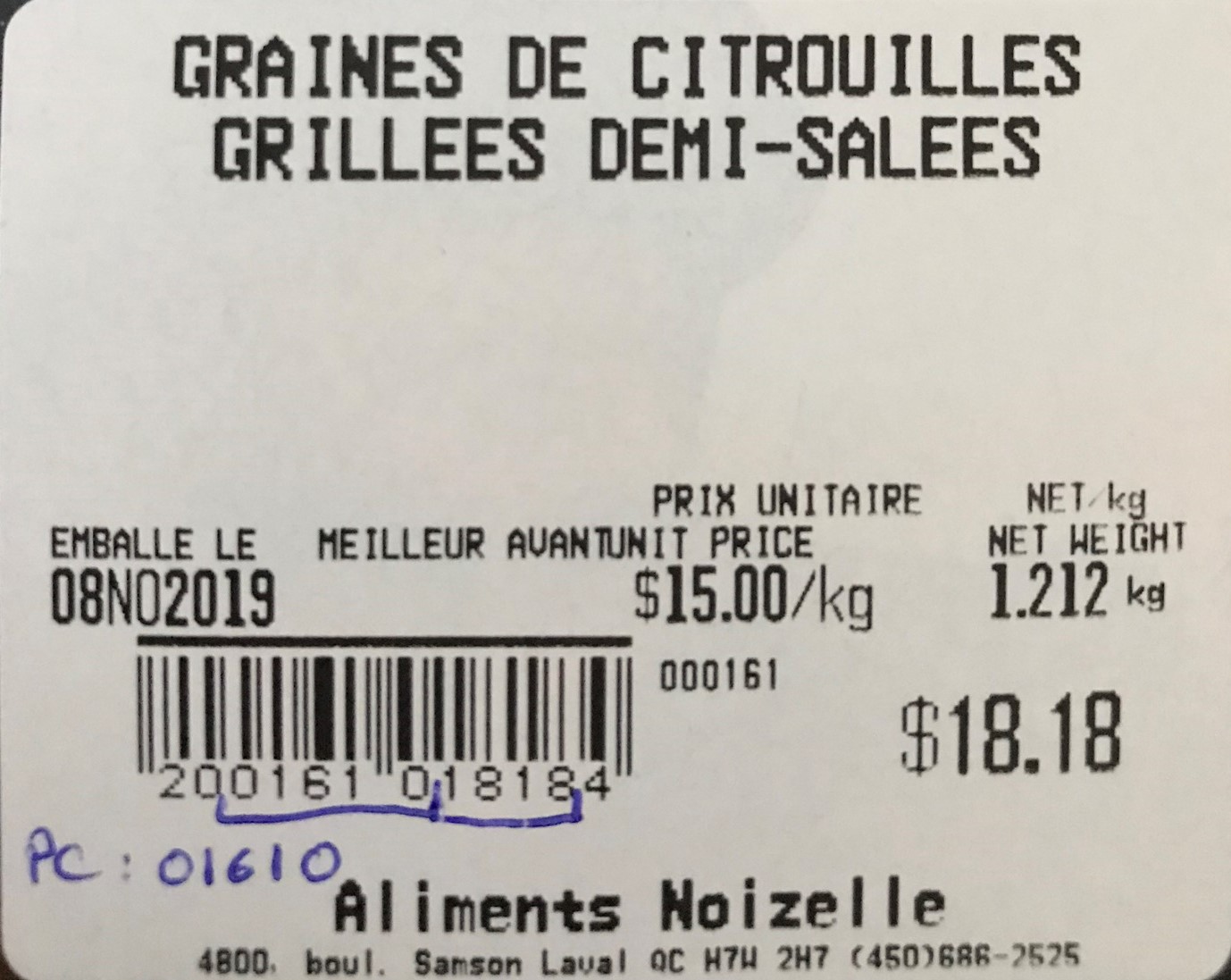
I can confirm that the prefix is "20" and the product code for this product is "01610". The price is "1818", in this case $18.18. and "4" the checksum I'm guessing, because sometimes it's another number than 4.
Here are my settings :

I created 2 products with product code "01610" and "01611":
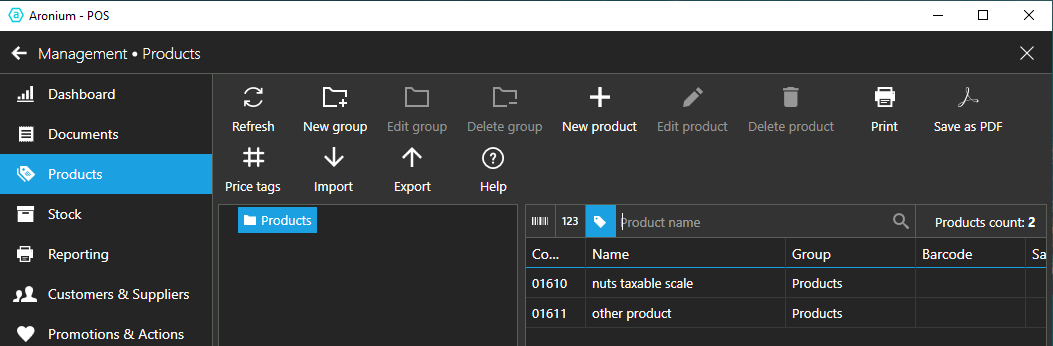
Then when I scan with my barcode scanner in "barcode" or "product" mode, it does not work. I even tried typing with a keyboard manually the first digits of the barcode "2001610" and it does not filter out the products (in "barcode" mode or "product" mode). Here's a picture.

Can you assist me with this? I ran Aronium on Windows 10 and Windows 7.
-
I tried changing all these settings : changing the decimals, allowing price change to products, toggling on or off the "scale prints price instead of quantity", trying to scan and interpreting the price as a weight. Nothing works, but like I said above sometimes it works and then stops working.
-
Hi Aliments,
Sorry for late answer.
What we noticed in your screenshots above is that you were filtering products by "code" not "barcode". What you need to do to make sure your weighing scale barcode works is change search type to "barcode", as described here.
Next, make sure you read article at https://help.aronium.com/hc/en-us/articles/208663329-Barcode-settings, it describes what settings needs to be used so your dynamically generated barcode from weighing scale can be read and used correctly.
So. for barcode "20 01610 1818 4" (your example) you should use the following settings
- Prefix: 20
- Number of digits for product code: 5 (your example is 01610)
- Number of decimal places: 2 (so you get 18.18 from "1818")
- Trim zeros: checked (this is important if you are using codes "1610", so leading zero from "01610" can be removed)
Hope this helps.
Thanks, Aronium team.
-
Hi Aliments,
Please keep in mind one more thing, filtering by barcode and code works differently than filtering by name, as it will not filter products while you type.
When searching products by code or barcode, you will have to press "ENTER" before Aronium actually perform the search. If you are using barcode reader, most of them will send "ENTER" key after the scan, so this should happen automatically.
Let us know if you manage to make it work.
Thanks, Aronium team.
-
Hi, just to close the loop here. I tried using the price embedded feature but the system translates the price in the barcode as another completely random number (ex: 6.3254). I don't remember exactly the number, but I did not recognize any of the pattern. It's not on the barcode. I finally bypassed this by remove the price embedded barcode setting and putting the price of every product as 1$/kg and reading the price on the barcode as a weight. This way, aronium sees 18.18kg on the barcode for example and since the unit price is 1$/kg it puts a product of 18.18$.
That is the way around that I found.
Please sign in to leave a comment.
Comments
7 comments